AlbumForge: Photo Album Software for Desktop
albumforge.com · checked 15 Oct 2026
Desktop software that turns photos into printable albums and shareable files.
How it plugs in
Signal on Photo Book Software6.6#4 of 32
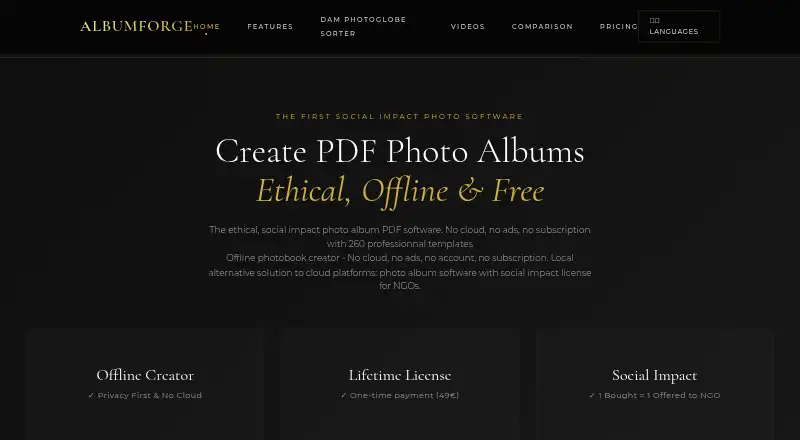
AlbumForge is desktop software for making photo albums on a local computer. It creates PDFs for printing and can also export websites, slideshows, JPEG, and PNG files. Automatic layouts use photo details such as dates and locations, while a manual mode applies chosen layouts in gallery order. A free plan and 30-day full trial are available.
Review
In a line
AlbumForge creates photo albums on a computer and exports them for printing or sharing. It runs on Windows, macOS, and Linux, with a public FAQ API also available.
What it does
The automatic album engine groups photos by EXIF details such as date, location, orientation, and scene similarity, then selects layouts. A manual generator applies selected layouts in the order photos appear in the gallery.
Albums can include geographic stories. AlbumForge reads GPS data in photo metadata and shows locations on interactive maps with animated navigation. The interface supports more than 50 languages, including right-to-left writing.
The software imports JPEG, PNG, TIFF, BMP, GIF, several RAW formats, HEIC/HEIF, WebP, and AVIF. Exports include PDF, HTML website, slideshow, JPEG, and PNG.
How it connects
Album creation and export are designed to work locally and offline, so photos stay on the computer. Map tiles come from OpenStreetMap and may need a temporary internet connection.
A public AlbumForge FAQ REST API provides 1,083 French and English entries through category endpoints. Its data and documentation use the CC0-1.0 public-domain license, with REST, JSON, CORS, and JavaScript, Python, and cURL examples. No product SDK or self-hosting instructions are documented.
There is no open-source desktop code. AlbumForge is a desktop app rather than a web or mobile app, and it does not offer print ordering.
Good fit
AlbumForge is aimed at families, seniors, and teachers who want to turn large photo collections into albums. Automatic grouping can organize photos by time, place, and visual similarity.
The free DISCOVERED plan handles 40 photos per album and five layouts. Paid plans add larger albums, more layouts, geographic features, and higher-quality or professional exports.
Watch for
Manual generation can use excessive memory or processor time when many layouts are selected, leading to very long processing or crashes. Exports at 600 DPI can exceed 100 MB, and PDFs may become very large; 300 DPI is identified as professional print quality.
AlbumForge creates files but does not print them. You need another printing provider. Map viewing may briefly require internet access even though album processing is offline.
The Windows installation page lists Windows 10/11 64-bit, at least 4 GB of RAM, and 500 MB of free disk space.
Pricing
AlbumForge uses a freemium model. The DISCOVERED plan is free and allows 40 photos per album, five layouts, standard PDF export, offline use, and no watermark.
BASIC costs €29 one-time, billed for lifetime use. It allows 200 photos per album, 20 layouts, high-quality PDF export, geographic mapping, one year of updates, and personal or commercial use.
PRO SOLIDAIRE costs €49 one-time, billed for lifetime use. It includes unlimited photos, 100+ layouts, professional export, advanced mapping and animations, full customization, lifetime updates, priority support, and 50 languages. PROSOLIDARY is listed at $49 one-time, billed as a single payment for life, with unlimited photos, 100+ templates, professional export, advanced mapping and animations, lifetime updates, and priority support.
FAMILY & EDUCATION costs €89 one-time, billed for lifetime use. It includes five licenses, all Pro features, priority support and training, and a discount on additional licenses. A 30-day full-access trial is available without a credit card.
Verdict
Choose AlbumForge if you want local, offline album creation with automatic photo grouping, map-based storytelling, and several export formats. The free plan suits small albums, while the paid editions raise photo limits and add layouts and professional output.
Check your computer’s memory, expected PDF sizes, and printing provider before buying. The software is not a fit if you need a web or mobile app, built-in print ordering, or open-source desktop code.
Our take
AlbumForge fits people who want to assemble printable photo albums without uploading their pictures. Its automatic grouping, map views, broad import support, and offline exports cover family, school, and personal projects. Start with the free plan or the no-card trial to check the workflow and file sizes. Choose a paid edition only if its photo limits, layout count, mapping tools, language support, or support terms match your needs. Plan to handle printing elsewhere, and avoid heavy manual layout jobs on computers with limited memory.
- Works locally and supports offline album creation
- Imports common, RAW, HEIC/HEIF, WebP, and AVIF photos
- Exports PDF, websites, slideshows, JPEG, and PNG
- Automatic grouping uses dates, locations, and visual similarity
- Public FAQ API uses a CC0-1.0 license
- No integrated printing service or print ordering
- Manual layout jobs can use excessive RAM and CPU
- 600-DPI exports and PDFs may become very large
- No web app, mobile app, or open-source desktop code
- Pick it ifFamilies, seniors, and teachers making photo albums; Users who want offline processing and map-based stories; Projects needing PDF plus web or image exports
- Skip it ifYou need built-in print ordering or a web/mobile workflow; You require open-source desktop software; Your computer has limited memory for large manual albums
Pricing
A free plan covers small albums. A 30-day full-access trial requires no credit card.
- DISCOVERED40 photos per album · 5 layouts · standard PDF export · offline · no watermarkFree
- BASIClifetime · 200 photos per album · 20 layouts · high-quality PDF · geographic mapping · 1 year updates · personal/commercial use€29 one-time
- PRO SOLIDAIRElifetime · Unlimited photos · 100+ layouts · professional export · advanced mapping and animations · full customization · lifetime updates · priority support · 50 languages€49 one-time
- PROSOLIDARYSingle payment for life · Unlimited photos · 100+ templates · professional export · advanced mapping and animations · lifetime updates · priority support$49 one-time
- FAMILY & EDUCATIONlifetime · 5 licenses · all Pro features · priority support and training · additional-license discount€89 one-time
As albumforge.com lists them, checked 15 Oct 2026.
Questions
Is AlbumForge free?
Yes. The DISCOVERED plan is free and supports 40 photos per album, five layouts, standard PDF export, offline use, and no watermark.
Does AlbumForge work offline?
Album creation and export work without an internet connection, and photos stay on the computer. OpenStreetMap tiles may need a temporary connection.
What files can AlbumForge import?
It supports JPEG, PNG, TIFF, BMP, GIF, several RAW formats, HEIC/HEIF, WebP, and AVIF.
What can AlbumForge export?
The guide lists PDF, HTML website, slideshow, JPEG, and PNG exports. Export settings range from 72 to 600 DPI.
Does AlbumForge print albums?
No. It generates files, but printing must be arranged through another provider.
Is there an AlbumForge API?
Yes. A public FAQ REST API exposes 1,083 French and English entries. The dataset and documentation use the CC0-1.0 license.
How much does the paid version cost?
BASIC is €29 one-time for lifetime use. PRO SOLIDAIRE is €49 one-time, PROSOLIDARY is $49 one-time, and FAMILY & EDUCATION is €89 one-time.