
Amanda Backup Software: Features, Connections and Pricing
amanda.org · checked 21 Oct 2026
Centrally managed backups for networked Windows, macOS and Linux systems, with open-source software.
How it plugs in
Signal on Backup software7.6#5 of 151
Administrators can run Amanda from a server they control to protect multiple connected computers. Backups can land on disk, tape, optical or virtual tape media, and cloud targets, with catalogs for file recovery. Amanda supports Windows, macOS and Linux clients, encryption, compression, scheduling and custom application handlers.
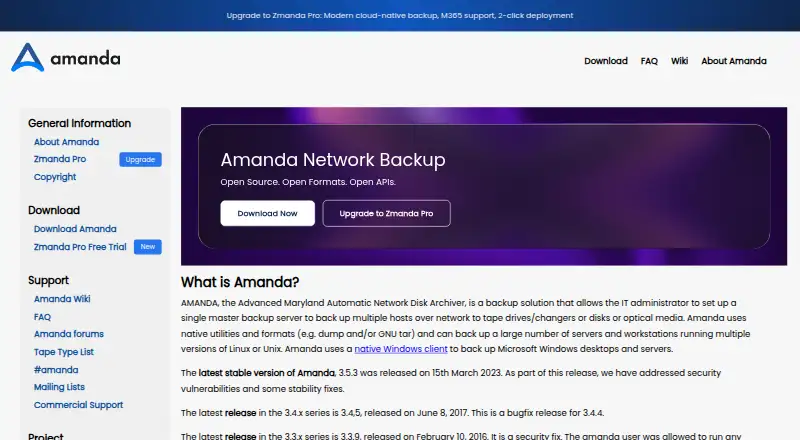
Review
In a line
With Amanda, one master server coordinates backups for numerous networked machines. The software is installed and operated on an administrator-managed server, not delivered as a hosted service.
What it does
Amanda handles full and incremental jobs for Windows, macOS, Linux and Unix clients. Its scheduler spreads work across the backup cycle and can send several machines to a holding disk at the same time before writing to final media.
Backup output may go to disks, tape drives or changers, optical and virtual tape, or cloud destinations. A catalog records backed-up files and their media locations, while tape management helps prevent the wrong tape from being overwritten and can span a backup across multiple tapes.
For recovery, Amanda identifies the tapes and backup image needed for a file restore. Compression may happen before or after network transfer, using compress, gzip or a custom program, and archives may be encrypted with GPG or another program.
How it connects
Amanda includes storage drivers for DVD-RW, RAIT and Amazon S3. Release notes also document OpenStack Keystone and Google Cloud storage support. Its device API lets developers add storage drivers or control tape libraries.
An application API supports custom handlers for relational databases and specialized file systems. User-defined scripts can run before or after backups. Secure server-client communication can use OpenSSH, while Kerberos 5 authentication with encrypted dumps is also supported.
The code is open source, built in C and Perl on standard Unix archival tools, and is available for Linux, macOS, Windows, Unix systems, API use and self-hosted operation.
Good fit
Amanda suits administrators who want centralized control over backups for multiple networked hosts and a choice of local, removable or cloud media. It fits organizations that can operate their own backup server and need file-level restores.
The project describes its free community edition as best suited to labs and testing. Its application and device APIs also suit teams that need custom backup handlers or storage drivers.
Watch for
Amanda is supplied as-is, and free formal support is unavailable. Users can turn to mailing lists and forums, while vendors may provide commercial assistance.
A backup host needs suitable disk, NAS, SAN or tape capacity, network sockets, inetd or an equivalent, and shared memory or BSD mmap support. Amanda works best with one or more large holding-disk partitions; without one, backups run sequentially to the tape drive.
Check that your client operating systems, storage hardware and security setup match your needs before committing.
Pricing
Amanda Community and Amanda Community Edition are no-cost open-source offerings delivered as-is. A free trial is also available, but the free community offering has no free formal support.
The Business plan is billed at $5.99 per device each month and covers Linux and Windows backup, database and Microsoft 365 backup, ransomware protection and standard support. At $6.99 per device monthly, Business Plus adds 24/7 premium support, SSO, self-hosted servers, disaster recovery and webhooks.
Enterprise pricing is price on request for custom deployments, data-resiliency solutions, automation scripts and SIEM integration.
Verdict
Choose Amanda if you have an administrator who can run a self-hosted backup server, manage storage media and work with community documentation. It is a practical fit for centralized file backups across mixed operating systems, especially in labs and test environments.
Look elsewhere if you need a hosted service, included formal support or a simpler setup without holding-disk and infrastructure requirements. Paid tiers may suit teams that need device billing, Microsoft 365 or database coverage, premium support and business features.
Our take
Amanda is a sensible choice for technically capable administrators who need one control point for backups across Windows, macOS and Linux machines. Its open-source community edition keeps software costs at zero, while paid tiers add support and business features. The trade-off is operational work: you provide the server, storage and networking, and the free edition comes without formal support. A large holding disk improves performance, so teams lacking that capacity or wanting a hosted, hands-off service should consider another product.
- No-cost open-source community offerings
- Backs up Windows, macOS and Linux clients
- Supports disk, tape, optical media and cloud targets
- Central scheduler and catalog for many hosts
- Encryption, compression and custom application handlers
- Self-hosted setup requires storage and server infrastructure
- Free community edition has no formal support
- Works best with large holding-disk partitions
- Business plans are billed per device
- Pick it ifAdministrators protecting many networked hosts; Labs and testing using open-source backup software; Teams needing tape, disk or cloud destinations
- Skip it ifYou need a hosted backup service with little administration; You require included formal support on the free plan; Your backup host cannot provide a large holding disk
Pricing
The community editions cost nothing and are provided as-is. Business is $5.99 per device monthly, Business Plus is $6.99 per device monthly, and Enterprise pricing is available on request. A free trial is available.
- Amanda CommunityFree open-source community edition · provided as-is · no free formal supportFree
- Amanda Community EditionFree open-source project · provided as-isFree
- Businessper device · Linux and Windows backup · database and Microsoft 365 backup · ransomware protection · standard support$5.99/mo
- Business Plusper device · Business features · 24/7 premium support · SSO · self-hosted servers · disaster recovery · webhooks$6.99/mo
- EnterpriseCustom deployment · integrated data-resiliency solutions · automation scripts · SIEM integrationOn request
As amanda.org lists them, checked 21 Oct 2026.
Questions
What is Amanda used for?
Amanda lets one master server coordinate backups for several networked hosts and provides file-level recovery.
Which operating systems can Amanda back up?
Windows, macOS and Linux are supported client platforms. Project materials also list multiple Unix systems.
Where can Amanda store backups?
Targets cover disk, tape drives and changers, optical and virtual tape, DVD-RW, RAIT, and cloud services including Amazon S3.
Is Amanda open source and free?
Yes. Amanda Community and Amanda Community Edition are free open-source offerings supplied as-is. Free formal support is not included.
Does Amanda offer encryption?
Yes. GPG or another encryption program can protect archives, and OpenSSH or Kerberos 5 can secure server-client communication.
What support is available?
The community edition does not include free formal support. Users can consult mailing lists and forums, and vendors may provide commercial support.
How much do Amanda's paid plans cost?
Business is priced at $5.99 per device per month, while Business Plus is $6.99 per device per month. Enterprise pricing is available on request.