AutoCut software review
autocut.com · checked 8 Oct 2026
AI tools for handling repetitive edits within Premiere Pro and DaVinci Resolve.
How it plugs in
Signal on AI Video Editing Software5.9#21 of 32
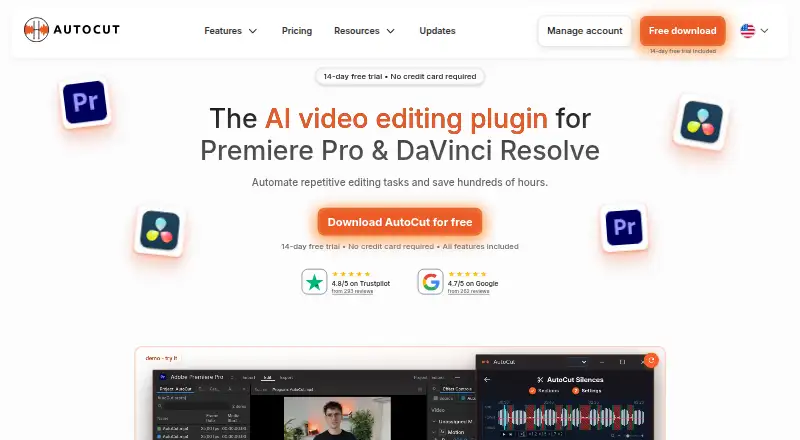
AutoCut is a paid Adobe Premiere Pro and DaVinci Resolve plugin available on macOS and Windows. Its toolkit includes text-driven editing, animated captions, silence trimming, AI audio cleanup, multicamera podcast work, B-roll placement, and resizing for social formats. A 14-day trial provides the complete feature set and does not ask for a credit card.
Review
In a line
AutoCut puts AI-powered editing features inside Adobe Premiere Pro and DaVinci Resolve. Repetitive timeline work can be automated without exporting and importing projects between applications.
What it does
Editors get text-based controls, animated word-by-word captions in over 80 languages, silence cutting, and AI-driven audio cleanup.
For multicamera edits, AutoCut Podcast recognizes speakers and switches angles. AutoB-Rolls places Pexels or Storyblocks footage, along with custom AI visuals, directly on the timeline.
Its other listed tools include automatic zooms, short-clip creation, repeated-take detection, profanity filtering, chapter generation, and resizing for social formats.
How it connects
Premiere Pro and DaVinci Resolve host the plugin. The download page specifies Windows and Mac support, Premiere Pro versions 23 through 26, and DaVinci Resolve versions 18.6, 19, 20, and 21.
Project files, timelines, and videos remain on your device. For transcription or applicable AI processing, a low-quality audio track is uploaded and transcript and job data are processed for that task. The current service design automatically removes uploaded audio and transient transcription data within 24 hours.
Good fit
AutoCut suits editors working in Premiere Pro or DaVinci Resolve who want less repetitive timeline work. It covers captioning, silence cutting, audio cleanup, podcast camera changes, B-roll placement, and short-form edits.
It can also fit teams that need shared licensing and centralized billing through the Enterprise plan.
Watch for
There is no free plan. Because the plugin depends on Premiere Pro or DaVinci Resolve, verify that your application version falls within the listed compatibility range.
Certain AI operations upload a low-quality audio track for processing. Review that handling if your projects contain sensitive speech or footage.
The plan names and billing displays differ between monthly and yearly views, so confirm the billing term and license quantity before paying.
Pricing
AutoCut uses paid plans, with a 14-day trial covering every feature and requiring no credit card. There is no free plan.
The Basic plan costs $9.90 a month on monthly billing and includes AutoCut Silences. When billed yearly, the page presents Basic at $6.60 per month with $79.0 billed yearly; it also shows $9.9 per month, and coverage is AutoCut Silences for Premiere Pro and DaVinci Resolve.
Monthly AI Plan pricing is $14.90, with $178.8 billed yearly; the page also shows $19.8 per month. This tier includes all listed AI features for both host applications.
Enterprise is listed at $238.80 per year, with license quantity selected on the pricing page. Another Enterprise view shows $19.90 per month, $238.8 billed yearly (477.6$), plus AI Plan features, priority support, on-demand demo calls, team licensing, centralized billing, and selectable license quantity.
Verdict
Choose AutoCut if your editing already happens in Premiere Pro or DaVinci Resolve and you want built-in automation for captions, pauses, audio, podcasts, or short clips. The trial lets you check the full feature set before subscribing.
Skip it if you need a free plan, use another editor, or cannot send audio for AI processing. Teams should compare the Enterprise billing display with the number of licenses they need before checkout.
Our take
AutoCut is a practical option for Premiere Pro and DaVinci Resolve users who want routine edits handled inside their existing timelines. Its scope covers captions, silence cutting, audio cleanup, podcast camera switching, B-roll, and social resizing. The 14-day trial provides a way to check compatibility with all features enabled. However, it has no free plan, depends on supported host versions, and sends low-quality audio for some AI processing. Solo editors can choose monthly or yearly plans, while teams should verify Enterprise license quantities and the different billing displays.
- Works within Premiere Pro and DaVinci Resolve
- Animated captions cover more than 80 languages
- The 14-day trial includes all features without needing a credit card
- Handles silence, audio cleanup, podcasts, B-roll, and social resizing
- No free plan
- Supported Premiere Pro or DaVinci Resolve versions are required
- Some AI features upload low-quality audio for processing
- Plan pages show different monthly and yearly billing figures
- Pick it ifEditors using Premiere Pro or DaVinci Resolve to automate routine work; Podcast and short-form video workflows; Teams needing centralized billing and team licenses
- Skip it ifYou need a free editor or do not use Premiere Pro or DaVinci Resolve; Your projects cannot send audio for selected AI processing; You want one clear price without checking billing terms
Pricing
Paid plans start with Basic at $9.90 a month, or $6.60 a month when billed yearly. AI Plan is $14.90 a month, and Enterprise options are listed at $238.80 a year or $19.90 a month in the plan views. A 14-day full-feature trial is available; there is no free plan.
- Basicbilled monthly · AutoCut Silences$9.90/mo
- AI Plan$178.8 billed yearly; page also shows $19.8/month · All listed AI features · Premiere Pro and DaVinci Resolve$14.90/mo
- EnterpriseLicense quantity selected on the pricing page · AI Plan contents · Priority support · On-demand demo calls · Team licensing · Centralized billing$19.90/mo
- EnterpriseBilled yearly; license quantity selected on the pricing page · AI Plan contents · Priority support · On-demand demo calls · Team licensing · Centralized billing$239/yr
- Basic Plan$79.0 billed yearly; page also shows $9.9/month · AutoCut Silences only · Premiere Pro and DaVinci Resolve$6.60/mo
- Enterprise Plan$238.8 billed yearly (477.6$) · All AI Plan features · Priority support · On-demand demo calls · Team licensing · Centralized billing · License quantity selectable$19.90/mo
As autocut.com lists them, checked 24 Sept 2026.
Questions
Does AutoCut have a free plan?
No. It is subscription software, but the 14-day trial provides all features without requesting a credit card.
Which editors does AutoCut support?
AutoCut runs as an extension within Adobe Premiere Pro and DaVinci Resolve. The listed versions are Premiere Pro 23–26 and DaVinci Resolve 18.6, 19, 20, and 21.
What operating systems can run AutoCut?
The download page indicates compatibility with Windows and Mac. AutoCut is provided as an extension for the supported editing applications.
Does AutoCut create captions?
Yes. AutoCaptions generates animated captions word by word and supports more than 80 languages.
Does AutoCut upload my video files?
Project files, timelines, and videos stay on your device. For selected transcription or AI tasks, AutoCut uploads a low-quality audio track and handles transcript and job data.
How long is uploaded audio kept?
The privacy notice says uploaded audio and temporary transcription data are automatically deleted within 24 hours under the current service design.
What does the Basic plan include?
Basic includes AutoCut Silences. It is listed at $9.90 a month when billed monthly, or $6.60 a month when billed yearly.
What does Enterprise add?
Enterprise includes AI Plan features, priority support, on-demand demo calls, team licensing, centralized billing, and selectable license quantity.