bemenu: Open-Source Menu and Command Launcher
github.com · checked 10 Oct 2026
Open-source dynamic menu and command launcher for Linux and macOS.
How it plugs in
Signal on App Launcher Software6.4#7 of 40
bemenu is an open-source dynamic menu library with command-line clients for Linux and macOS. Commands can be started through curses, X11, or Wayland builds; environment variables provide configuration, and Vim-like controls are available as an option. Wayland operation calls for a compatible compositor, while clipboard pasting relies on external tools.
Review
In a line
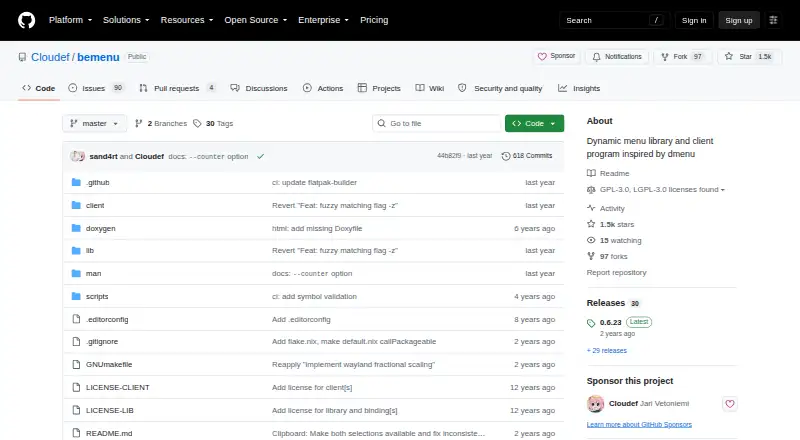
Inspired by dmenu, bemenu provides a dynamic menu library and client program for Linux and macOS.
What it does
The project provides two clients: bemenu and bemenu-run. They present menus that can be used to launch commands.
The documented targets cover curses, X11, and Wayland backends alongside the bemenu and bemenu-run clients. Settings can be adjusted through environment variables, including backend choice, renderer paths, options, and display scale.
Default keyboard shortcuts are documented. Vim-style normal-mode controls are available by setting --binding vim.
How it connects
bemenu is open source. GNU GPLv3 or later covers the client and most other sources, while the library and bindings are under GNU LGPLv3 or later.
At runtime, clipboard pasting checks wl-paste before trying xclip. The project also lists pinentry-bemenu, a Pinentry implementation based on bemenu.
The selectable backends are X11, Wayland, and curses. A Wayland compositor must implement wlr-layer-shell, generally through a wlroots-based compositor.
Good fit
Linux and macOS users seeking a configurable command-starting menu may find bemenu suitable. It also fits people who prefer open-source software and need to choose among terminal, X11, or Wayland builds.
The bemenu and bemenu-run clients documented by the project handle menu presentation and command launching; file search, workflow, plugin, and cloud-sync functions are not included.
Watch for
Wayland works only when the compositor exposes the wlr-layer-shell protocol. The provided Nix expression installs the curses backend alone.
A C compiler is needed for the build, and scdoc generates the man page. The macOS process uses Homebrew prerequisites such as GNU Make and pkg-config and includes a build-osx.sh flow.
Clipboard pasting depends on wl-paste or xclip. Check your system tools and preferred backend before choosing a build.
Pricing
The software is free and has no paid plans or stated usage limits. It has no free trial because the software is already free and open source.
Verdict
Choose bemenu if you want a free, source-available command menu on Linux or macOS and are comfortable selecting a backend and meeting build requirements. It is a practical fit for command launching, keyboard-driven use, and configurable rendering.
Look elsewhere if you need built-in file search, workflows, plugins, or cloud synchronization.
Our take
bemenu is a sensible choice for people who want an open-source command menu they can build for Linux or macOS. Its separate clients, selectable backends, environment settings, and optional Vim controls give technical users room to adapt it. The trade-offs are clear: Wayland needs a compatible compositor, clipboard pasting relies on external utilities, and building requires additional tools. It is not intended as a full launcher suite with file search, workflows, plugins, or cloud sync. Compare other launcher products if those functions matter.
- Free and open source
- Runs on Linux and macOS
- X11, Wayland, and curses backends
- Vim-style keyboard bindings can be enabled
- Configurable through environment variables
- Wayland needs wlr-layer-shell support
- Clipboard pasting needs wl-paste or xclip
- A C compiler and scdoc are needed to build
- No file search, workflows, plugins, or cloud sync
- Nix install expression covers only curses
- Pick it ifCommand launching on Linux or macOS; Users wanting open-source, configurable menus; Keyboard-focused users who prefer Vim bindings
- Skip it ifYou need built-in file search, workflows, plugins, or cloud sync; Your Wayland compositor lacks wlr-layer-shell support; You want software with no build or external clipboard requirements
Pricing
Free open-source software with no paid plans or stated usage limits. There is no separate trial period.
- bemenuNo paid plans or usage limits stated; GPLv3 client and LGPLv3 libraryFree
As github.com lists them, checked 10 Oct 2026.
Questions
What is bemenu?
bemenu is an open-source dynamic menu library and client program for Linux and macOS, with bemenu and bemenu-run provided as its clients.
Which display systems does bemenu support?
Its build choices include curses, X11, and Wayland. Wayland works with a compositor that implements wlr-layer-shell, typically one based on wlroots.
Can bemenu paste from the clipboard?
Yes. At runtime it checks wl-paste first and then xclip.
Does bemenu support Vim-style controls?
Yes. Enabling --binding vim turns on Vim-style normal-mode keyboard bindings.
What does bemenu cost?
bemenu is free and open source, with no stated paid plans or usage limits.
What is required to build bemenu?
Building needs a C compiler, and scdoc creates the man page. macOS instructions also call for Homebrew prerequisites, GNU Make, and pkg-config.
What license does bemenu use?
GNU GPLv3 or later applies to the client and most other sources; the library and bindings use GNU LGPLv3 or later.