Dropzone Review
aptonic.com · checked 15 Oct 2026
A Mac utility that turns drag-and-drop into file handling, app shortcuts, cloud transfers, and tailored actions.
How it plugs in
Signal on App Launcher Software6.3#10 of 40
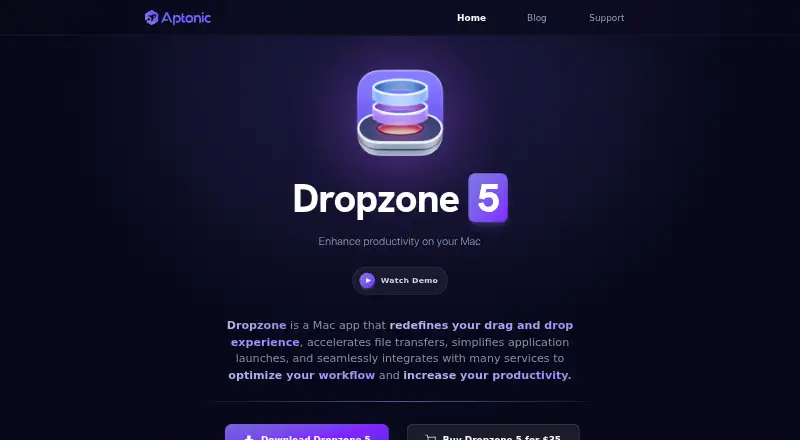
Dropzone is a macOS app with a customizable grid for drag-and-drop workflows. It handles file moves and renaming, launches applications, keeps items in a temporary Drop Bar, sends files to S3 or SFTP, and supports add-on actions. A command-line tool and public action API enable automation. A free plan is available, while Pro features come through subscription or lifetime licensing.
Review
In a line
This Mac menu-bar utility combines drag-and-drop file handling with application launches and transfers to online services.
What it does
File operations cover renaming, moving, and copying; other built-in tools share through AirDrop, open applications, create notes, run Shortcuts, and install apps. Separate actions resize or compress images, download videos, and shorten URLs.
Files can wait in the Drop Bar until you send them to an application or another Dropzone action. Dropzone 5 offers multiple grids, adjustable columns and sizes, folder icons and colors, plus keyboard shortcuts. F3 opens it by default, though you can choose another shortcut.
How it connects
Available service actions include SFTP, Amazon S3, and Imgur, with S3 and SFTP uploads reserved for Pro. Files and text may also come in through the macOS Sharing popup.
From Terminal, the dz utility can trigger actions, place files in Drop Bar, and change grids. The public action API handles dropped files, text, and clicks. Add-ons can be installed, and Ruby or Python can be used to build actions; published materials describe no self-hosted server deployment.
Good fit
Dropzone suits Mac users seeking a single place for file management, application launching, and cloud uploads. It is useful for repeated drag-and-drop routines and for separating workflows into different grids.
Its add-on library, user-created actions, keyboard controls, and Terminal commands accommodate both routine shortcuts and more customized workflows.
Watch for
The current app needs macOS 13 or newer and is delivered as a Mac application. Its license permits personal use on computers tied to the purchaser's Apple account and prohibits copying, modification, or transfer.
Aptonic says it uses commercially acceptable measures to protect information but does not promise absolute security. Check which actions are limited to Pro before selecting a plan.
Pricing
The free tier provides the macOS app, its core drag-and-drop grid, Drop Bar, and built-in actions at no charge. There is also a free download and a 14-day trial.
A Dropzone 5 Pro subscription is $1.99 per month and renews automatically after the trial. It adds cloud actions, S3 and SFTP transfers, rename and move/copy tools, image conversion, macOS service integration, and updates. A $35 lifetime license includes those subscription features and later updates.
Dropzone 4 Pro is listed at $4.99 monthly, $19.99 yearly, or $34.99 one time. Separate Dropzone 5 Pro Monthly, Yearly, and Lifetime entries do not display their own prices.
Verdict
Choose Dropzone if you use a Mac and want file operations, app shortcuts, temporary item storage, or custom automation gathered in one menu-bar utility. The free tier handles core drag-and-drop work, while Pro adds cloud transfers and other extras.
It may not suit people seeking Windows or Linux support, open-source code, or license terms that permit transferring the program. Review Pro-only actions and Aptonic's security limits before paying.
Our take
Dropzone fits Mac users who repeat file moves, uploads, launches, or shortcut commands. Its no-cost tier supplies the main grid and temporary Drop Bar; paid plans add S3 and SFTP transfers, service integration, image conversion, and ongoing updates. Ruby or Python actions and the dz utility can extend routine workflows. It is less suitable for users on other operating systems, teams wanting open-source software, or anyone requiring a self-hosted service. Confirm that your Mac runs version 13 or newer and that the license terms match your use.
- The free tier provides the core grid, Drop Bar, and built-in actions.
- Covers file moves, renaming, copying, application launches, and AirDrop sharing.
- Pro plans provide S3 and SFTP transfers.
- Ruby and Python support lets users build custom actions.
- Multiple grids, keyboard shortcuts, and Terminal control support varied workflows.
- Runs only on macOS 13 or later.
- S3 and SFTP transfers are Pro features.
- The software is not open source and published materials describe no self-hosted deployment.
- Aptonic does not guarantee absolute security for internet transmission or storage.
- The license bars copying, modifying, or transferring the program.
- Pick it ifMac users managing repeated file and app shortcuts; People who want custom drag-and-drop actions; Users needing S3 or SFTP uploads
- Skip it ifYou need Windows, Linux, or open-source code.; You require a license that permits transferring the program.; You only need features included in the free plan.
Pricing
A free plan and 14-day trial let you start without payment. Dropzone 5 Pro costs $1.99 monthly after the trial, or $35 for a lifetime license. Older Dropzone 4 plans are also listed at separate monthly, yearly, and lifetime prices.
- Pro MonthlyAmazon S3 uploads · SFTP uploads · macOS service integration · Action keyboard shortcuts · App updates and new featuresOn request
- Pro YearlyPro features and actions · App updates and new featuresOn request
- Pro LifetimeLifetime license · Pro features and actions · Future app updates and featuresOn request
- Dropzone 5 free downloadFree download; Pro features require a subscription or lifetime licenseFree
- FreemacOS app · core drag-and-drop grid · Drop Bar · built-in actionsFree
- Dropzone 5 Pro subscriptionautomatically after 14-day trial · auto-renewing · cloud actions · S3 and SFTP uploads · Rename & Move/Copy · image conversion · macOS service integration · app updates$1.99/mo
- Dropzone 4 Pro Monthlyin-app purchase · Dropzone 4 Pro features and actions$4.99/mo
- Dropzone 4 Pro Yearlyin-app purchase · Dropzone 4 Pro features and actions$19.99/yr
As apps.apple.com lists them, checked 22 Sept 2026.
Questions
What is Dropzone?
Dropzone is a macOS menu-bar utility for drag-and-drop file handling, launching applications, cloud transfers, and custom actions.
Does Dropzone have a free plan?
Yes. Its Free plan supplies the macOS app, core drag-and-drop grid, Drop Bar, and built-in actions, and a 14-day trial is offered.
Which systems does Dropzone support?
The current product needs macOS 13 or later and states full support for macOS Tahoe.
Can Dropzone upload to S3 or SFTP?
Yes. Amazon S3 and SFTP transfer actions are available with Pro.
Can I create my own Dropzone actions?
Yes. The public action API accepts files, text, and clicks. Ruby or Python actions can report progress, display alerts, and use the clipboard.
Does Dropzone work from Terminal?
Yes. The dz command-line utility can trigger actions, put files in Drop Bar, and change between grids.