BlastEm Review: Free Sega Emulator
retrodev.com · checked 15 Oct 2026
BlastEm is free, open-source software that emulates Sega consoles from the 8-bit and 16-bit eras.
How it plugs in
Signal on Game Gear Emulators7.7#1 of 31
BlastEm emulates Genesis/Mega Drive, Sega CD, 32X, Master System, Game Gear, SG-1000, SC-3000, Sega Pico and Yamaha Copera. It runs on Linux, macOS, Windows, the web and self-hosted setups. The free open-source program includes save states, controller support, speed controls and developer debugging tools. Sega CD and 32X support remains unfinished, while Yamaha Copera titles generally play without music.
Review
In a line
This free, open-source emulator targets Sega hardware from both the 8-bit and 16-bit generations. Desktop, web and self-hosted versions are available.
What it does
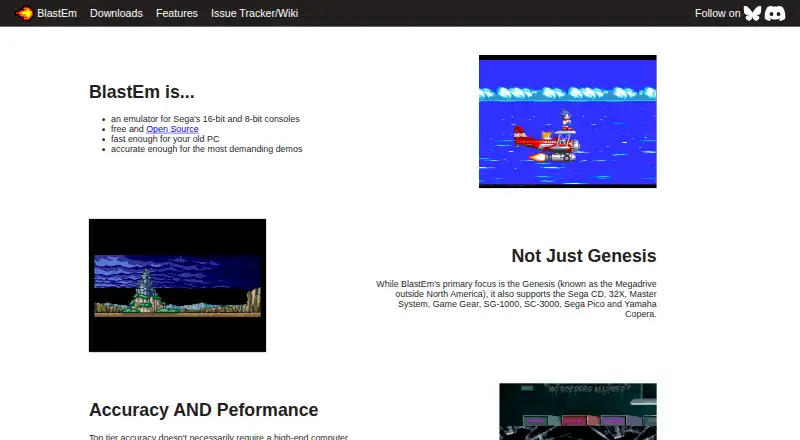
BlastEm runs software from Sega systems including Genesis/Mega Drive, Sega CD, 32X, Master System, Game Gear, SG-1000, SC-3000, Sega Pico and Yamaha Copera.
Play features include save states, cartridge save RAM and EEPROM support, turbo and slow modes, game controller input and VGM logging. It is described by the maker as fast enough for older PCs and accurate enough for demanding demonstrations.
Its integrated debugger supports state inspection and changes, conditional breakpoints, scripting and video-chip inspection. Source-level debugging for SGDK and other C or C++ projects is available through a GDB remote connection.
How it connects
BlastEm is distributed under GNU GPL version 3 or later, with separate licences for bundled GLEW, SDL2 and zlib. Its source and core infrastructure are self-hosted with Mercurial. A proprietary licence can be requested by email, while GPLv3 allows commercial use without payment.
The stable release page offers 32-bit and 64-bit Linux and Windows packages, a macOS build, an experimental web version and source. Installation is usually extracting an archive; starting without a ROM opens the graphical interface. Packages or cores are also listed for Debian, Ubuntu, Linux Mint, Arch AUR, Flatpak, Homebrew, RetroArch and Gnome Games.
Good fit
BlastEm works well for people seeking a single Sega-oriented emulator across many console generations, add-ons and less common machines. Its save features and controller support suit ordinary play.
SGDK developers and people working on other C or C++ projects can pair the debugger with its GDB connection.
Watch for
The maker reports that most Sega CD and 32X games run, although compatibility problems remain. Yamaha Copera's OPL3 emulation is unfinished, leaving many Copera games without music; Copera-specific ADPCM samples still play.
The macOS download listed on the page is an x86-64, non-notarized build, and ARM users are directed to Homebrew. Nightly builds follow repository changes and get less testing than stable releases. Third-party packages can lag behind and are not endorsed by the project.
MegaWiFi emulation is disabled by default because ROMs could access the network.
Pricing
BlastEm has a free plan with source code and binaries. There is no paid tier stated and no free trial because the software is already free.
Verdict
Choose BlastEm when broad Sega coverage, open-source licensing and integrated play and debugging tools are priorities. It is especially suitable for Genesis-era development or for users who want save features and adjustable emulation speed without a subscription.
Consider another option if you require fully complete Sega CD or 32X support, reliable Yamaha Copera music, or a notarized native Apple Silicon download. Check how your operating system is supported before installing, and prefer stable releases when fewer testing uncertainties matter.
Our take
BlastEm is a sensible pick for Sega enthusiasts and developers who value one free package covering Genesis, Sega CD, 32X and older Sega machines. Its debugger, GDB support, save features and controller handling add practical value beyond basic playback. However, add-on support still has bugs, Yamaha Copera audio is incomplete, and the listed macOS build needs care on ARM Macs. The lack of a paid tier keeps the decision simple: try the stable build if your target games and platform match its stated coverage.
- Free access with source code and binaries
- Broad support for Sega consoles and add-ons
- Save states, cartridge storage and adjustable speed
- Built-in debugger plus GDB remote protocol
- Runs on Linux, macOS, Windows and the web
- Sega CD and 32X support still has compatibility issues
- Yamaha Copera OPL3 music emulation remains incomplete
- The available macOS build targets x86-64 and lacks notarization
- Nightly releases receive less rigorous testing
- MegaWiFi network access is disabled by default
- Pick it ifSega game players wanting broad console coverage; SGDK and C/C++ developers needing console debugging; Users seeking free, open-source emulator software
- Skip it ifYou require fully complete Sega CD or 32X support; Yamaha Copera games must include their usual music; You require a notarized native Apple Silicon Mac download
Pricing
BlastEm is free, with source and binaries provided. The facts state no paid tier and no separate trial.
- BlastEmSega-focused emulator · source and binaries provided · no paid tier statedFree
As retrodev.com lists them, checked 15 Oct 2026.
Questions
Which systems can BlastEm emulate?
Supported systems include Genesis/Mega Drive, Sega CD, 32X, Master System, Game Gear, SG-1000, SC-3000, Sega Pico and Yamaha Copera.
Is BlastEm available at no cost?
Yes. It has a free plan with source code and binaries, and no paid tier is stated.
Where can BlastEm run?
Linux, macOS, Windows, web and self-hosted setups are listed. Stable downloads include 32-bit and 64-bit Linux and Windows builds.
Can BlastEm be used for debugging?
Yes. The integrated debugger offers state inspection, conditional breakpoints, scripting and video-chip viewers. Its GDB remote protocol works with SGDK and other C or C++ projects.
How complete is Sega CD and 32X support?
According to the maker, most games work, but compatibility is imperfect and bugs remain.
Do Yamaha Copera games include music?
Usually not. OPL3 emulation is incomplete, though Copera-specific ADPCM samples can play.
How is BlastEm installed?
The documented method is to extract an archive. Starting BlastEm without a ROM opens its graphical interface.
Can BlastEm access the internet?
MegaWiFi emulation is disabled by default because ROMs could access the network.