
Blue Canvas: Salesforce Release Management
bluecanvas.io · checked 20 Oct 2026
Salesforce version control, backup and release management through a web app and API.
How it plugs in
Signal on Release Management Software6.3#5 of 38
Blue Canvas tracks Salesforce metadata in Git, backs up changes from connected environments, and manages reviewed releases. It compares orgs, checks dependencies, supports approvals, and can run Apex or Provar tests. The service includes a REST API, SDK and webhooks. It is hosted privately on AWS, with no on-premise option.
Review
In a line
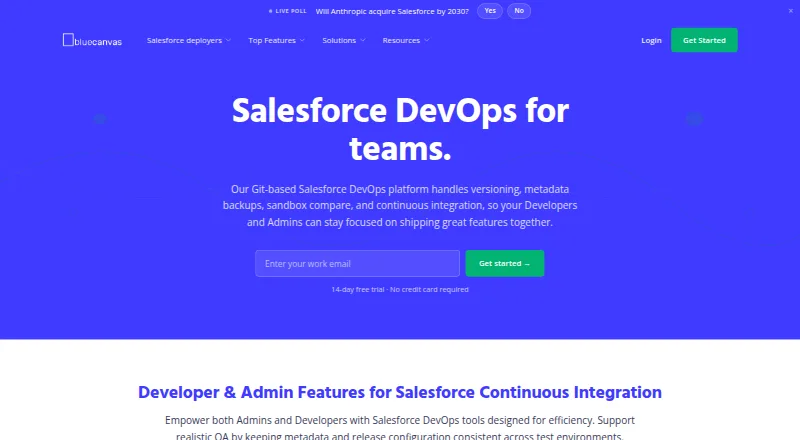
Blue Canvas is a Salesforce DevOps service for version control, metadata backups and release management. It runs in a web app and through an API.
What it does
Each connected Salesforce sandbox or environment maps to a Git branch, while metadata changes are backed up continuously. Teams can compare environments, select changes, review them and promote code to UAT or production without a command line.
The release workflow checks dependencies, validates packages and can run Apex unit tests. It also supports grouped releases, deployment checklists, permission rules, two-person approvals, rollback tracking and review comments.
How it connects
Blue Canvas lists Jira, Azure DevOps, Slack and CI/CD integrations, plus GitHub, Bitbucket and Azure Repos. Jira stories can be linked to Salesforce deployments.
Its REST API can trigger releases and approvals, add quality gates and connect custom tools. OAuth 2.0, a JavaScript and TypeScript SDK, and signed webhooks are documented. A Provar integration can launch functional tests and show their reports; the page says to contact Blue Canvas about the beta.
Repositories are privately hosted on AWS. Blue Canvas says it has no on-premise deployment.
Good fit
Blue Canvas suits Salesforce teams with several developers, multiple sandboxes and a release process that needs review and audit. It is useful for comparing environments, coordinating multi-user deployments and keeping metadata in Git.
The Enterprise product adds an exportable audit trail for SOX and CAB reviews. Connectable editions listed in the FAQ include Developer, Partner Developer, Enterprise Sandbox, Unlimited Sandbox and Performance Sandbox.
Watch for
The service is AWS-hosted and cannot be installed on your own premises. Blue Canvas says synchronization normally uses fewer than 6,000 Salesforce API calls per day and pauses at 75% of an account limit.
Check which product and user billing model fits your Salesforce orgs. Some plans have org, user, deployment or project limits, and Enterprise options require a quote.
Pricing
Blue Canvas has a free plan, paid plans from $300 a month when billed annually, and a 15-day trial. Separate products include Profiles & Permissions for free and CPQ Deployer Free for up to 10 migrations a month.
CPQ Deployer Pro is $129 a month, Business is $229 a month, and Salesforce Metadata Deployer is $250 a month through December 31, 2026. CPQ Deployer is $300 a month billed yearly; Salesforce Metadata Deployer regular is $419 a month; CPQ Deployer Team is $3500 a year.
CPQ Deployer Enterprise and Blue Canvas Core - Enterprise are price on request. Core - Enterprise also has a one-time $3,000 setup fee.
Verdict
Choose Blue Canvas if your Salesforce releases need Git history, environment comparison, dependency checks and formal approvals. Its API, SDK and webhooks help connect release controls to other systems.
Look elsewhere if you need self-hosting, or if your work does not involve Salesforce metadata. Compare the plan limits and billing basis before committing, especially when you have many users or orgs.
Our take
Blue Canvas is aimed at Salesforce teams that need a controlled path from sandbox changes to production. Git-backed branches, environment comparisons, dependency checks, approvals and test hooks cover the core release process. The API and webhooks can tie those steps to existing tools. Pricing varies by product, users, orgs and deployment limits, while larger Enterprise packages require quotes. Its AWS-only hosting rules out organizations that require on-premise software, and buyers should confirm API-use limits and plan fit first.
- Backs up Salesforce metadata changes to Git
- Compares orgs and checks dependencies before deployment
- Supports approvals, reviews and protected branches
- REST API, SDK and event webhooks are documented
- Free plans are available for selected products
- No on-premise deployment
- Enterprise options require a custom quote
- Plans use different user, org and deployment limits
- Synchronization pauses at 75% of a Salesforce API limit
- Pick it ifSalesforce teams managing multiple sandboxes and developers; Organizations needing reviewed, auditable release workflows; Teams connecting Salesforce releases to Jira or CI/CD
- Skip it ifYou require software hosted inside your own data center; You do not manage Salesforce metadata releases; Your team cannot fit the product-specific limits or billing terms
Pricing
A free tier and 15-day trial are available.
- Profiles & PermissionsSide-by-side profile and permission set comparison · Field-level security differences · Runs in browser; no installFree
- CPQ Deployer Freeup to 10 migrations per month · Salesforce CPQ · dependency checking · org comparisons · picklist deploymentFree
- CPQ Deployer Pro1 user per month · all Free features · unlimited monthly deployments · Salesforce CPQ and Advanced Approvals · priority email support$129/mo
- CPQ Deployer Businessper user/month · all Pro features · SSO · history and rollback · Git export$229/mo
- Salesforce Metadata Deployerper user/month; limited offer through December 31, 2026 · all features · up to 3 Salesforce orgs per user on basic plan · volume discounts available$250/mo
- CPQ Deployerbilled yearly · Compare CPQ configuration across two orgs · CPQ + Advanced Approvals support$300/mo
- Salesforce Metadata Deployer regularper user/month · all features · up to 3 Salesforce orgs per user on basic plan · volume discounts available$419/mo
- CPQ Deployer Teamper year · up to 3 users · one project · unlimited deployments · CPQ comparisons · Advanced Approvals$3,500/yr
As bluecanvas.io lists them, checked 29 Sept 2026.
Questions
Does Blue Canvas have a free plan?
Yes. Profiles & Permissions and CPQ Deployer Free are free products. CPQ Deployer Free allows up to 10 migrations per month.
What Salesforce editions can connect?
The FAQ lists Developer, Partner Developer, Enterprise Sandbox, Unlimited Sandbox and Performance Sandbox editions.
Can Blue Canvas run tests?
It can run Apex unit tests before promotion. A Provar integration can launch functional tests and display reports; the page says to contact Blue Canvas about the beta.
Does Blue Canvas offer an API?
Yes. Its REST API can trigger releases and approvals, add quality gates and connect custom tools. OAuth 2.0 authentication, an SDK and signed webhooks are documented.
Is Blue Canvas available on-premise?
No. Blue Canvas says its repositories are privately hosted on AWS and that it does not offer an on-premise solution.
How much does Blue Canvas cost?
Pricing depends on the product. Examples include $129 a month for CPQ Deployer Pro, $229 a month for Business and $419 a month for Salesforce Metadata Deployer regular. Enterprise plans require a quote.
Near it
All alternatives →- ZSZoho Sprints#4 on this board
- LE
 LaunchDarkly Experimentation#6 on this board
- S
 Statsig#3 on this board
- C
 ConfigCat#7 on this board
- UUnleash#2 on this board
- PProdPad#8 on this board
- F
 Flagsmith#1 on this board
- AT
 Apache Trusted Releases#9 on this board
- CI
 Craft.io#10 on this board
- ITIBM Targetprocess#11 on this board