Zoho Sprints: Agile Project Management Review
zoho.com · checked 15 Oct 2026
Cloud agile project management for backlogs, sprints, releases, and delivery tracking.
How it plugs in
Signal on Scrum Software6.6#2 of 19
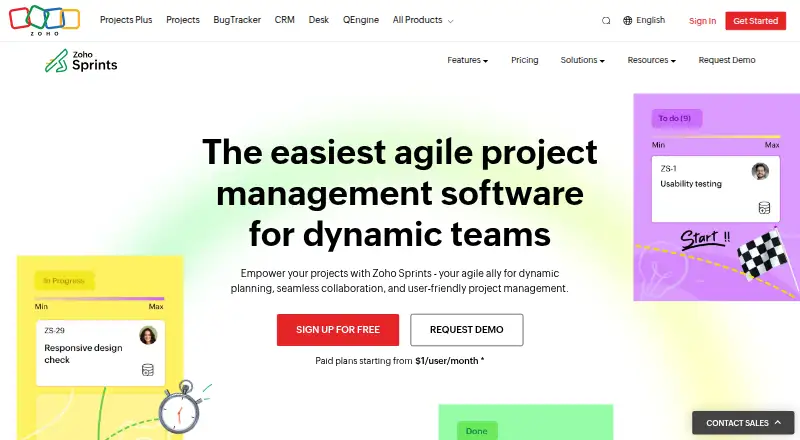
Zoho Sprints is a cloud agile project-management service for organizing backlogs, planning sprint cycles, tracking work, and managing releases. It offers Scrum and Kanban boards, agile reports, timesheets, collaboration tools, test case management, and release management. It runs on the web, iOS, Android, and an API, with a free plan for small teams.
Review
In a line
Zoho Sprints helps agile teams manage work from user stories through product releases in the cloud.
It provides web, iOS, and Android apps, plus an API for connected services.
What it does
Teams collect and refine ideas in a backlog, select sprint-ready work, and organize larger stories into epics. Scrum and Kanban boards show progress during sprint cycles.
Burnup, burndown, velocity, cumulative-flow, lead-time, and cycle-time reports give teams several views of agile performance. Timesheets and a global timer let them log time to work items.
Project feeds, activity streams, comments, meetings, and team chat support collaboration. Test case and release management are also included, with test case management listed among Enterprise additions.
How it connects
Sprints lists connections to Jenkins, GitHub, GitLab, Bitbucket, Azure DevOps, Microsoft Teams, Google Workspace, Office 365, Zendesk, Zapier, and Zoho apps. GitLab can show repository commits and pull requests in Sprints and supports quick status commands.
Official imports are available for Jira, Trello, and Azure DevOps projects. Its public REST API uses OAuth 2.0 and returns JSON, while extensions use Zoho's JavaScript SDK.
Zoho Sprints is not open source. Zoho says data is stored in regional data centers and encrypted at rest and in transit. It lists ISO/IEC 27001:2013 certification and SOC 2 Type II compliance, among other compliance programs.
Good fit
Sprints suits agile teams that need one place for backlog planning, sprint tracking, release work, time records, and agile reporting.
The free plan can suit a small team needing up to three users and three projects. Larger teams can use integrations, imports, the API, and mobile apps.
Watch for
On the free tier, limits include three users, three projects, 500 MB of storage, and one parallel sprint. Check those limits against your team size and workload.
Teams new to agile methods may need time to learn the interface and workflow. A reviewer also reports that GitHub integration can be difficult to use, and another says task-status changes may require a page refresh.
Supported browser baselines include Chrome 68, Firefox 61, Safari 11.3, Opera 56, and Edge 16.
Pricing
There is a free plan billed free forever. Its allowance is three users, three projects, 500 MB of storage, unlimited work items and sprint cycles, and one parallel sprint.
Paid plans are billed annually: Starter is $1 a month, Elite is $2.50 a month, Premier is $5 a month, and Enterprise is $7.50 a month. Their listed limits range from 12–100 users and 50 projects on Starter to unlimited users and projects on the other paid plans.
The pricing page includes a 15-day Enterprise-feature trial and says a credit card is not required. Paid plans list 24/5 support with live chat and phone support; free users get 24/5 email support.
Verdict
Choose Zoho Sprints if your team follows Scrum or Kanban and wants backlog, sprint, release, reporting, and time-tracking features together. Its imports, integrations, API, and mobile apps help it fit into an existing tool set.
Review the free-plan limits first, and confirm that the GitHub connection and update behavior meet your collaboration needs. Teams unfamiliar with agile processes should allow time to learn the workflow.
Our take
Zoho Sprints is a practical option for teams that want structured agile planning without a large starting cost. The free plan covers a very small setup, while annual paid tiers add users, projects, storage, and templates. Its backlog, boards, reports, time tracking, imports, integrations, and API cover a broad delivery process. The main checks are scale limits on the free tier, the learning curve for new agile teams, and reported friction with GitHub integration and delayed status updates. It is less suitable when those collaboration details are critical from day one.
- The Free plan covers 3 users, 3 projects, and unlimited work items.
- Scrum and Kanban boards cover visual sprint tracking.
- Imports available for Jira, Trello, and Azure DevOps projects.
- REST API uses OAuth 2.0 and returns JSON.
- iOS and Android apps support mobile work management.
- Free plan has 500 MB storage and one parallel sprint.
- GitHub integration has been criticized as difficult to use.
- Task-status changes may require a page refresh.
- Teams new to agile methods may face a learning curve.
- Not open source.
- Pick it ifSmall agile teams starting with a free plan; Teams needing backlog, sprint, and release tracking; Organizations that need imports, integrations, or an API
- Skip it ifYou need more than three users or three projects on a free plan; Your team depends heavily on GitHub integration; Your team is not ready to learn an agile workflow
Pricing
A free-forever plan covers three users, three projects, and 500 MB. The Enterprise-feature trial lasts 15 days and does not require a credit card.
- Freefree forever · 3 users · 3 projects · 500 MB storage · 1 parallel sprintFree
- Starterbilled annually · 12–100 users · 50 projects · 20 GB storage · 5 project templates$1/mo
- Elitebilled annually · Unlimited users · unlimited projects · 50 GB storage · 10 project templates$2.50/mo
- Premierbilled annually · Unlimited users · unlimited projects · 100 GB storage · 20 project templates$5/mo
- Enterprisebilled annually · Unlimited users · unlimited projects · 250 GB storage · 50 project templates$7.50/mo
As zoho.com lists them, checked 15 Oct 2026.
Questions
Does Zoho Sprints have a free plan?
Yes. Free-forever access covers three users, three projects, 500 MB of storage, unlimited work items and sprint cycles, and one parallel sprint.
How much do paid Zoho Sprints plans cost?
When billed annually, Starter is $1 a month, Elite is $2.50 a month, Premier is $5 a month, and Enterprise is $7.50 a month.
Is there a Zoho Sprints trial?
Yes. Enterprise features can be tried for 15 days, and signing up does not require a credit card.
Which tools can Zoho Sprints connect to?
The listed connections cover Jenkins, GitHub, GitLab, Bitbucket, Azure DevOps, Microsoft Teams, Google Workspace, Office 365, Zendesk, Zapier, and Zoho apps.
Can I import an existing project?
Official imports are available for Jira, Trello, and Azure DevOps projects.
Does Zoho Sprints have an API?
Yes. The public API is REST based, uses OAuth 2.0, and returns JSON for Zoho and third-party integrations.
Where can I use Zoho Sprints?
It runs on the web, iOS, and Android, and provides an API. Supported browser baselines include Chrome 68, Firefox 61, Safari 11.3, Opera 56, and Edge 16.
Near it
All alternatives →- J
 Jira#1 on this board
- H
 Hygger#3 on this board
- O
 OpenProject#4 on this board
- T
 Taiga#5 on this board
- S
 Scrumwise#6 on this board
- Y
 YouTrack#7 on this board
- PPP4 Plan (formerly Hansoft)#8 on this board
- T
 Tuleap#9 on this board
- AC
 Automic Continuous Delivery Automation#10 on this board
- AD
 Aha! Develop#11 on this board