
bridge. Minecraft Add-On IDE Review
bridge-core.app · checked 2 Oct 2026
Open-source workspace for building Minecraft Bedrock Add-Ons at no cost.
How it plugs in
Signal on Minecraft Add-on Editors6.4#6 of 26
bridge. provides development tools for Minecraft Bedrock Add-Ons. It creates behavior, resource, skin and world-template packs, checks files as you edit, previews assets without opening Minecraft, and syncs projects to Minecraft. It runs on desktop, mobile and the web, with offline use through its installed web app.
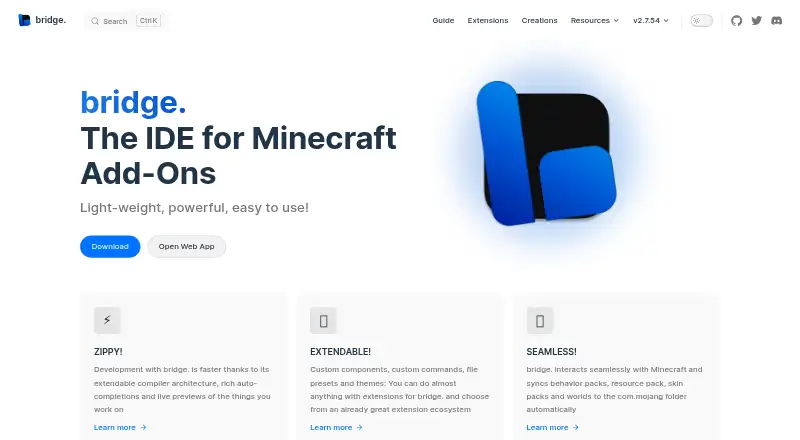
Review
In a line
bridge. provides an IDE for Minecraft Bedrock Add-On work. The free, open-source app runs on web, Windows, macOS, Linux, iOS and Android.
What it does
The app sets up projects for behavior packs, resource packs, skin packs and world templates, including their required files and configuration. It supports the file types Minecraft accepts for Add-Ons.
You can edit with text or tree views. The tree editor is aimed at people who know little JSON and helps prevent syntax mistakes. Editors offer changing auto-completions and check files against schemas, with suggestions based on format versions and experimental settings.
Models, textures, animations, collision boxes, entity seats and particle effects can be previewed without launching Minecraft. bridge.'s built-in Dash compiler supports compiler plugins, and it includes scripting and custom entity tools.
How it connects
An extension API and extension store let the community add tools, editors, viewers, presets, themes and compiler plugins. Projects can use GitHub for collaboration and version control.
Behavior packs, resource packs, skin packs and worlds can be synchronized with Minecraft's com.mojang folder. By default, projects remain outside that folder, protecting them if Minecraft is uninstalled.
Documented exports include .brproject, .mcaddon, .mcworld and .mctemplate. It can import .mcaddon and .mcpack projects. The installed web app works offline.
Good fit
bridge. suits people building Minecraft Bedrock packs who want project setup, file checks, previews and several editor styles in one app.
Its multiple version targets and extension system fit projects that need custom tools or compiler additions. GitHub support also suits teams sharing project files.
Watch for
Phones and tablets require a project download to save progress completely, since mobile browsers do not provide a required API.
The app is focused on Minecraft Add-Ons and its pack formats. Check that your target format and workflow match its supported imports, exports and sync options before moving a project.
Pricing
bridge. costs nothing and includes a free plan. There is no free trial because the software does not charge for access. It is released under the GPL-3.0 open-source license.
Verdict
Choose bridge. if you create Bedrock Add-Ons and want guided project files, schema checks, previews and direct syncing to Minecraft. Its tree editor can help if JSON syntax is unfamiliar, while the text editor and extensions support more customized work.
It is less suitable if you need a general-purpose development environment or cannot regularly download projects on mobile. Review its import and export formats and your Minecraft version targets before committing to a workflow.
Our take
bridge. is a practical choice for Minecraft Bedrock creators who need more structure than editing loose pack files. The combination of project setup, previews, validation, compilation and Minecraft syncing covers the main stages of Add-On work. Open-source licensing and community extensions allow the tool to be adapted, while GitHub support helps with shared projects. Mobile users need an extra save step, and anyone with an unusual import or export workflow should check the supported formats first. For Bedrock-focused work, its broad platform support makes access flexible.
- No-cost GPL-3.0 software
- Creates several Bedrock pack and world-template types
- Previews assets without loading Minecraft
- Schema checks and version-aware completions
- Runs on desktop, mobile and web
- Mobile browsers require downloading projects to fully save
- Focused on Minecraft Add-On workflows
- Supported import and export formats are specific
- Pick it ifCreators of Minecraft Bedrock Add-Ons; People who want visual editing and file validation; Teams using GitHub for project version control
- Skip it ifYou need a general-purpose IDE unrelated to Minecraft Add-Ons; You cannot download projects regularly on mobile; Your workflow depends on unsupported project formats
Pricing
Free to use with a free plan and no trial. The project is open source under GPL-3.0.
Questions
What is bridge.?
bridge. is an IDE for Minecraft Bedrock Add-On development, covering behavior, resource and skin packs plus world templates.
Which devices can run bridge.?
The app is available through the web and on Windows, macOS, Linux, iOS and Android.
Can bridge. sync projects to Minecraft?
Yes. Behavior packs, resource packs, skin packs and worlds can be synchronized with Minecraft's com.mojang folder.
What files can bridge. import and export?
Its documented exports are .brproject, .mcaddon, .mcworld and .mctemplate; .mcaddon and .mcpack projects are supported for import.
Does bridge. work offline?
When installed, the web app behaves like a native app and works without an internet connection.
Is bridge. free?
Yes. bridge. has a free plan, no free trial, and is released under the GPL-3.0 license.
What is the mobile saving limitation?
On mobile devices, download the project to save all progress because mobile browsers lack a required API.
Near it
All alternatives →- Mmcblend#5 on this board
- T
 Tynker#7 on this board
- SSnowstorm#4 on this board
- MBMinecraft Bedrock Debugger#8 on this board
- JJsonForge#3 on this board
- ASAddonCrate Studio#9 on this board
- VS
 Visual Studio Code#2 on this board
- BMBlockception Minecraft Bedrock Development#10 on this board
- B
 Blockbench#1 on this board
- MMcpeTool#11 on this board