Construction Time Tracking Software
BusyBusy Software Review
busybusy.com · checked 15 Oct 2026
GPS time tracking and job costing for construction and other field crews.
How it plugs in
Signal on Construction Time Tracking Software6.6#1 of 19
BusyBusy is a cloud time-tracking and job-costing system for construction and other remote workforces. Workers clock in, switch projects, track equipment and sign timecards. Managers can view GPS locations, compare budgets with actuals, schedule crews and collect site reports. It runs on Android, iOS and the web, with an integration API.
Review
In a line
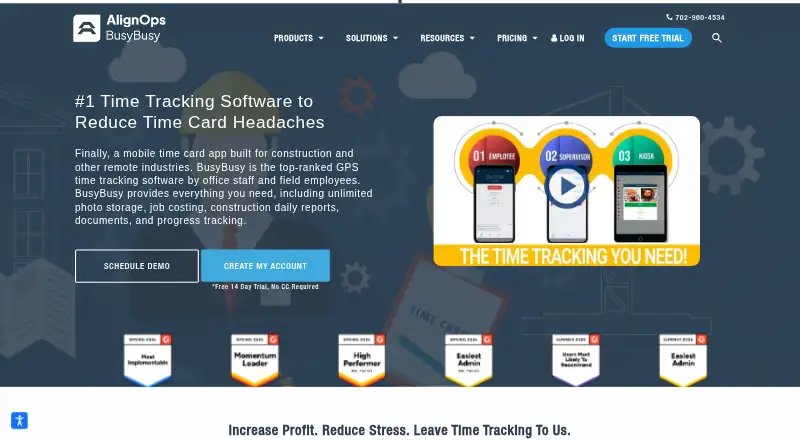
BusyBusy is a mobile GPS time-tracking and jobsite-monitoring product for construction and other remote industries. It combines timecards, location maps, equipment time and project costing.
What it does
Employees can clock in and out, take breaks, change projects or cost codes, and record equipment time. The mobile time clock can keep working offline when cellular coverage is unavailable.
Managers can see live locations for employees, equipment and projects on maps. Supervisors can clock in crews, assign work and equipment, edit group time records, and use schedules with instructions and location pins.
The system supports digital employee and supervisor signatures, budget-versus-actual reports, photos and notes with automatic time, GPS and project stamps, daily project reports, safety sign-offs and payroll checks.
How it connects
BusyBusy works on Android, iOS and the web, and provides an integration API key that administrators can revoke. The help center does not describe a public software development kit or open-source code.
Listed connections include Zapier, QuickBooks Online, Sage Intacct, Viewpoint Spectrum, Procore, Sage 300, Viewpoint Vista, CompanyCam and ADP. Zapier is included with Premium and available as a Pro add-on.
Good fit
BusyBusy suits construction crews and other field workforces that need time, location, equipment and project-cost records in one system.
It is a good match for supervisors who need crew clock-ins, scheduling, site photos, daily reports, safety confirmations and payroll checks. Its offline mode helps crews working beyond cellular coverage.
For broader comparisons, see construction time tracking software and employee time tracking software.
Watch for
GPS records are limited to clocked-in periods, clock actions, photos or significant movement, but location monitoring still needs a clear policy for employees.
The Pro and Premium plans add a $40 admin license, with the first user included. Check which billing schedule and plan features fit your crew before signing up.
BusyBusy is not open source, and its documented API uses an administrator-managed key rather than a described public SDK.
Pricing
BusyBusy has a free plan and a 14-day trial. Free includes GPS time tracking, job costing, equipment tracking and unlimited users.
Pro annual is $9.99 per user per month, billed annually, plus a $40 admin license with the first user included. Pro monthly is $11.99 a month per user, billed monthly, with the same admin charge. Pro adds GPS breadcrumbing, supervisor tools, daily sign-offs, photos and notes, and scheduling.
Premium annual is $14.99 a month per user, billed annually, plus the $40 admin license. Premium monthly is $17.99 a month per user, billed monthly, with the same admin charge. Premium adds documents, daily project reports, progress tracking, checklists, team messaging, video and photo markups, Zapier and PPE scans.
Verdict
Choose BusyBusy if your work happens at changing jobsites and you need location-aware time records tied to projects, equipment and budgets. The free plan covers core tracking, while paid tiers add supervisor, reporting, scheduling and collaboration tools.
Look elsewhere if you need open-source software or an explicitly documented public SDK.
Our take
BusyBusy is a practical option for construction companies that want one mobile system for crew time, GPS visibility, equipment records and job costs. Its offline clock, signatures, reports and payroll checks address common field-work needs. The free tier lowers the barrier to trying core features, while paid plans add scheduling, documentation and team tools. Budget for the separate admin license on Pro and Premium. Organizations that require open-source code or a clearly documented public SDK should consider other products instead.
- Free plan includes GPS time, job costing, equipment tracking and unlimited users.
- Offline mobile clock supports crews without cellular coverage.
- Maps track employees, equipment and projects.
- Integrates with QuickBooks Online, Procore, ADP and other listed tools.
- Paid tiers add scheduling, reports and safety features.
- Pro and Premium add a $40 admin license.
- GPS monitoring requires a clear employee privacy policy.
- No open-source code or described public SDK.
- Premium and Pro features vary by billing plan.
- Pick it ifConstruction crews working across multiple jobsites; Field supervisors needing GPS, timecards and job costing; Teams that need offline mobile time entry
- Skip it ifYou require open-source software or a documented public SDK.; You do not want location tracking for clocked-in field staff.; Your budget cannot accommodate the admin license on paid plans.
Pricing
A free plan and 14-day trial are available. Pro costs $9.99 per user per month when billed annually or $11.99 a month when billed monthly, plus a $40 admin license. Premium costs $14.99 a month per user billed annually or $17.99 a month billed monthly, also plus the admin license.
- Freefree account · GPS time tracking · job costing · equipment tracking · unlimited usersFree
- Proper user, per month, billed annually; +$40 Admin license (first user included) · GPS breadcrumbing · supervisor tools · daily sign-offs · photos & notes · scheduling$9.99/mo
- Pro annualper user, per month, billed annually; +$40 admin license (first user included) · GPS breadcrumbing · supervisor tools · daily sign-offs · photos and notes · scheduling$9.99/mo
- Pro monthlyper user, per month, billed monthly; +$40 admin license (first user included) · GPS breadcrumbing · supervisor tools · daily sign-offs · photos and notes · scheduling$11.99/mo
- Proper user, per month, billed monthly; +$40 Admin license (first user included) · GPS breadcrumbing · supervisor tools · daily sign-offs · photos & notes · scheduling$11.99/mo
- Premium annualper user, per month, billed annually; +$40 admin license (first user included) · Everything in Pro · documents · daily project reports · progress tracking · checklists · team messaging · video and photo markups · Zapier · PPE scans$14.99/mo
- Premiumper user, per month, billed annually; +$40 Admin license (first user included) · Everything in Pro · documents · daily project reports · progress tracking · checklists · team messaging · video & photo markups · Zapier$14.99/mo
- Premiumper user, per month, billed monthly; +$40 Admin license (first user included) · Everything in Pro · documents · daily project reports · progress tracking · checklists · team messaging · video & photo markups · Zapier$17.99/mo
As busybusy.com lists them, checked 15 Oct 2026.
Questions
Does BusyBusy have a free plan?
Yes. The Free plan includes GPS time tracking, job costing, equipment tracking and unlimited users. A 14-day trial is also listed.
Where can BusyBusy run?
BusyBusy runs on Android, iOS and the web. Its mobile time clock can operate offline when crews lack cellular coverage.
What does BusyBusy track?
Employees can record clock-ins, breaks, projects, cost codes and equipment time. GPS locations for employees, equipment and projects appear on maps.
Does BusyBusy connect to payroll and accounting tools?
Listed integrations include QuickBooks Online, Sage Intacct, Procore, ADP, Zapier and other systems. BusyPayroll checks signatures, time-off requests and time-entry conflicts.
How does BusyBusy handle GPS privacy?
BusyBusy says it records location pins only while an employee is clocked in, during clock actions, photos or significant movement.
Is BusyBusy open source?
No. Its help center documents an integration API key that administrators can revoke, but does not describe a public software development kit.