QuickBooks Time: Features, Integrations, and Pricing
quickbooks.intuit.com · checked 15 Oct 2026
QuickBooks Time tracks employee hours, schedules, locations, and project labor for payroll, invoicing, and job costing.
How it plugs in
Signal on Hotel Accounting Software6.2#3 of 34
QuickBooks Time is a paid service for businesses that want to log employee time and organize schedules. Employees can clock in using a phone or tablet, and managers can review and approve timesheets. QuickBooks products and over 50 accounting and payroll applications are among its integrations. Monthly pricing begins with a $20 base charge and an additional per-user fee; a 30-day trial is offered.
Review
In a line
QuickBooks Time records employee work hours, schedules, location data, and project labor. Teams can use that information for payroll, invoicing, and job costing.
What it does
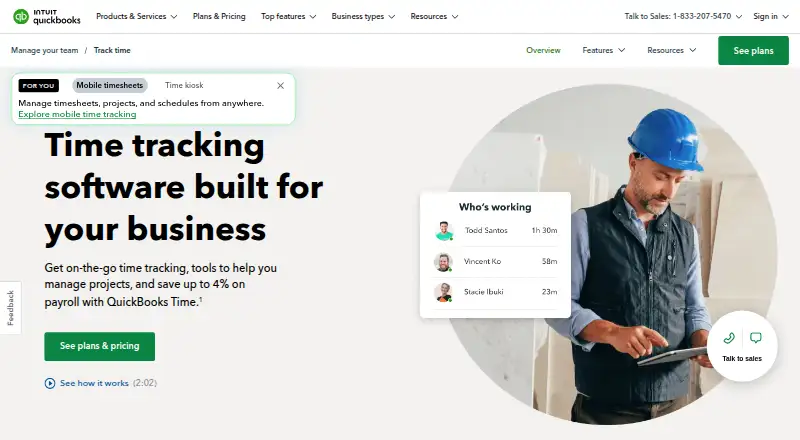
The QuickBooks Workforce app lets workers use a phone or tablet to clock time, send in timesheets, and manage schedules. Managers may review, make changes to, and approve timesheets for multiple employees. All plans include job and shift scheduling.
Location data is captured during clocked-in time, though cellular service is needed for GPS accuracy. With Elite, configured job-site geofences can trigger a prompt to clock in or out when a worker enters or exits the area.
Elite includes project progress tracking, estimates-versus-actuals reports, an activity feed, and messaging-style updates. For on-site clock-ins and clock-outs, the time kiosk works on a tablet, desktop, or laptop; its device is sold separately.
How it connects
Integrations include QuickBooks Online, Payroll, and Desktop, plus more than 50 accounting and payroll applications. Use requires a QuickBooks Online account and an internet-connected browser or mobile device. QuickBooks Time is available on the web, Android, and iOS, but has no desktop app. See SaaS accounting software and time clock software for related categories.
An open API lets other software exchange data with QuickBooks Time. Its listed coverage includes users, timesheets, GPS points, job codes, custom fields, and account details. API access uses encrypted HTTPS. QuickBooks Time is not open source, and it supports data export.
Good fit
Businesses that need time tracking, timesheet approvals, and scheduling across plans may find it suitable. Teams using QuickBooks or other supported accounting and payroll applications may be able to incorporate those connections into payroll, invoicing, or job-cost workflows.
Elite is intended for teams seeking project tracking, location-based clock-in prompts, and project progress reporting.
Watch for
GPS accuracy depends on cellular service. The kiosk device costs extra, and use of QuickBooks Time depends on a QuickBooks Online account and an internet connection.
Reviewers report glitches, slowdowns, synchronization trouble, and clock-in or mobile app issues. Some also mention limited customization and customer-support difficulties. Consider how these issues could affect your staff’s daily timekeeping.
Pricing
There is no free plan. New monthly QuickBooks Time customers can use the 30-day trial at no charge; a credit card is required to continue afterward.
Time Premium has a $20 monthly base charge and costs another $10 per user each month. One admin is included in the base charge. Time Elite has a $40 monthly base charge, plus $12 per user each month, and its base charge also includes one admin. Both plans list a 50% discount for three months.
Verdict
QuickBooks Time may suit teams that want time tracking and scheduling alongside QuickBooks or another supported accounting or payroll application. Premium covers core timekeeping and approvals; Elite adds project and location features. Compare the per-user charges with your team size, and consider whether the QuickBooks Online account requirement and reported app reliability issues are workable for your organization.
Our take
QuickBooks Time is a potential fit for organizations connecting employee timekeeping, schedules, and timesheet approvals with payroll or accounting workflows. Its QuickBooks links and broad accounting and payroll integrations are most relevant when those tools are already in use. Premium provides core timekeeping, while Elite adds project and location capabilities. Include both the base and per-user charges in budgeting, and consider reported app glitches and synchronization problems if employees clock in by phone.
- Job and shift scheduling comes with every plan.
- Managers can edit and approve timesheets for multiple employees.
- Integrations include QuickBooks products and more than 50 accounting and payroll applications.
- Elite offers project tracking, location prompts, and progress reporting.
- Data export and an open API are available.
- There is no free plan, and monthly plans combine a base charge with per-user fees.
- A QuickBooks Online account and internet connection are required.
- GPS accuracy depends on cellular service.
- Reviewers report app glitches, synchronization trouble, and clock-in issues.
- The kiosk device is sold separately.
- Pick it ifTeams that record employee time for payroll, invoicing, or job costs; Businesses already using QuickBooks or another supported accounting application; Teams that want project tracking and geofences with Elite
- Skip it ifYou want a free plan or do not want monthly per-user charges; Your staff cannot rely on an internet-connected device for timekeeping; You need a desktop app or GPS accuracy without cellular service
Pricing
The 30-day trial costs nothing for new monthly customers, and a credit card is required to continue afterward. Premium has a $20 monthly base fee plus $10 per user; Elite has a $40 monthly base fee plus $12 per user. Each base fee includes one admin. Both plans list 50% off for three months.
- 30-day trialFirst 30 days free; credit card required to continue · New monthly QuickBooks Time customers onlyFree
- Time Premium$20 base fee/month + $10 per user/month; base fee includes 1 admin; 50% off for 3 months · Workforce app · payroll and invoicing sync · time-off management · alerts · photo attachments · time kiosk · unlimited support$20/mo
- Time Elite$40 base fee/month + $12 per user/month; base fee includes 1 admin; 50% off for 3 months · All Premium features · mileage tracking · project tracking · estimates vs actuals · activity feed · timesheet signatures$40/mo
As quickbooks.intuit.com lists them, checked 15 Oct 2026.
Questions
Does QuickBooks Time have a free plan?
No. New monthly QuickBooks Time customers can try it for 30 days at no charge; a credit card is required to continue after the trial.
How much does QuickBooks Time cost?
Premium has a $20 monthly base fee plus $10 per user each month. Elite has a $40 monthly base fee plus $12 per user each month. Each base fee includes one admin.
Does QuickBooks Time work on phones?
Yes. Workers can use the QuickBooks Workforce app on iPhone, iPad, or Android phones and tablets to clock time, submit timesheets, and manage schedules.
Which accounting and payroll apps does it connect to?
It integrates with QuickBooks Online, Payroll, and Desktop, along with more than 50 accounting and payroll applications.
Can managers approve timesheets?
Yes. Managers can review, edit, and approve timesheets for multiple employees.
Does QuickBooks Time track worker locations?
It records location data while workers are clocked in. Cellular service is needed for GPS accuracy, and Elite can prompt clock-ins or clock-outs at configured job-site geofences.
Does it have an API?
Yes. The open API covers users, job codes, timesheets, GPS points, custom fields, and account details. API access requires encrypted HTTPS.