Game Narrative Design Software
ChatMapper: Branching Conversation Software
chatmapper.com · checked 15 Oct 2026
Browser workspace for building, testing, and delivering branching conversations.
How it plugs in
Signal on Game Narrative Design Software6.7#3 of 25
ChatMapper is a browser-based visual workspace for branching dialogue and interactive scenarios. It models conversations as graphs, simulates Lua logic, checks for broken paths, and exports to formats for Unity, Yarn, learning systems, web players, and custom engines. A free plan is available, with paid plans adding production exports, AI editing, collaboration, and commercial desktop use.
Review
In a line
ChatMapper is a browser workspace for designing, simulating, checking, and delivering branching conversations. It is aimed at games, interactive stories, learning projects, immersive experiences, and AI character roleplay.
What it does
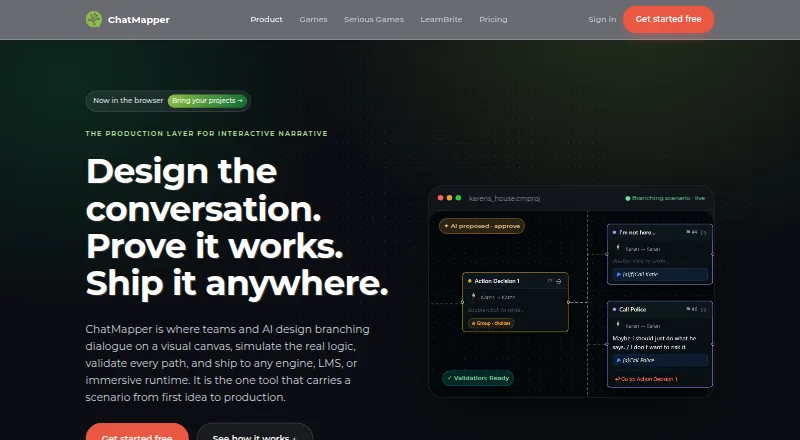
Its node-based canvas lays out dialogue as a graph. You can add actors, choices, variables, conditions, scripts, media, and links between conversations.
The browser simulator runs Lua logic and shows changing variables during play. Validation finds broken links, dead ends, unreachable content, undefined variables, and other runtime-readiness issues.
An AI collaborator can suggest scenario drafts, branch extensions, rewrites, and scoring logic. A person must approve proposed edits, which are then saved as revisions.
How it connects
ChatMapper imports desktop files, .cmp and .cmpkg files, XML, JSON, CSV or Excel, Twine, Arcweave, and articy:draft. Exports include canonical JSON, Unity XML, Yarn, HTML, SCORM, xAPI, CSV, RTF, SVG, CMPKG, and LearnBrite delivery.
Unity projects can use a native Dialogue System XML export. Yarn files can run with Yarn Spinner in Unity, Godot, Unreal, or web runtimes. Unreal, Godot, and custom engines can consume the canonical JSON format through a documented custom-runtime route.
The standalone HTML player is one self-contained file that can run from a file, an email attachment, or static hosting. It exposes JavaScript callbacks for scenarios, sessions, completion, and choices. Cloud has no public API yet; file imports and exports are the current connection method.
Provider options include OpenAI, Anthropic, ElevenLabs, HeyGen, and Synthesia. You supply your own keys, and those providers bill their usage directly. Game Narrative Design Software
Good fit
ChatMapper suits people making branching dialogue, quests, games, interactive stories, serious games, courses, immersive experiences, or AI character roleplay.
It is useful when one scenario must reach several destinations, such as Unity, Yarn, learning packages, a web player, or a custom engine. Its canonical JSON format and documented parser support data portability.
The free plan allows one editor, three projects, and up to 300 nodes per project, with commercial use. Teams can add shared work, roles, live presence, conflict protection, and history on the Team plan.
Watch for
Cloud runs in current Chrome, Edge, Firefox, or Safari. Desktop 1.9.1 is Windows-only, works fully offline, and is described as maintained while active development is focused on the browser product.
Cloud does not yet have a public API. The SCORM and xAPI documentation says each package contains one scenario and one score, and SCORM 2004 is not produced.
The Desktop Personal plan is for personal, non-commercial use. AI media also requires your own provider accounts and keys. Enterprise and OEM arrangements are needed for private or on-premises deployment. articy:draft and Yarn Spinner are other named tools in this workflow.
Pricing
ChatMapper has a free plan with one editor, three projects, and 300 nodes per project. It includes the visual canvas, Lua simulation, deterministic validation, JSON, HTML, and screenplay export, plus commercial use. There is no free trial.
Creator is $19 a month when billed annually, or $24 month to month. It adds unlimited projects and nodes, production exports, the AI collaborator, provider-key voice and video, localization, and 90-day history.
Desktop Commercial is $35 a month, billed annually. Team is $79 a month annually or $99 monthly, with three editors included and $20 for each extra editor. Desktop Team is $110 a month, billed annually. Enterprise and OEM pricing is on request.
Desktop Personal is free forever for one Windows user and local files, but only for personal, non-commercial work.
Verdict
Choose ChatMapper if you need a visual branching-conversation tool that can validate logic and send the same scenario to several engines or learning formats. The free plan is a practical starting point for small projects, while Creator covers production exports and AI-assisted editing.
Look elsewhere if you require a Cloud public API today, need SCORM 2004 output, or want a commercial offline desktop app without a paid plan. For teams, compare the Team limits and extra-editor charge before committing.
Our take
ChatMapper is a sensible choice for authors who want one graph-based workspace, built-in logic checks, and many delivery formats. Its free tier supports small commercial projects, and paid plans cover production exports, localization, AI suggestions, and team controls. The main trade-offs are a Windows-only desktop app, no Cloud public API, and specific SCORM limits. Offline commercial work requires a Desktop plan, while private deployment and enterprise support require a custom arrangement. Buyers should confirm their engine, learning format, and collaboration needs before choosing a plan.
- Free plan supports commercial use, three projects, and 300 nodes each
- Simulates Lua logic and checks broken links, dead ends, and undefined variables
- Exports to Unity, Yarn, JSON, HTML, SCORM, xAPI, and other formats
- AI edits require human approval and are saved as revisions
- Supports provider integrations using customers’ own keys
- Cloud has no public API yet
- Desktop 1.9.1 runs only on Windows
- SCORM packages contain one scenario and one score; SCORM 2004 is not produced
- Desktop Personal is limited to personal, non-commercial use
- Commercial offline desktop access requires a paid plan
- Pick it ifBranching game and interactive-story authors; Teams shipping scenarios to several engines or learning systems; Small commercial projects starting with a free plan
- Skip it ifYou need a Cloud public API now; You require SCORM 2004 output; You want commercial offline use on macOS or Linux
Pricing
A free commercial plan covers one editor, three projects, and 300 nodes per project. Enterprise and OEM pricing is on request.
- Free1 editor · 3 projects · 300 nodes each · visual canvas · Lua simulation · deterministic validation · JSON/HTML/screenplay export · commercial useFree
- Desktop PersonalFree forever · 1 user · Windows Desktop 1.9.1 · fully offline · local files · personal and non-commercial use onlyFree
- CreatorBilled annually at $228/year, or $24 month to month · unlimited projects and nodes · production exports · AI collaborator · generative voice/video with provider keys · localization · 90-day history$19/mo
- Desktop CommercialBilled annually at $420/year · 1 professional user · commercial/client work · advanced exports · Windows Desktop 1.9.1$35/mo
- TeamBilled annually at $948/year, or $99 monthly; 3 editors included, plus $20 per extra editor · organizations · roles · live presence · conflict protection · full diff/history/restore · shared AI provider configuration · priority support$79/mo
- Desktop TeamBilled annually at $1,320/year · 3 professional users · commercial/client work · advanced exports · Windows Desktop 1.9.1$110/mo
- Enterprise & OEMOEM/white-label engine · custom integrations/exporters · SSO · security review · DPA · private or on-prem deployment · onboarding · SLA · commercial supportOn request
As chatmapper.com lists them, checked 15 Oct 2026.
Questions
Is ChatMapper free?
Yes. The Free plan includes one editor, three projects, and 300 nodes per project, with commercial use. Desktop Personal is also free forever for personal, non-commercial Windows work.
Does ChatMapper have a free trial?
No. The facts list a free plan but no free trial.
What engines can use ChatMapper exports?
Unity and Yarn are supported directly. Canonical JSON can be used with Unreal, Godot, and custom engines through a documented runtime route.
Can ChatMapper run offline?
Desktop 1.9.1 runs fully offline on Windows. The browser product runs in current Chrome, Edge, Firefox, or Safari.
Does ChatMapper offer a public API?
Not for Cloud yet. Current connections use deterministic file imports and exports. The standalone player also exposes JavaScript callbacks.
Who pays for AI-generated media?
You provide keys for supported providers such as OpenAI, Anthropic, ElevenLabs, HeyGen, and Synthesia. Those providers bill usage directly, without ChatMapper markup.