
Clipdrop: Image Tools and Pricing
clipdrop.co · checked 4 Oct 2026
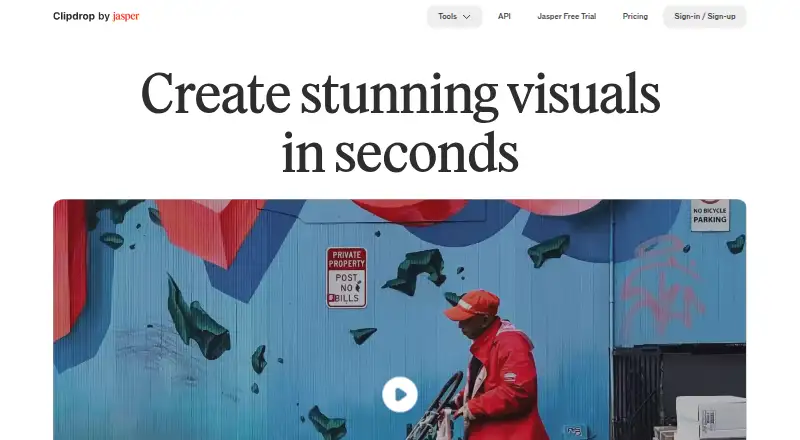
Clipdrop brings AI image creation and editing tools to web browsers, mobile devices, and API integrations.
How it plugs in
Signal on AI Image Expanders6.5#5 of 26
Clipdrop brings image creation and editing tools together, including text-to-image generation, background removal, cleanup, relighting, and resizing for social platforms. It runs on the web and mobile apps, with API access. The API plan is usage-based and priced on request.
Review
In a line
Clipdrop groups AI tools for creating and editing images. You can use the service on the web, iOS, Android, or via its API.
What it does
Enter an English prompt to create four images, with an option to choose a style. Other tools remove backgrounds, clean up unwanted objects or text, and replace a background based on an English description.
With Relight, users can place and reposition light sources in photos after capture. Universal Resizer adjusts images to the dimensions listed for Facebook, Instagram, Twitter, LinkedIn, Pinterest, and TikTok.
How it connects
Clipdrop has web and mobile apps, plus an API for using its image tools in other software. The API documentation covers Uncrop, Remove Background, Image Upscaling, Cleanup, Remove Text, Text to Image, and Replace Background APIs.
Clipdrop is part of Jasper. Its API documentation points to Jasper's API information for current details.
Good fit
Clipdrop may suit people who need several image editing tasks in one service, such as removing backgrounds, cleaning up photos, or making alternate backgrounds.
Its resizer handles the listed social networks, while the background remover accepts batches of up to 10 files.
Watch for
Cleanup exports on the Free plan stop at 720 pixels, whereas the page states that Pro has no size limit. Universal Resizer processes as many as 1,000 images daily, but custom dimensions are not yet supported.
Clipdrop's API details are directed to Jasper's documentation, so check there for current information before choosing API access.
Pricing
Clipdrop's Free tier has no charge and sets daily allowances for several tools. Background removal, upscaling, cleanup, and relighting each allow 20 uses per 24 hours, while text removal allows 50.
The Pro tier lists limits of 1,000 uses per 24 hours for its tools and adds high-resolution options. The API plan is usage-based, with price on request.
Verdict
Consider Clipdrop if you want a single service for common image tasks and its listed tools and platform sizes cover your needs. Its free tier lets you test several tools, but daily allowances and 720-pixel Cleanup exports could limit some projects.
Before paying, confirm the Pro price and trial terms. If you need custom resizer dimensions, its current resizer is not a fit. Teams considering API access should check Jasper's current API details and request pricing.
Our take
Clipdrop is worth considering for people who want image generation and practical editing tools together, especially background removal, cleanup, relighting, and social image resizing. The free plan can help you see whether those tools fit your work, but its daily caps and limited Cleanup export size matter. Compare your expected use with the listed limits before subscribing. For API use, get current details and a quote from Jasper.
- Creates four images from an English prompt, with an optional style.
- The background remover handles batches of up to 10 files.
- Photos can be relit by adding and repositioning light sources.
- Resizes images for six listed social platforms.
- Runs on the web, iOS, Android, and via an API.
- Free-tier Cleanup exports stop at 720 pixels.
- The Universal Resizer currently lacks custom dimensions.
- Pick it ifPeople handling several image editing tasks in one service; Users preparing images for the listed social platforms
- Skip it ifYou need custom image sizes in the resizer.; You need a listed Pro price before comparing monthly costs.
Pricing
Clipdrop's Free tier has no charge but imposes daily usage caps. API access uses usage-based pricing, with the price available on request.
- FreeText to image · Uncrop · Background Removal 20/24h · Image Upscaler x2 20/24h · Cleanup 20/24h · Relight 20/24h · Text Remover 50/24h · Replace BackgroundFree
- Proper month · Text to image 1000/24h · Uncrop 1000/24h · High Resolution Background Removal 1000/24h · Image Upscaler x16 1000/24h · High Resolution Cleanup 1000/24h · High Resolution Relight 1000/24h · High Resolution Text Remover 1000/24h · High Resolution Replace Background 1000/24h · Free trial duration not statedOn request
- APIUsage-based cost · API pricing linked from pricing pageOn request
As clipdrop.co lists them, checked 4 Oct 2026.
Questions
Does Clipdrop have a free plan?
Yes. Its Free tier includes several tools with daily allowances, including 20 uses per 24 hours for background removal, cleanup, upscaling, and relighting.
What platforms does Clipdrop support?
You can access Clipdrop through web, iOS, Android, and API versions.
Can Clipdrop remove backgrounds in batches?
Yes. The background removal tool handles up to 10 files per batch and supports images up to 5,000 by 5,000 pixels.
Can I use Clipdrop-generated images commercially?
Clipdrop's FAQ says its terms do not limit commercial use of images generated on Clipdrop.
Does Clipdrop's resizer support custom sizes?
No. The Universal Resizer page says custom dimensions are not available yet, although it permits up to 1,000 images per day.
Near it
All alternatives →- PAPixomi AI#4 on this board
- F
 fal#6 on this board
- F
 Fotor#3 on this board
- WAWink AI Outpainting#7 on this board
- IAiMini AI Image Expand#2 on this board
- GAGoStudio AI Outpaint#8 on this board
- P
 Pixelcut#1 on this board
- SSnowArt#9 on this board
- EE
 EZ Expand Image#10 on this board
- IA
 ImageExpander.AI#11 on this board