
ClockOn payroll, rostering and HR software review
clockon.com.au · checked 15 Oct 2026
Workforce software for Australian employers covering pay, schedules, time and people records.
How it plugs in
Signal on Restaurant Payroll Software6.7#1 of 23
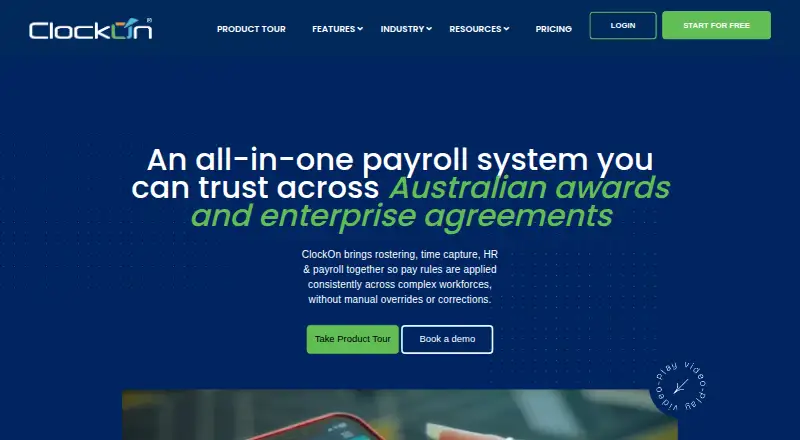
ClockOn puts Australian payroll, roster planning, time capture and employee information in one system. Workers can log hours through a phone, kiosk or offline process, while award settings, tax, super, leave, onboarding and compliance data are managed centrally. It links with services such as Xero, MYOB and other payroll or benefits platforms. Qualifying new businesses may start on a no-cost package, and the paid options are charged according to employee usage.
Review
In a line
ClockOn is a workforce system for Australian employers. It unifies pay processing, roster management, attendance, timesheets, HR and compliance tasks.
What it does
Payroll offers scheduled processing, tax and super calculations, allowances, payslips and Single Touch Payroll reporting to the Australian Taxation Office. Configurable rules can interpret awards, penalties, overtime and allowances.
Managers can build drag-and-drop schedules, reuse roster templates, calculate labour costs and plan across several locations. Employees may clock in using phones, tablet kiosks or offline methods, with GPS and geofencing available; an optional biometric scanner can also be used.
HR tools keep employee files and documents, onboarding checklists, leave, incident records, safety training and evidence of work rights. ClockOn GO enables roster and leave viewing, payslip access and notifications. More than 200 flexible reports are advertised.
How it connects
ClockOn is available on Android, iOS, web and Windows, with partner links to supported services. Listed connections include Xero, MYOB, Flare, Beam, SAFF-compatible superfund exports, Sage MicrOpay and Pronto.
For Xero, users authenticate there before a token exchange allows mapped timesheet information to be exported. MYOB requires an online company file plus a dedicated internal MYOB username and password. Flare is offered in ClockOn Web; Sage MicrOpay and Pronto exports run through the Desktop/Windows software.
The reviewed material does not provide a public ClockOn developer API, SDK or webhook specification. Payroll and personal-data access requires two-factor sign-in, and administrators may limit roles by department and location.
Good fit
ClockOn is aimed at Australian employers wanting pay administration together with scheduling and time tracking. Its named sectors include pharmacy, retail, hospitality, medical practices and clubs.
The feature set supports award and overtime management, leave, multiple sites, onboarding and workplace records. Australian telephone assistance, onboarding and training are listed.
Watch for
Standard is available only from five employee licences, with fees tied to active licences. Verify that threshold against your workforce before selecting it.
ClockOn's published Enterprise specification calls for an older Windows environment, including XP through 8.1 workstations and specified servers. If you depend on that edition, confirm the current requirements.
A reviewer found roster building sometimes difficult. Other reviews describe slow responses during implementation or cancellation, so establish support contacts and exit steps in advance.
Pricing
Eligible new businesses may use the free Starter Package for as long as 12 months or 27 Single Touch Payroll submissions. The package provides basic payroll and STP.
At $8.80 per employee per month, ClockOn Pro adds award interpretation, roster planning, labour planning, attendance, mobile access, a manager portal, onboarding, HR records and workplace health and safety checks.
The Standard package costs $16.25 monthly and includes five employees; each additional employee is A$3.25 per month. Outsourced Payroll is offered from $190 per month, charged per payslip with a minimum processing fee. A trial without charge is also offered.
Verdict
ClockOn is worth considering for an Australian organisation seeking payroll, award calculations, scheduling and HR records in one place. Mobile, kiosk and offline clocking support different workplace setups, and Xero or MYOB connections can transfer timesheet information into payroll.
Consider alternatives if you require a documented public developer API, newer Windows specifications, or a Standard price for fewer than five employees. Ask about implementation, response times and cancellation handling before enrolling. Employee Scheduling Software and Restaurant Payroll Software are useful categories for comparing alternatives.
Our take
ClockOn can suit Australian businesses coordinating payroll with rosters, attendance and HR compliance. Eligible new companies get a free starting option, while paid editions add award rules, labour planning and expanded HR capabilities. The five-licence Standard minimum remains a constraint, and the Enterprise Windows specification is dated; reviews also flag roster difficulties and slow support in some cases. Those seeking open developer tooling should verify alternatives because no public ClockOn API or webhook documentation is presented.
- Australian payroll handles tax, super and Single Touch Payroll reporting.
- Rostering supports templates, labour-cost calculations and multiple locations.
- Time can be captured through mobile, kiosk or offline methods with GPS options.
- HR functionality includes onboarding, leave and workplace records.
- Eligible new businesses may use the free Starter Package.
- Standard has a five-employee licence minimum.
- Published Enterprise specifications rely on older Windows versions.
- Some reviewers found roster setup challenging.
- Reviews report delays with support and cancellation.
- No public ClockOn API, SDK or webhook documentation is provided.
- Pick it ifAustralian employers pairing payroll with employee scheduling; Multi-site teams that need mobile or kiosk clocking; Businesses administering awards, leave and HR compliance records
- Skip it ifYou require a documented public developer API or webhooks.; You have under five employees and want Standard.; Your environment cannot run the published Windows Enterprise setup.
Pricing
The free Starter Package is limited to eligible new businesses and lasts up to 12 months or 27 STP submissions. Pro is $8.80 per employee each month. Standard is $16.25 monthly for five employees, with further staff at A$3.25 per month each. A free trial is available.
- Starter Packageup to 12 months or 27 STP submissions for eligible new businesses · Basic payroll and STPFree
- ClockOn Proper employee / month · Payroll and STP · award interpretation · rostering · labour planning · time and attendance · mobile app · manager portal · onboarding · HR records · WHS checks$8.80/mo
- ClockOn Standardincludes 5 employees; extra employees from A$3.25 per employee/month · Payroll and STP · award interpretation · time tracking · mobile app$16.25/mo
- Outsourced Payrollfrom A$190/month, billed per payslip; minimum monthly processing charge applies · ClockOn Australian payroll team processes payroll$190/mo
As clockon.com.au lists them, checked 15 Oct 2026.
Questions
Does ClockOn have a free plan?
Eligible new businesses can use the free Starter Package for up to 12 months or 27 Single Touch Payroll submissions; it provides basic payroll and STP.
What platforms does ClockOn support?
ClockOn lists Android, iOS, web and Windows access. Staff can also clock in via mobile, tablet kiosk or offline workflows.
Which services integrate with ClockOn?
Listed connections include Xero, MYOB, Flare, Beam, SAFF-compatible superfund exports, Sage MicrOpay and Pronto.
Does ClockOn offer a public API?
The reviewed pages outline partner integrations but do not publish a ClockOn developer API, SDK or webhook reference.
What is the minimum employee count?
ClockOn Standard starts at five employee licences, with charges calculated from active licences.
Can ClockOn handle Australian award rules?
Yes. Configurable rules can apply awards, penalties, overtime and allowances alongside payroll and STP functions.