
CPro360 Residential Construction Software Review
cpro360.com · checked 4 Oct 2026
Residential construction project management for schedules, budgets, bids, portals, and accounting sync.
How it plugs in
Signal on Home Builder Software5.9#8 of 32
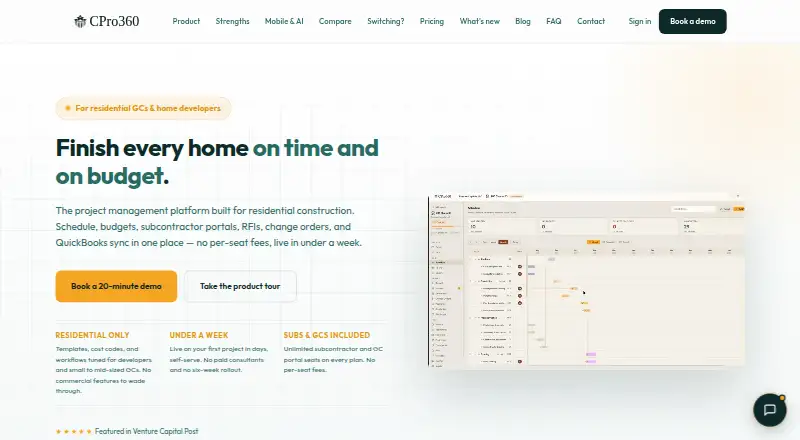
CPro360 combines scheduling, budgeting, estimates, bids, change orders, RFIs, subcontractor and owner portals, and accounting links for residential developers and smaller general contractors. Web, iOS, Android, and API access are available. A subscription begins with a 30-day trial.
Review
In a line
CPro360 is a project management platform for residential construction. It supports builders of single-family homes, townhomes, and small multi-family projects.
What it does
The software records schedules, budgets, cost-to-complete figures, draw schedules, change orders, and requests for information. For each project location, its 14-day forecast can move weather-sensitive tasks and alert subcontractors by SMS and email.
Users may build estimates from templates or plans uploaded for AI assistance, assemble bid packages, compare bids, and assign work through a subcontract or purchase order. Residential templates include schedules, cost codes, and quality and inspection checklists.
Receipt, invoice, and quotation photos or PDFs can be scanned for line items, taxes, discounts, and totals, which a user reviews.
How it connects
QuickBooks Online and Desktop can synchronize data in both directions. CPro360 also lists Xero and Sage connections, along with Buildertrend CSV import and export.
The service runs on the web, iOS, Android, and an API platform. Its native mobile apps let general contractors and subcontractors make offline updates that synchronize after reconnection.
Plans come with unlimited subcontractor, general contractor, and owner portal seats at no per-seat charge. Web and mobile apps support English and Mexican Spanish, set per user.
Good fit
Residential developers and smaller general contractors overseeing custom, semi-custom, or spec homes are the intended audience. It covers trade partner coordination, budget control, scheduling, bidding, and owner access in one system.
Subcontractors receive included portal access and mobile apps, while accounting teams can exchange data through QuickBooks, Xero, Sage, or Buildertrend files.
Watch for
CPro360 targets residential work instead of commercial or industrial contracting. It does not include selections management.
Self-serve onboarding is included, but moving data from CoConstruct or Buildertrend has a separate quote. Check whether your workflows need that service before switching.
Security measures include JWT bearer authentication, BCrypt password hashing, optional authenticator-app two-factor authentication, and AES-256-GCM encryption for sensitive integration tokens. Tenant administrators and platform staff must use two-factor authentication; mobile users can enable biometric sign-in.
Pricing
CPro360 is a paid service that includes a 30-day trial.
Unlimited subcontractor, general contractor, and owner portal seats are included with every plan, without an additional seat fee.
Verdict
CPro360 suits companies building homes, townhomes, or small multi-family projects that want schedules, costs, bids, field access, and accounting sync in one place. Included portals and offline mobile updates can help teams and trade partners work across job sites.
Look elsewhere if you run commercial or industrial contracts, require selections management, or want a free ongoing plan. Buyers moving from CoConstruct or Buildertrend should budget separately for migration and confirm the paid subscription cost during the trial.
Our take
CPro360 makes sense for residential builders that want scheduling, financial tracking, bidding, document capture, and partner access under one roof. Its accounting sync options and offline mobile work may suit teams split between offices and job sites. The product is less suitable outside residential construction, and it has no free plan or selections module. Since subscription prices are not provided here, use the 30-day trial to check workflows and clarify migration charges before committing.
- Covers schedules, budgets, bids, RFIs, change orders, and portals
- QuickBooks Online and Desktop data can sync in both directions
- Unlimited portal seats without per-seat fees
- Offline iOS and Android updates sync when connected
- Supports English and Mexican Spanish
- No free plan; service is paid after the 30-day trial
- Built for residential rather than commercial or industrial work
- Selections management is not included
- CoConstruct and Buildertrend migration has a separate quote
- Pick it ifResidential developers and smaller general contractors; Single-family, townhome, and small multi-family builders; Teams needing accounting sync and trade-partner portals
- Skip it ifYou manage commercial or industrial contracting projects; You need selections management; You require a free ongoing plan
Pricing
Paid software with a 30-day trial and no free plan. Portal seats are unlimited on every plan without per-seat charges; subscription amounts are not provided.
Questions
Does CPro360 offer an ongoing free tier?
No. After the 30-day trial, use requires a paid subscription; no free plan is listed.
Which accounting tools connect to CPro360?
QuickBooks Online and Desktop support two-way synchronization, and Xero and Sage are supported. Buildertrend data can move through CSV import and export.
Can subcontractors use CPro360 on phones?
Yes. Native iOS and Android apps support general contractor and subcontractor portals. Offline updates sync when connectivity returns.
What kinds of builders is CPro360 for?
CPro360 is intended for residential developers and smaller general contractors handling single-family homes, townhomes, or small multi-family projects.
Does CPro360 support multiple languages?
The web and mobile apps offer English and Mexican Spanish. Each user sets a language preference.
Can it work with commercial construction?
CPro360 is positioned for residential work rather than commercial or industrial contracting.
Is migration from Buildertrend included?
Self-serve onboarding is included, but migration from CoConstruct or Buildertrend is quoted separately.