
Deepgrip AI Video Search and Archive Platform
deepgrip.ai · checked 15 Oct 2026
AI video intelligence for searchable archives, clips, summaries and multilingual transcripts.
How it plugs in
Signal on AI Video Search Tools5.9#12 of 24
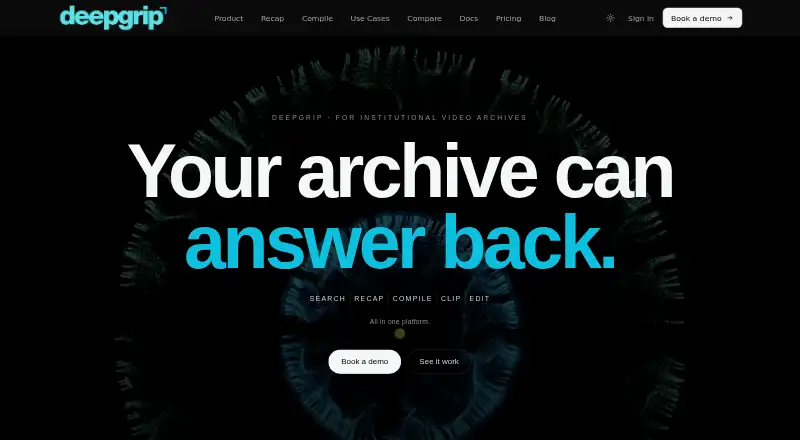
Deepgrip turns recorded video into searchable archives. It transcribes speech, finds topics and scenes, extracts speakers and entities, and returns answers with source clips and transcript lines. Teams can create clips, reels, recaps and subtitles in a browser. It runs in the cloud or on customer infrastructure, with API, webhooks and several storage connections.
Review
In a line
Deepgrip uses AI to make recorded footage searchable and reusable. It indexes video, answers archive questions with timestamps, and creates clips and other content.
What it does
Deepgrip ingests recorded video and audio, transcribes speech, and builds an index for semantic search. Transcription covers 23 Indian languages and English, including code-switched speech, with speaker diarization and automatic punctuation. The company states 95% or higher transcription accuracy.
Search can discover topics across videos, identify people, places and terms, and find scenes from a description or reference photo. Answers include source clips and exact transcript lines for checking.
Recap scores moments in long videos and turns them into a story with captions, branding and different aspect ratios. Compile creates a reel from a written brief, while Reel Builder joins chosen clips into an MP4. A browser editor handles trimming, subtitles, branding and exports.
How it connects
Live ingestion sources include YouTube, local files and cloud storage. Listed connections are YouTube channels, Google Drive, Dropbox, OneDrive, a REST API and webhooks. Slack, Notion, Zapier and Make are listed as coming soon.
Enterprise pages name workflows for Asana, Jira, Linear, Slack, Teams, Salesforce and HubSpot, with API and webhooks for other connections. The NAS Connector runs as a service on Linux, macOS, Windows or NAS OS and relies solely on outbound HTTPS.
Cloud and on-premise deployment are available, and sovereign deployment can be arranged. Deepgrip says media can stay on customer servers, networks and storage. No public SDK or open-source license is stated.
Good fit
The Starter and Pro tiers target teams, newsrooms, broadcasters and content groups that manage video archives. They suit organizations that need multilingual transcription, searchable footage and verifiable answers with timestamps.
The tools also fit editors who want automated highlight clips, recaps, compilations, subtitles or browser-based exports without opening a desktop editing timeline.
Watch for
Deepgrip processes recorded video and audio, not live streams. It exports clips but does not publish them to social networks; publishing stays in the customer’s CMS, media system or social workflow.
The technical specifications cap individual files at 5 GB. Starter and Pro include search allowances, with overage charged at $0.01 per search. Check whether your archive size, language needs and deployment requirements match the chosen plan.
Deepgrip says SOC 2 Type II work is still in progress and no audit report has been issued. Air-gapped deployment is listed as in development.
Pricing
Deepgrip is paid, with pricing from $399 a month. The pricing note mentions a 7-day trial, while the facts also say there is no free trial and no free plan. A Demo plan is free for one 45-minute demo using a few hours of customer footage.
The per-organization Studio add-on prices are $89 monthly for Transcript Studio, $99 for Subtitle Burn, $99 for AI Music, $149 for Dubbing, $199 for Voice Cloning and $299 for Video Editor. The Production Bundle is $649 a month and includes all six add-ons.
Starter is $399 a month, billed yearly at $4,788 with 20% savings. Pro costs $1,199 per month, or $14,388 annually with 20% savings. Pilot / POC costs $1,999 one time, and Proof of concept costs $4,999 one time.
Verdict
Choose Deepgrip if your organization needs to search recorded archives, verify answers against source footage and produce reusable clips without a full editing workflow. Its multilingual transcription, visual search, citation-backed answers and self-hosting options are notable for archive-heavy teams.
It is a poor match for live-stream processing or direct social publishing. Buyers should also confirm the 5 GB file limit, search quotas, deployment timing and security requirements before committing to a paid plan.
Our take
Deepgrip fits teams that need an archive search layer plus tools for turning footage into clips, reels and subtitles. Its support for Indian languages, visual scene search and timestamped source evidence can help editorial and broadcast workflows. Cloud, on-premise and NAS options give organizations control over where media is processed. However, it handles recorded media only, leaves publishing to other systems and has no free plan. Check quotas, file sizes and the unfinished SOC 2 audit before signing up.
- Searches topics, scenes, speakers and entities across video archives
- Handles 23 Indian languages plus English, including mixed-language speech
- Returns source clips and transcript lines with archive answers
- Offers cloud, on-premise and NAS deployment options
- Includes browser editing and automated clip workflows
- Does not process live streams
- Files are limited to a listed maximum of 5 GB
- Does not publish clips to social networks
- No free plan; pricing starts at $399 a month
- SOC 2 Type II audit is still in progress
- Pick it ifNewsrooms and broadcasters managing recorded archives; Teams needing searchable, multilingual video intelligence; Editors creating clips without a desktop timeline
- Skip it ifYou need live-stream processing; You require built-in social publishing; Your files exceed the listed 5 GB limit
Pricing
Add-ons cost $89–$299 per month, alongside larger Starter and Pro tiers, paid pilots and a free one-time demo.
- Demoone 45-minute demo · Run search, recap and compile on a few hours of customer footageFree
- Transcript Studioper organization per month · 22 Indic plus 40 global languages · about 1,000,000 characters/month · side-by-side translation comparison$89/mo
- Subtitle Burnper organization per month · Styled frame-accurate subtitle burning · 1,000 operations/month$99/mo
- AI Musicper organization per month · 330 minutes of generated music/month$99/mo
- Dubbingper organization per month · Translate and re-voice content · 440 minutes/month$149/mo
- Voice Cloningper organization per month · Up to 5 cloned voices · 900 generation minutes/month · commercial license$199/mo
- Video Editorper organization per month · Timeline editor · transitions · text overlays · brand kit · 4K export · 600 render-minutes/month$299/mo
- StarterBilled $4,788/year · save 20% · 200 indexed hrs/mo · 450 searches/mo · 5 seats · $0.01/search over limit$399/mo
As deepgrip.ai lists them, checked 15 Oct 2026.
Questions
Does Deepgrip process live streams?
No. Deepgrip processes recorded video and audio, not live streams.
What languages does transcription support?
Transcription covers 23 Indian languages and English, including mixed-language speech.
Can Deepgrip run on our own servers?
Yes. Cloud and on-premise deployments are available, and the NAS Connector operates on Linux, macOS, Windows or NAS operating systems.
Does Deepgrip have an API?
Yes. A REST API and webhooks are listed, with enterprise API access for connections beyond named integrations.
Is there a free plan?
No free plan is listed. A free Demo plan covers one 45-minute demo on a few hours of customer footage.
What happens to data after account deletion?
Deepgrip says customers own videos, transcripts and clips. Cloud copies can be exported or deleted within 30 days after account deletion.
What is the largest file it accepts?
Its technical specifications set the maximum file size at 5 GB.