ViSearch review: video search, transcripts and quizzes
visearch.ai · checked 20 Oct 2026
Video search and study tools with transcripts, summaries, chapters, visual search, and quizzes.
How it plugs in
Signal on AI Video Search Tools6.3#7 of 24
ViSearch turns uploaded or linked video and audio into searchable transcripts, translations, chapters, summaries, and quizzes. It supports exact-word, meaning-based, and visual searches across a library. Files can be uploaded in common formats or linked from several services. ViSearch runs on the web, as an extension, through an API, or on premises.
Review
In a line
ViSearch is a video and audio analysis service. It converts media into searchable text, summaries, chapters, and timestamped quizzes.
What it does
You can search exact words, phrases, and quotes, then jump to their timestamps. Semantic search finds moments by meaning, while visual search can look for objects, scenes, on-screen text, uploaded images, faces, and speakers.
ViSearch transcribes and translates in more than 90 languages, adds speaker labels, and creates editable chapters and structured notes. Quizzes can use multiple-choice, true-or-false, or open-ended questions linked to video timestamps.
Videos may be up to 10 hours. The maker estimates about three minutes to process one hour of content.
How it connects
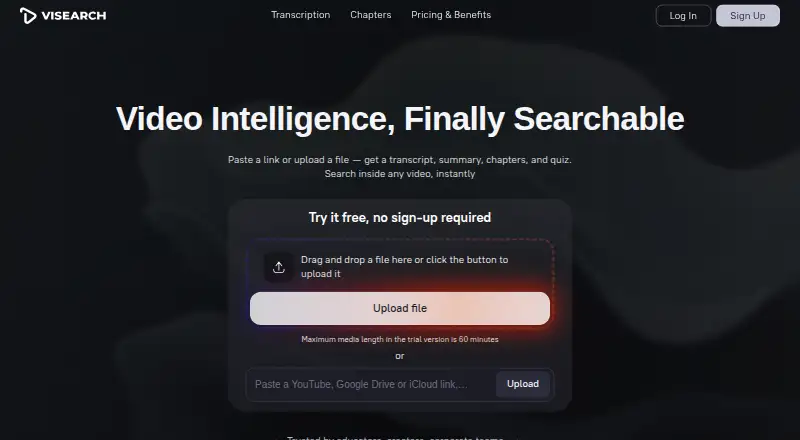
Upload common video or audio files, or paste YouTube, Google Drive, iCloud, or direct-file links. Examples of supported formats include MP4, AVI, MKV, WEBM, MP3, M4A, OGG, WAV, and FLAC.
Transcripts, chapters, summaries, and quizzes can be exported as TXT, DOCX, or PDF. Subtitles can be exported as SRT or VTT. Quizzes can be embedded in any learning-management system.
ViSearch offers a REST API, iframe embedding, an extension, and on-premise deployment for teams. It is not open source.
Good fit
Content creators can index and revisit video libraries. Educators and course creators can make chapters, translated transcripts, notes, subtitles, and timestamped quizzes.
Teams, organizations, and media groups may use the API, embedding, or on-premise option to add video search to their own services.
Watch for
The no-sign-up trial covers up to 10 minutes of media. Registration provides up to 20 free processing minutes. Semantic search is part of Pro, and visual, image, face, and speaker search require Visual.
ViSearch says it does not sell personal information, but it may share data with hosting, payment, analytics, and support providers. It uses encryption in transit and other stated safeguards but does not promise absolute security.
The service is provided as-is and does not guarantee uninterrupted, error-free, or fully secure operation. Refund requests are allowed within 14 days of purchase.
Pricing
The Free plan includes up to 20 minutes of video processing and does not require a credit card.
Basic costs $0.09 one-time, billed per minute. It includes full-text search, AI transcripts with speaker labels, and SRT/VTT subtitles.
Pro costs $0.15 one-time, billed per minute, and adds semantic search, timestamped chapters, smart summaries, and generated quizzes. Visual costs $0.25 one-time, billed per minute, and adds visual, uploaded-image, face, and speaker search.
Verdict
Choose ViSearch if you need to find moments inside video or audio and turn them into study or publishing material. Its range of exports, language support, quiz formats, and deployment choices covers individual and team workflows.
Check the free-minute limit and per-minute charges before processing a large library. Buyers who need semantic or visual discovery must select the higher tiers. Organizations handling sensitive media should review the stated data-sharing and security terms before committing.
Our take
ViSearch suits people who need more than a transcript: it combines timestamp search, translation, chapters, summaries, subtitles, and quizzes in one service. The free allowance lets you try short material without a card, while paid tiers add meaning-based and visual discovery. Costs are charged by processing minute, so a large archive can become expensive. Teams should also decide whether API, embedding, or on-premise deployment fits their setup and review the privacy and service-limit terms for sensitive content.
- Searches exact words, meanings, and visual details in video
- Translates transcripts into more than 90 languages
- Exports transcripts, notes, quizzes, and subtitles
- Offers API, embedding, extension, and on-premise options
- Free processing is limited to 20 minutes after registration
- Semantic and visual search require higher paid tiers
- The service does not guarantee absolute security or uninterrupted operation
- Pick it ifEducators making searchable lessons and timestamped quizzes; Creators and media teams indexing video libraries; Teams needing API or on-premise deployment
- Skip it ifYou need open-source software; You process large volumes but cannot pay per minute; You require guaranteed uptime or absolute security
Pricing
A free plan covers up to 20 processing minutes. Paid plans charge once per processed minute: Basic $0.09, Pro $0.15, and Visual $0.25. A no-sign-up trial covers 10 minutes.
- Freeup to 20 minutes of video processing · no credit card requiredFree
- Basicper minute · full-text search · AI transcript with speaker labels · SRT/VTT subtitles$0.09 one-time
- Proper minute · Basic features · semantic search · timestamped chapters · smart summaries · auto-generated quizzes$0.15 one-time
- Visualper minute · Pro features · visual search · uploaded-image search · face and speaker search$0.25 one-time
As visearch.ai lists them, checked 20 Oct 2026.
Questions
How long can a ViSearch file be?
The FAQ says files can be up to 10 hours long. The no-sign-up trial is limited to 10 minutes, and registered users get up to 20 free processing minutes.
What can I upload to ViSearch?
You can upload common video and audio files, including MP4, AVI, MKV, WEBM, MP3, M4A, OGG, WAV, and FLAC, or paste supported cloud and direct-file links.
Does ViSearch translate transcripts?
Yes. Transcript translation is available in more than 90 languages.
Can ViSearch create quizzes?
Yes. It creates multiple-choice, true-or-false, and open-ended questions linked to video timestamps. The site says quizzes can work with any learning-management system.
Does ViSearch have an API?
Yes. ViSearch offers REST API integration, iframe embedding, an extension, and on-premise deployment.
Is ViSearch open source?
No. The facts describe it as a paid service with a free plan, not open-source software.