DesignEvo Logo Maker Review
designevo.com · checked 21 Oct 2026
Create logos in a browser with templates, icons, fonts, editing controls, online storage, and mobile apps.
How it plugs in
Signal on Logo Design Software6.7#1 of 45
DesignEvo provides cloud-hosted logo creation for startups, small companies, and individual operators. Its library advertises over 10,000 templates alongside searchable vector artwork, 100-plus fonts, color and layout settings, and the ability to save work online. Free creation is available, while one-time Basic and Plus packages add high-resolution or vector downloads and other rights.
Review
In a line
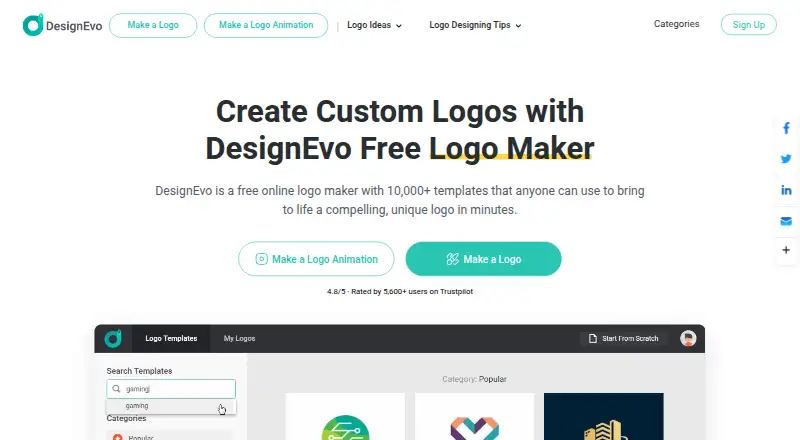
DesignEvo lets you build a customized logo online, starting with a template or an empty canvas. It also has apps for Android and Apple mobile devices.
What it does
Within the editor, you can adjust icons, shapes, wording, colors, layers, canvas dimensions, and layout generation. Drag-and-drop controls let you reposition, resize, turn, line up, and layer objects.
Searchable millions of vector icons, 100-plus font choices, and solid or gradient color options are available. The WYSIWYG preview places a design in scenes including business cards, shirts, websites, and branding walls.
More than 10,000 templates are promoted across categories. Finished logos may be stored online and reopened for later editing.
How it connects
DesignEvo runs in modern browsers on Mac, Windows, and Linux, and is also listed for Android, iPhone, and iPad. It is cloud hosted, with no self-hosting option identified.
Exports include JPG and PNG, plus transparent PNG. With Plus, you also receive PDF and SVG vector output along with the design’s fonts.
The software is proprietary, and a public logo-generation API was not verified. Its privacy policy names Facebook, Pinterest, Twitter, Google Analytics, and AdMob as third-party services that may be integrated with the site or services.
Good fit
DesignEvo is aimed at small companies, startups, and solo business owners who want a logo without starting entirely from zero. Its templates, icons, fonts, and straightforward layout controls help with quick custom work.
It can also fit people who need browser access across desktop systems or want to revisit saved logos online.
Watch for
Templates and other shared elements do not come with exclusive use. DesignEvo also says rights for particular icons obtained from The Noun Project cannot be guaranteed.
The Plus purchase is the package for which buyers are said to own copyright in a customized logo, whether used commercially or not. Check the package and asset terms before using a logo commercially.
The Windows desktop download is marked as coming soon. A public API and self-hosting option were not identified.
Pricing
Online logo making is available on the Free plan; paid packages provide high-resolution or vector downloads, and a free trial is listed.
A one-time Basic payment of $24.99 covers the current logo project. It includes JPG and PNG files up to 5000×5000 pixels, transparent PNG, print-ready output, lifetime support, and the ability to edit and re-download.
For the current project, Plus requires a one-time $49.99 payment. It keeps the Basic features and adds PDF and SVG vectors, font files, and trademark-registration right.
Verdict
DesignEvo is worth considering if you prefer a guided editor with a large template and asset selection and are willing to pay once for downloadable files. The free option can cover initial online creation, while Plus is the relevant package when vector files, font files, or stated copyright ownership matter.
Look elsewhere if you need open-source software, a confirmed public API, self-hosting, or exclusive rights to shared templates and sourced icons. Also confirm desktop availability if you specifically need a Windows application.
Our take
DesignEvo offers a straightforward way to make a small-business logo through a browser or mobile app. You can start without payment, while its paid tiers supply larger raster output or professional vector formats. Plus also supplies font files and stated copyright ownership for a purchased customized logo. Key limitations include non-exclusive shared assets, uncertain rights for some Noun Project icons, and no verified public API or self-hosting option. Pick it for straightforward logo work, not for an open or developer-focused design platform.
- The service advertises a library exceeding 10,000 logo templates.
- Millions of searchable vector icons and over 100 fonts.
- Free plan and free trial are available.
- Plus includes PDF, SVG, and font files.
- Online storage lets you reopen and revise logos.
- Shared templates and elements are non-exclusive.
- Rights for some Noun Project icons are not guaranteed.
- No verified public logo-generation API.
- No self-hosting option was identified.
- Windows desktop download is marked coming soon.
- Pick it ifSmall businesses and startups creating a custom logo; Owners who want browser or mobile editing; Buyers needing vector downloads with Plus
- Skip it ifYou need open-source or self-hosted logo software.; You require a confirmed public API.; Exclusive rights to shared templates or icons are essential.
Pricing
Logo creation starts free. Basic is a $24.99 one-time purchase, and Plus costs $49.99 one time for the current project; Plus supplies vector and font files plus trademark-registration right.
- Freeonline logo creation · paid packages for high-resolution and vector downloadsFree
- Basicone-time charge for the current logo project · JPG and PNG up to 5000×5000px · transparent PNG · no credit · print-ready · lifetime support · edit and re-download$24.99 one-time
- Plusone-time charge for the current logo project · everything in Basic · PDF and SVG vectors · font files · trademark-registration right · transparent PNG · edit and re-download$49.99 one-time
As designevo.com lists them, checked 21 Oct 2026.
Questions
Is DesignEvo free?
Yes. The Free plan allows online logo creation, while paid tiers provide high-resolution or vector downloads; a free trial is listed.
What files can DesignEvo export?
Available exports are JPG, PNG, and transparent PNG. Plus additionally provides PDF and SVG vectors and the fonts used in the design.
Who owns a DesignEvo logo?
According to DesignEvo, a buyer owns the copyright in a customized logo purchased with Plus for commercial or non-commercial use. Shared templates and elements remain non-exclusive.
Does DesignEvo have an API?
The reviewed listings did not verify a public logo-generation API.
Where can I use DesignEvo?
It works in modern Mac, Windows, and Linux browsers. Apps are listed for Android, iPhone, and iPad.
Can I save and edit logos later?
Yes. Logos saved online can be reopened and edited whenever needed.
How do I contact support?
Customers can use Live Chat or the Contact Us form. The support center also provides tutorials and help articles.