Restaurant Table Management Software
Dines Restaurant POS and QR Ordering
getdines.com · checked 15 Oct 2026
Cloud restaurant POS and management software with QR ordering, tables, kitchen display, reservations and reports.
How it plugs in
Signal on Restaurant Table Management Software5.3#33 of 44
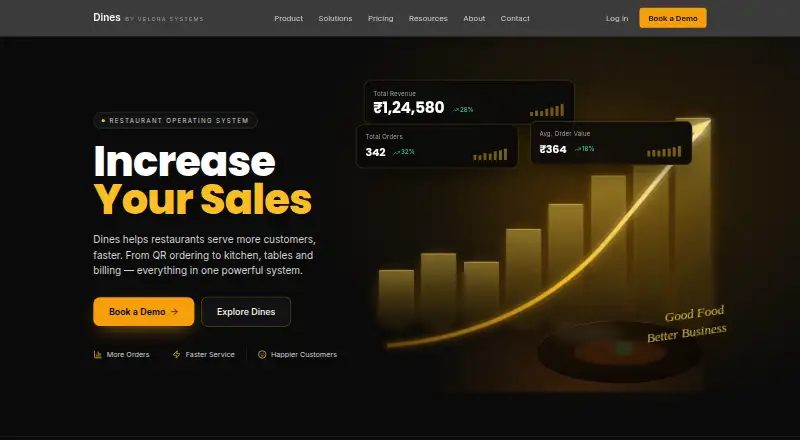
Velora Systems makes Dines, a browser-based operating system for restaurants. It combines QR and waiter orders with digital menus, POS billing, kitchen tickets, table controls, reservations and analytics. Restaurants can use it on web devices or Windows, connect UPI and Razorpay payments, and manage multiple outlets through one owner login. Pricing is custom quoted.
Review
In a line
Velora Systems’ Dines is cloud restaurant POS and management software. Its single system covers orders, billing, kitchen operations, tables, reservations and reporting.
What it does
A guest can scan the QR code at a table, open the current menu in a browser and place an order without signing in or installing an app. Waiters can enter table-linked orders on phones or tablets, and guests can see progress and add rounds to that same session.
GST billing, waiter, counter and QR orders, table sessions, split bills and sales reporting are handled by the POS. In the kitchen display, tickets move through Incoming, Preparing and Ready; matching dishes from different tables can be batched, and the waiter assigned to a table gets a ready notification.
Menu items can include images, category labels, variants, extras, dietary markers and availability status. The floor view shows sections, table capacity, assigned waiters, active sessions and turn timers. Reservation entries record a date, time and group size, check capacity and available slots, and can be set for manager approval. Reporting covers sales, key metrics, waiter and dish results, expenses, cash-drawer activity and exports.
How it connects
Phones, tablets, laptops and wall-mounted kitchen displays can access Dines through a browser. Kitchen tickets print through the Windows Dines Print Agent to an 80 mm thermal printer installed with a Windows driver.
UPI and Razorpay are the listed payment integrations. Menus can be imported from CSV or Excel, while reports can be exported in those formats. Dines says restaurants can use their own phones, laptops and printers instead of purchasing a proprietary terminal.
A single owner account can oversee multiple outlets, with each restaurant's menus, staff, orders and reports kept in its own data set. If the connection drops, the restaurant PC can save and print orders locally and synchronize them later; other surfaces must reconnect.
Good fit
Dines targets dine-in restaurants that combine QR ordering, waiter service, kitchen tickets, table planning and reservations. Owner, manager, kitchen and waiter roles are supported through role-based staff accounts.
Groups with multiple restaurants may also benefit because every outlet retains isolated operational data under the same owner account. Direct QR orders have no marketplace commission, allowing the restaurant to keep the full bill. See more options in Restaurant Table Management Software.
Watch for
Dine-in QR ordering is the product’s stated focus. Takeaway workflows remain on the roadmap, so takeaway-led restaurants should confirm the schedule before committing.
The KDS does not yet offer routing by individual kitchen station or a way to recall batches; Dines lists both capabilities as roadmap items. Printing additionally needs a Windows PC running the Print Agent and a compatible 80 mm thermal printer.
Dines’ privacy policy notes that no transmission or storage method is completely secure. It names Railway, MongoDB Atlas on AWS, Cloudflare R2, Meta WhatsApp, Zavu SMS, Resend, browser push and OpenAI voice ordering among its service providers.
Pricing
Dines is sold on a custom quote tied to outlet count and order volume. The service has no free tier, and its pricing page says a mandatory setup charge is not applied.
The custom plan includes unlimited tables and QR codes, a photo-enabled digital menu, a three-lane kitchen display, waiter functions, guest status tracking, table and reservation management, analytics, staff roles, plus UPI and Razorpay connections. Dines says digitally prepared menus can usually go live within a day.
Verdict
Consider Dines when dine-in QR orders need to connect with tables, kitchen tickets, waiter alerts, reservations and reporting in one browser-based service. It may also suit owners running several outlets or relying on existing devices and printers.
Request a custom quote and verify payment configuration, Windows printing needs and outage behavior across each device. Restaurants centered on takeaway, multiple independently routed kitchen stations or batch-ticket recovery should wait for the relevant roadmap items or evaluate alternatives.
Our take
Dines fits dine-in restaurants seeking QR and waiter ordering, kitchen status, table control and reservations together. Browser access, support for existing hardware and separate multi-outlet data can simplify deployment. Consider the custom pricing, lack of a free tier, Windows printing dependency and limited offline coverage beyond the restaurant PC. Takeaway-focused operations and kitchens requiring station-level routing should check the roadmap first.
- Guests can place QR orders in a browser without installing an app or signing in
- Combines POS, kitchen display, tables, reservations and analytics
- Supports UPI and Razorpay payments
- One owner account can cover several outlets while their data remains separate
- Direct QR sales avoid marketplace commission, and no mandatory setup fee is listed
- Takeaway workflows remain planned rather than available
- Multi-station KDS routing and batch recall are roadmap items
- A Windows PC and 80 mm thermal printer are needed for printing
- Only the restaurant PC can save offline; other surfaces need reconnection
- Pick it ifDine-in restaurants using QR and waiter ordering; Restaurant groups managing several outlets; Teams needing table, kitchen and reservation tools together
- Skip it ifTakeaway is your main workflow; You need per-station kitchen routing now; You require a published price or a free plan
Pricing
Dines quotes its plan according to outlets and order volume. Contact Dines for pricing. There is no free plan and no mandatory setup fee.
- The Dines planCustom pricing · Talk to us · Unlimited tables and QR codes · digital menu with photos and dietary tags · 3-lane KDS · waiter dashboard and ready notifications · guest order tracking · table management and reservations · analytics · role-based staff accounts · UPI and Razorpay integrationOn request
As getdines.com lists them, checked 15 Oct 2026.
Questions
Is a free Dines tier available?
No. Dines lists a paid plan with custom pricing and no free tier.
Which hardware can access Dines?
The browser interface runs on phones, tablets and laptops; the kitchen display can use a tablet, phone or wall-mounted TV with a mini PC. Printing requires Windows.
Can a guest order without an app installation?
Yes. Scanning a table QR code opens the live menu in a browser, and guests do not need an app or login to order.
What payment integrations are listed?
Dines lists UPI and Razorpay integration. Bills can also record cash, card and split tenders.
What happens during an internet outage?
When internet access is interrupted, the restaurant PC can save and print orders locally before synchronizing them later. Other surfaces require reconnection.
Does Dines support takeaway orders?
Dines says its ordering is optimized for dine-in, while takeaway workflows are on the roadmap.
Can one owner account cover several outlets?
Yes. Several outlets can use one owner login while keeping menus, staff, orders and reports separate for each restaurant.