DoubleKiller Review
bigbangenterprises.de · checked 15 Oct 2026
Portable Windows software for finding and removing duplicate files.
How it plugs in
Signal on Duplicate File Finders6.3#5 of 38
DoubleKiller scans folders, drives, or network computers for duplicate files. You choose matches using names, sizes, dates, or content, then delete or move selected copies. The free edition runs privately from a standalone file, while Pro adds saved results, automation, broader comparison tools, and commercial licensing. It runs on Windows and is not open-source.
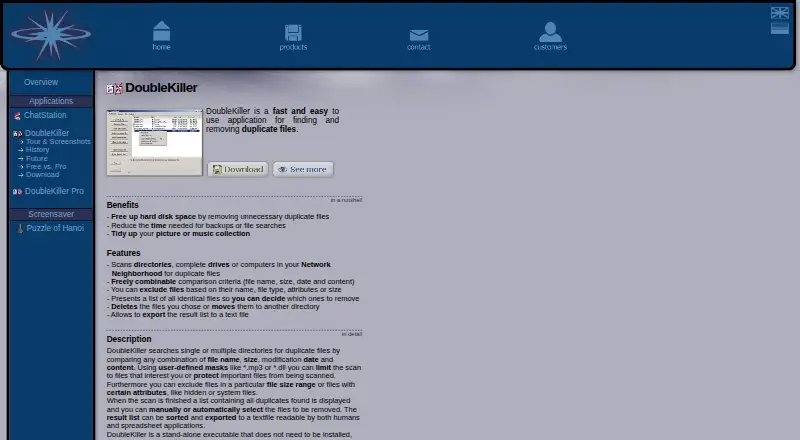
Review
In a line
DoubleKiller is a Windows utility that locates duplicate files and helps you remove or move them. It has been available since 2000 and runs as a standalone executable.
What it does
Point it at directories, full drives, or computers shown in Windows Network Neighborhood. It compares files by any combination of name, size, modification date, and content. Pro also supports CRC32 fingerprints and byte-for-byte checks. A CRC32 fingerprint is a short checksum used to compare files.
Filters can include or exclude names, file types, attributes, and size ranges. DoubleKiller shows groups of identical files, then lets you select which copies to delete or move to another folder. The results can be sorted and exported to a text file for reading or spreadsheet work.
How it connects
DoubleKiller does not install itself: extract the archive and run the executable. The maker says it does not change the system without your permission. It works with local Windows storage and computers visible through Network Neighborhood.
The software is not open source. Pro adds command-line switches for automating folder selection, scans, and duplicate removal. Pro can also scan inside ZIP archives and catalog files that represent CDs, DVDs, or folders.
Good fit
It suits Windows users who need to clean duplicate files from personal folders, disks, or network computers. The free edition covers private use, unlimited folder and file counts, and selected-file deletion or moving.
Pro is aimed at private, nonprofit, educational, and commercial users who need saved result lists, automatic marking of items such as the oldest or largest copy, or command-line automation.
Watch for
The free edition limits each individual file to 2 GB and cannot be used commercially. Pro requires a separate license for each commercial workstation.
The download page lists version 1.6.2.82 from July 7, 2007. A site update says development is paused, although emails are answered quickly. Check that your Windows version is supported before choosing it.
Pricing
DoubleKiller uses a freemium model. The basic edition is free for private use, with unlimited folders and files but a 2 GB maximum size for one file.
DoubleKiller Pro Personal costs $19.95 one-time per workstation for private, nonprofit, or educational use. DoubleKiller Pro Commercial costs $39.95 one-time per workstation, with volume discounts available. The maker also lists private and commercial Pro entries without a displayed price.
Verdict
Choose DoubleKiller if you want a small, portable Windows tool and are comfortable reviewing duplicate groups yourself. Its filters, comparison choices, and text export cover straightforward cleanup jobs, while Pro adds controls for repeat work and business use.
Look elsewhere if you need a modern release cycle or software for another operating system. Commercial buyers should confirm the per-computer licensing terms and the current Pro price before purchase.
Our take
DoubleKiller is a practical fit for Windows users who want duplicate-file cleanup without an installer. The free version handles private jobs and lets you decide what to delete or move, while Pro makes repeated or commercial work easier through saved sessions, automatic selection, archive scanning, and command-line controls. Its dated listed release, paused development, and Windows-only scope are important trade-offs. Choose it for controlled manual cleanup; avoid it when ongoing updates or broader platform support matter more.
- Runs as a standalone file without installation
- Scans folders, drives, and network computers
- Filters by names, types, attributes, and size
- Exports sorted results to a text file
- Free private-use edition with unlimited folders and files
- Windows only
- Free edition caps individual files at 2 GB
- Development is paused
- Commercial use requires a Pro license
- Pick it ifWindows users cleaning duplicate files privately; Teams needing Pro automation and saved scan results; Buyers wanting portable software without installation
- Skip it ifYou need macOS or Linux support; You expect an actively developed, regularly updated product
Pricing
A free private-use edition is available, plus a free trial. Pro Personal is $19.95 one-time per workstation; Pro Commercial is $39.95 one-time per workstation. The maker also lists private and commercial Pro entries without a displayed price.
- DoubleKiller FreePrivate use · unlimited folders and files · 2 GB maximum single-file size · no commercial useFree
- DoubleKiller (free, private use)Free for private use · maximum single file size 2 GB · commercial use not permittedFree
- DoubleKiller Pro Personalone-time licence per workstation · Private, nonprofit and educational use · unlimited folders/files · no stated time limit$19.95 one-time
- DoubleKiller Pro Commercialone-time licence per workstation · Commercial use · one licence required for each computer · volume discounts available$39.95 one-time
- DoubleKiller Pro (commercial use)Unlimited folders and files · maximum single file size unlimited · commercial useOn request
- DoubleKiller Pro (private use)Unlimited folders and files · maximum single file size unlimited · private useOn request
As bigbangenterprises.de lists them, checked 15 Oct 2026.
Questions
Does DoubleKiller install on Windows?
No. Extract its archive and run the standalone executable. The maker says it does not alter the system without your prior permission.
What locations can DoubleKiller scan?
It scans directories, complete drives, and computers shown in Windows Network Neighborhood. Pro can also scan ZIP archives and catalog files.
How does it compare files?
You can combine file name, size, modification date, and content checks. Pro adds CRC32 fingerprints and byte-for-byte comparison.
Is DoubleKiller free?
The basic edition is free for private use and has unlimited folders and files, but each file can be no larger than 2 GB. Commercial use is not permitted.
How much does DoubleKiller Pro cost?
Pro Personal costs $19.95 one-time per workstation. Pro Commercial costs $39.95 one-time per workstation, with volume discounts available.