
dupeGuru: Free Duplicate File Finder
dupeguru.voltaicideas.net · checked 30 Sept 2026
A free desktop app that finds duplicate files in folders on Windows, macOS, and Linux.
How it plugs in
Signal on Duplicate File Finders6.6#4 of 38
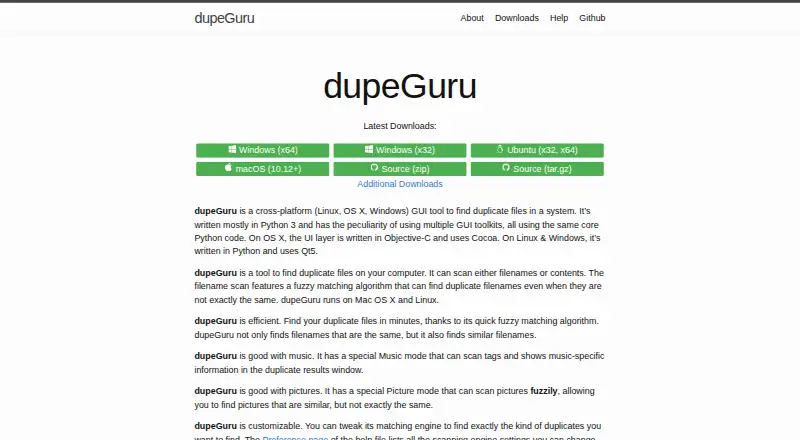
dupeGuru scans folders on your computer for duplicate files. It offers Standard, Music, and Picture modes, with exact-content checks and fuzzy matching for similar names, tags, or images. You can review results, then delete, move, or copy selected files. The app is free, cross-platform, and licensed under GPL-3.0.
Review
In a line
dupeGuru is a desktop graphical tool for finding duplicate files on a computer. It runs on Windows, macOS, and Linux.
What it does
Choose Standard, Music, or Picture mode for different scan settings. Filename scans can use fuzzy matching to find similar names, while contents scans treat files as duplicates when their contents match exactly. Music mode can compare file names or selected music tags, while Picture mode looks for similar images, including images with different dimensions when enabled.
Content scans use file size to rule out impossible matches, then compare contents with MD5 hashes. A recursive contents scan can also find duplicate folders whose files match.
Results can be filtered and sorted. You can preview files and delete, move, or copy marked duplicates. Reference folders and duplicate groups are used to protect a chosen file and keep at least one copy.
How it connects
dupeGuru scans folders on the local computer rather than describing a cloud service. Its source repository identifies it as GPL-3.0 licensed, and bug reports or feature requests go through GitHub issues.
Release packages are listed for Windows, macOS, Debian, RPM, Arch Linux, and an Ubuntu PPA. Windows has installer and portable packages. The homepage lists English, French, German, Simplified Chinese, Czech, Italian, Armenian, Russian, Ukrainian, Brazilian, and Vietnamese.
Good fit
It suits people who want to clean duplicate files from local folders, including music collections and picture folders. Fuzzy filename or tag matching can find items that are similar without being identical.
The app is useful when you want to inspect possible matches before taking action, with a details panel for comparing a file with its reference.
Watch for
Picture matching compares every image with every other image. As a picture collection grows, that comparison count grows quickly, so fuzzy picture scans can use substantial CPU time and run slowly.
Similar-word matching can create false positives and significantly slow a scan. The help recommends reviewing matches before deletion. Official pages describe local scanning and safeguards but do not state a privacy policy or compliance certification.
For other tools in this category, see duplicate file finders.
Pricing
dupeGuru has one free plan. There is no free trial because the software itself is free.
Verdict
Choose dupeGuru if you need a free desktop scanner for duplicate files across Windows, macOS, or Linux and want separate handling for music and pictures. Its review tools and protected reference files add checks before removal.
Look elsewhere if you need a stated privacy policy, compliance certification, or faster image matching for very large collections.
Our take
dupeGuru is a sensible choice for clearing repeated files from local folders without paying. Its three scan modes cover ordinary files, music, and pictures, and its filters, previews, and reference protections support a review-first workflow. Be ready for slower, CPU-heavy picture comparisons and possible false positives from similar-word matching. People who require documented privacy or compliance terms should confirm those needs elsewhere, since the stated pages do not provide them.
- Free on Windows, macOS, and Linux.
- Separate Standard, Music, and Picture scan modes.
- Can delete, move, or copy selected duplicates.
- Preview, filtering, sorting, and protected reference files.
- Picture matching can be CPU intensive and slow.
- Similar-word matching may produce false positives.
- No privacy policy or compliance certification is stated.
- Pick it ifCleaning duplicate files from local folders; Comparing music collections or similar pictures; Users wanting a free cross-platform desktop tool
- Skip it ifYou need documented privacy or compliance terms.; You have very large picture collections and need fast fuzzy scans.; You do not want to review possible false matches before deletion.
Pricing
The dupeGuru plan is free, with no trial period.
- dupeGuruFind duplicate files on your computer · Windows, macOS, LinuxFree
As dupeguru.voltaicideas.net lists them, checked 30 Sept 2026.
Questions
What operating systems support dupeGuru?
It runs on Windows, macOS, and Linux. Packages include Windows installer and portable versions, plus Debian, RPM, Arch Linux, and Ubuntu PPA options.
Can dupeGuru find similar, not just identical, files?
Yes. Fuzzy filename or tag matching can find similar names or tags. Picture mode can find similar images, including different dimensions when that setting is enabled.
Does it scan music files?
Music mode compares file names or selected music tags and shows music-specific information in duplicate results.
How does exact matching work?
Contents scans first use file sizes to exclude files that cannot match, then compare contents with MD5 hashes. They can also find duplicate folders recursively.
Can I undo or protect deletions?
Reference folders and duplicate groups are designed to protect reference files and retain at least one group member. You can delete, move, or copy marked files after reviewing them.
Where do I report bugs?
The maker directs users to GitHub, where you can open an issue to report a bug or suggest a feature.