DSP-Quattro
About
DSP-Quattro is a macOS audio application for editing and mastering files, burning audio CD-ROMs, hosting plug-ins, and processing batches. Its editor works with multiple audio formats and supports waveform editing, sound enhancement, and real-time processing. For mastering workflows, it includes LUFS and True Peak loudness standards, stereo processing, and album sequencing. It hosts 64-bit Audio Unit effects and instruments, but does not load VST plug-ins. Delivery options include AIFF, WAVE, MP3, M4A, CAF, FLAC, AAC, DDP, raw binary, and dual L/R mono. Version 6 requires macOS 10.14 or later and runs natively on Intel and Apple Silicon Macs. The demo has no time limit, but saving or exporting audio, exporting DDP, and burning audio CD-ROMs are disabled. A new license is listed at 99.00 USD per month; an upgrade is 49.00 USD per month for prior DSP-Quattro or DSP-AudioCDBuilder customers. The personal-use license is for one owner. Email support is listed, and refunds may be requested within 14 days of purchase.
Who it is for
DSP-Quattro suits Mac users who need file editing, mastering, CD-ROM burning, plug-in hosting, or batch processing in a standalone workflow. It is a fit for Audio Unit users rather than those who need VST plug-ins.
What is good
- Edits and processes multiple audio formats.
- Supports LUFS and True Peak standards.
- Includes album sequencing and stereo processing.
- Exports a range of listed audio formats.
What to know first
- Does not load VST plug-ins.
- Demo cannot save or export audio.
- License is for personal use only.
Inferse review
DSP-Quattro: the full review
DSP-Quattro combines editing, mastering, plug-in hosting, and batch work for macOS. Check the Audio Unit-only support and demo restrictions against your workflow before choosing it.
DSP-Quattro is standalone macOS software for audio file editing, mastering, album sequencing, CD-ROM burning, and batch processing. It suits Mac-based audio teams that need those jobs together and rely on Audio Unit plug-ins; its strongest reason to look elsewhere is the demo’s inability to save or export work.
Overview
DSP-Quattro spans more of the delivery workflow than a mastering-only application: its editor supports waveform editing, sound enhancement, and real-time processing across multiple audio formats, while album sequencing and stereo processing support work on finished releases. Batch processing adds a way to handle repeated file operations without treating each file as a separate job.
Output options include AIFF, WAVE, MP3, M4A, CAF, FLAC, AAC, DDP, raw binary, and dual L/R mono. LUFS and True Peak support make it relevant to loudness-conscious mastering, and DDP export plus audio CD-ROM burning cover more specialized delivery needs. The application is standalone, with plug-in hosting inside that workflow rather than use as a plug-in itself.
Key features
- Editing and processing: Waveform editing, sound enhancement, and real-time processing make DSP-Quattro useful when mastering begins with file-level adjustments rather than a session in a larger production environment.
- Album mastering: Stereo processing, album sequencing, and LUFS and True Peak support suit users preparing multiple tracks for release, not just individual files.
- Batch work and delivery: Batch processing and a broad set of output formats, including DDP and raw binary, help accommodate recurring conversions and varied delivery requirements.
- Audio Unit hosting: It hosts 64-bit Audio Unit effects and instruments, but does not load VST plug-ins. That makes it a fit for AU-based Mac workflows and a poor fit where VST compatibility is required.
Pricing
The pricing model is freemium, but there is no free plan. DSP-Quattro offers a demo with no time limit; it cannot save or export audio files, export DDP, or burn Audio CD-ROMs. That lets prospective buyers explore the application without a deadline, but it prevents validating a complete export or disc-delivery workflow before purchase.
- DSP-Quattro 6.x new license: 99.00 USD per month for the full package on macOS. This is the stated route for new customers, but the monthly term is a material cost consideration for software used in occasional release cycles.
- DSP-Quattro 6.x upgrade: 49.00 USD per month for the full package. It is restricted to customers already registered to a previous version of DSP-Quattro or DSP-AudioCDBuilder, so it is not the lower-cost entry plan for new users.
A license is for one owner rather than one installation, and personal use only. Technical support and bug fixes are provided to the original purchaser for 12 months, subject to the EULA; refunds are possible within 14 days of purchase by contacting support. Email support is offered.
Platforms
DSP-Quattro runs on macOS 10.14 or newer and runs natively on Intel and Apple Silicon Macs. Its Audio Unit-only plug-in support is the key compatibility constraint for teams bringing existing effects or instruments into the workflow.
Who it's for
Choose DSP-Quattro if you want one standalone Mac application for editing, mastering, album sequencing, batch processing, and delivery that may include DDP or audio CD-ROM. It is less suitable for VST-dependent studios, users who need a free working tier, or teams that require a demo to export a finished test deliverable.
Pros and cons
Pros
- Broad file-to-delivery scope: Editing, mastering, batch processing, sequencing, and CD-ROM burning are combined in one standalone workflow.
- Flexible delivery: DDP, dual L/R mono, and several common audio formats give users options beyond a single standard export.
- Native Mac support: Version 6 runs on both Intel and Apple Silicon Macs, with macOS 10.14 as the minimum.
- Unrestricted demo duration: There is no time limit for evaluation, useful for a paced review of the interface and workflow, though export restrictions limit what can be evaluated end to end.
Cons
- No VST hosting: Users whose existing plug-in chains depend on VST effects or instruments cannot bring them into DSP-Quattro.
- Demo blocks key outputs: No audio export, DDP export, or CD-ROM burning means the demo cannot complete the very delivery tasks that may motivate a purchase.
- Monthly license terms: Both listed licenses are monthly, and the $49.00 USD per month upgrade is limited to qualifying previous customers.
- Personal-use license: The single-owner license is restricted to personal use, which may rule it out for some organizational workflows.
Alternatives
- IK Multimedia ReSing is a macOS and Windows option with a free tier limited to 2 voices, 2 instruments, and 1 RVC import, with no model generation; its paid plan is 129.99 USD as a one-time payment.
- Tunr is a free macOS and Windows alternative whose free-key terms include three masters before a licence key and 16-bit output.
- Voxengo SPAN is a free real-time FFT spectrum analyzer plug-in for macOS and Windows, rather than an all-in-one editing and mastering workflow.
- Matchering is a free GPLv3 option spanning Linux, macOS, Windows, web, and self-hosting.
- StudioZIO Mastering Suite is a free macOS alternative for users seeking AU, VST3, AAX, or standalone support on macOS 11 or newer, without a licence key or account.
- oXygen Mastering Suite is a free alternative for Linux, macOS, and Windows.
- FUSER is a paid alternative at 59.00 GBP as a one-time purchase, with a free trial and macOS and Windows support.
- Sonoris DDP Creator is a paid alternative for users focused on DDP creation, with Standard at 249.00 EUR and Pro at 349.00 EUR as one-time prices, both listed excluding VAT.
For broader comparisons, see Audio Mastering Software, Audio Editing Software, and Game Audio Editors.
Verdict
DSP-Quattro is a strong fit for personal-use Mac workflows that need editing, mastering, sequencing, batch work, and specialized delivery in one Audio Unit-capable application. Its breadth and Intel/Apple Silicon support are compelling; choose another tool if VST support, a working free plan, or export-capable evaluation is essential.
Compared on audio editing software
- Free plan
- Yesdsp-quattro.com
Facts
- Paid from
- 49dsp-quattro.com · 20 Sept 2026
- Plugin formats
- Audio Unit (AU) 64-bitdsp-quattro.com · 20 Sept 2026
- Batch processing
- Yesdsp-quattro.com · 20 Sept 2026
- Purpose
- DSP-Quattro combines audio file editing, mastering, audio CD-ROM burning, plug-in hosting, and batch processing.dsp-quattro.com · 28 Sept 2026
- Audio editing
- The audio file editor supports multiple audio formats, waveform editing, sound enhancement, and real-time processing.dsp-quattro.com · 28 Sept 2026
- Plug-in support
- DSP-Quattro hosts 64-bit Audio Unit effects and instruments; it does not load VST plug-ins.dsp-quattro.com · 28 Sept 2026
- Mac compatibility
- Version 6 requires macOS 10.14 or newer and runs natively on Intel and Apple Silicon Macs.dsp-quattro.com · 28 Sept 2026
- Demo limits
- The demo is not time-limited, but cannot save or export audio files, export DDP, or burn Audio CD-ROM.dsp-quattro.com · 28 Sept 2026
- License use
- The FAQ says a license is single-owner rather than single-installation and is for personal use only.dsp-quattro.com · 28 Sept 2026
- Privacy and security
- The privacy policy says the maker uses technical, organizational, and physical safeguards but cannot guarantee personal information security.dsp-quattro.com · 28 Sept 2026
- Privacy choices
- Users can request deletion of personal information or their user-area account and can opt out of marketing emails.dsp-quattro.com · 28 Sept 2026
- Support
- The maker lists email support and says technical support and bug fixes are provided to the original purchaser for 12 months, subject to the EULA.dsp-quattro.com · 28 Sept 2026
- Refunds
- Refunds are possible within 14 days after purchase, by contacting the support team.dsp-quattro.com · 28 Sept 2026
- Maker
- The site identifies Stefano Daino as the developer and gives a Rome, Italy address.dsp-quattro.com · 28 Sept 2026
Company
- Headquarters
- Rome, Italydsp-quattro.com · 28 Sept 2026
Best DSP-Quattro alternatives
See all 12 8.3 Riverside $19/mo first paid tier Free plan
  7.6 Pro Tools See plans price on the maker's page Free plan
  7.3 Soundtrap Free free plan, no paid price published Free plan
 7.2 GarageBand Free free plan, no paid price published Free plan
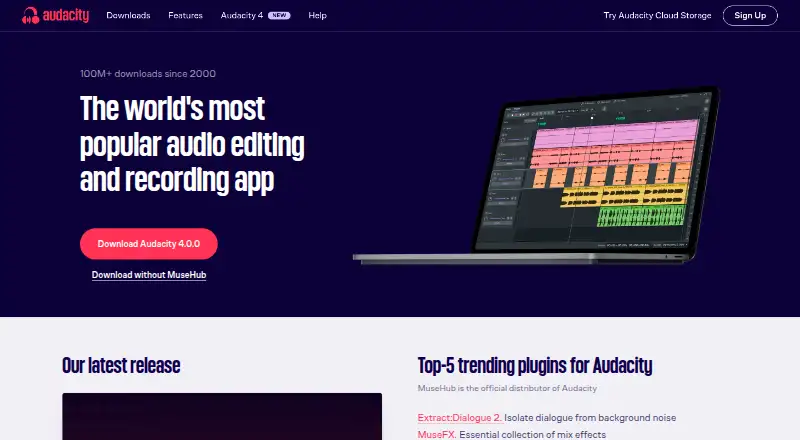 7.2 Audacity Free free plan, no paid price published Free plan
 7.1 Cakewalk Sonar Free free plan, no paid price published Free plan
Where it ranks on Inferse
- Best Audio Editing Software in 2026#73 of 130
- Best Audio Mastering Software in 2026#6 of 31
- Best Game Audio Editors in 2026#7 of 31
Sources
- dsp-quattro.com/dspquattro/Site/store.html;· checked 20 Sept 2026
- dsp-quattro.com/dspquattro/Site/DSP-Quattro.html· checked 28 Sept 2026
- dsp-quattro.com/dspquattro/Site/dsp-quattro-features.ht· checked 28 Sept 2026
- dsp-quattro.com/dspquattro/Site/support.html· checked 28 Sept 2026
- dsp-quattro.com/dspquattro/Site/downloads.html· checked 28 Sept 2026
- dsp-quattro.com/dspquattro/Site/privacy-policy.html· checked 28 Sept 2026
- dsp-quattro.com/dspquattro/Site/license-agreement.html· checked 28 Sept 2026
- dsp-quattro.com/dspquattro/Site/store.html· checked 20 Sept 2026