DWGSee CAD Viewer and Editor Review
dwgsee.com · checked 15 Oct 2026
A CAD workspace for inspecting, measuring, annotating, comparing, changing, converting, and printing DWG drawings.
How it plugs in
Signal on CAD Viewer Software6.7#1 of 31
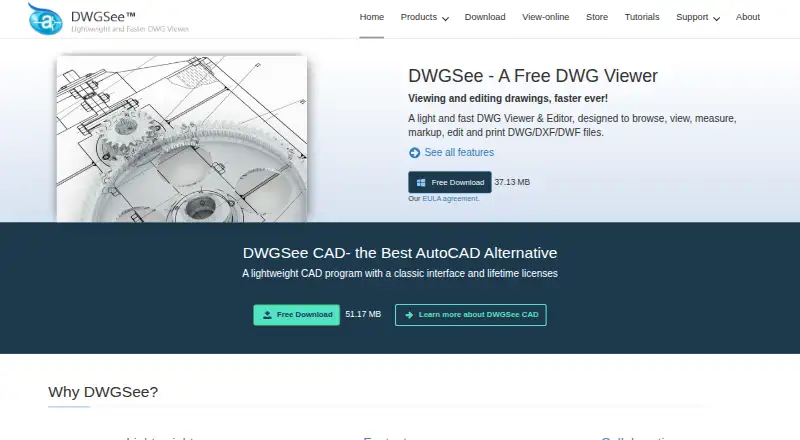
DWGSee works with DWG, DXF, and DWF files and combines viewing, editing, measurement, markup, comparison, conversion, and printing tools. Desktop, mobile, web, self-hosted, and API options are available. A free plan and trial are offered, with desktop pricing beginning at a one-time $69.
Review
In a line
DWGSee combines tools for opening and changing DWG, DXF, and DWF drawings. It also handles several common image formats and allows online viewing without AutoCAD.
What it does
Drawings can be browsed, checked for length, angle, radius, or area, annotated, edited, and printed individually or in batches. Annotations may remain in an overlay file or be written into the DWG as layers, lines, and text.
Its comparison mode shows two revisions in synchronized panes and marks entities that were added, changed, or removed. Browser mode manages local folders, searches text across files, compares, annotates, prints, and converts drawings.
The CAD edition adds command entry, 2D drafting, blocks, layers, hatches, text, tables, and dimension- or symmetry-driven design tools. PDF and raster output is available in Pro and CAD.
How it connects
DWGSee works with DWG and DXF releases R14 through 2027, DWF/DWFX, plus BMP, JPG, PNG, GIF, and TIF images. Drawings can be copied into Microsoft Word as vector images; the comparison table marks this for Standard and CAD, but not Pro.
Its free browser viewer takes DWG, DWF, or DXF files by drag and drop and renders them online. AutoDWG says processing happens locally in the browser, so the files do not have to be uploaded. Windows COM/ActiveX SDKs run on customer servers, and a REST conversion API uses API keys and asynchronous task checks.
The API includes examples for cURL, Python, C#, Node.js JavaScript, PHP, and a browser demo. A free tier is available, alongside paid monthly plans and usage quotas. DWGSee is not open source.
Good fit
DWGSee fits people who need to inspect or revise CAD drawings without depending solely on AutoCAD. Measurement, annotation, comparison, batch-printing, and conversion features address common review and document work.
It can also suit teams requiring local or self-hosted processing, or developers seeking DWG/DXF/PDF conversion through an API.
Watch for
Standard omits PDF and image output. The desktop plans shown are single-user licenses, while the license terms generally cover one computer and one user; verify that this fits your setup.
The Windows download requirements list Windows 11, 10, 7, or XP, supported Windows Server editions, at least 500 MB of disk space, and 512 MB of RAM. After the included first year, upgrades cost extra.
Floating licenses for concurrent users on a local network or Citrix are described separately from the listed single-user plans.
Pricing
A free edition and trial are available, while desktop pricing begins with a one-time $69 purchase.
For $69 one time, Standard supplies a lifetime license, one year of free upgrades, and viewing, measuring, and printing; PDF and image output are excluded.
Pro is a $98 one-time lifetime license with a year of upgrades, DWG viewing and modification, and PDF/image output. CAD costs $198 one time and adds lifetime viewer, editor, command-line, and 2D drafting capabilities. The listed plans are single-user; bulk discounts are noted for Standard and Pro.
Verdict
DWGSee is a fit when you want extensive drawing-review capabilities—measurements, annotations, comparisons, batch printing, and optional editing. Standard handles core viewing and printing at the lowest listed price, Pro adds export, and CAD supplies drafting tools.
It is also relevant when drawings need to remain in a browser, on your servers, or within a customer network. Before purchasing, confirm export requirements, operating-system support, and single-user licensing.
Our take
DWGSee offers broad tools for examining and reviewing DWG-family drawings, with higher tiers adding editing, export, and 2D drafting. Browser, API, and self-hosted options extend it beyond a single desktop installation. Compare Standard’s output limits with Pro and CAD, and verify Windows requirements and licensing; teams needing simultaneous use should ask about floating licenses.
- Works with DWG, DXF, DWF, and several image types
- Calculates common drawing dimensions and quantities
- Shows differences between drawing revisions
- Prints multiple drawings and layouts in one operation
- Provides browser, self-hosted SDK, and conversion API choices
- PDF and image output are absent from Standard
- The displayed desktop plans are single-user
- Upgrades after the included period require payment
- Windows support includes older versions and requires 512 MB RAM
- Pick it ifCAD drawing inspection, measurement, annotation, and printing; People who need editing, export, or 2D drafting options; Teams seeking local, self-hosted, or API-based conversion
- Skip it ifYou require PDF or image output while choosing Standard; You need multi-user licensing without reviewing floating-license terms; Your needs are limited to a basic online viewer
Pricing
A free edition and trial are available. Desktop lifetime licenses cost $69 for Standard, $98 for Pro, and $198 for CAD, each including one year of upgrades. The API has a free tier plus paid monthly usage plans.
- DWGSee StandardLifetime license; one year of free upgrades · View, measure and print · no PDF/image export · single-user license · bulk discounts$69 one-time
- DWGSee ProLifetime license; one year of free upgrades · View and modify DWG · PDF/image export · single-user license · bulk discounts$98 one-time
- DWGSee CADLifetime license · DWG viewer, editor and CAD tools · command line · 2D drafting · single-user license$198 one-time
As dwgsee.com lists them, checked 15 Oct 2026.
Questions
What files can DWGSee open?
Supported inputs include DWG and DXF releases R14 through 2027, DWF/DWFX, and BMP, JPG, PNG, GIF, and TIF images.
Can DWGSee edit drawings?
Yes. Objects can be added, and text, lines, layers, and block attributes can be changed. CAD also supplies 2D drafting tools.
Does DWGSee have a free version?
Yes. There is a free edition and trial, and the browser viewer accepts DWG, DWF, or DXF files dropped into it.
Can it export drawings to PDF?
Pro and CAD provide PDF and raster-image output; Standard does not.
Does the browser viewer upload my files?
According to AutoDWG, browser processing is local, so uploading the files is not required.
Is there an API?
Yes. AutoDWG provides a REST conversion API with API-key authentication, asynchronous polling, public examples, and a free tier.
What do the desktop plans cost?
Standard is $69, Pro $98, and CAD $198 as one-time purchases. Each is a lifetime license with one year of upgrades.
Can several people share one license?
The displayed plans are single-user. AutoDWG separately describes floating licenses for concurrent users on a local network or Citrix.