EchoMimic: Free Portrait Video Generator
github.com · checked 4 Oct 2026
A free, self-hosted tool for making portrait videos from audio and facial controls.
How it plugs in
Signal on AI Video Lip Sync Tools6.1#11 of 28
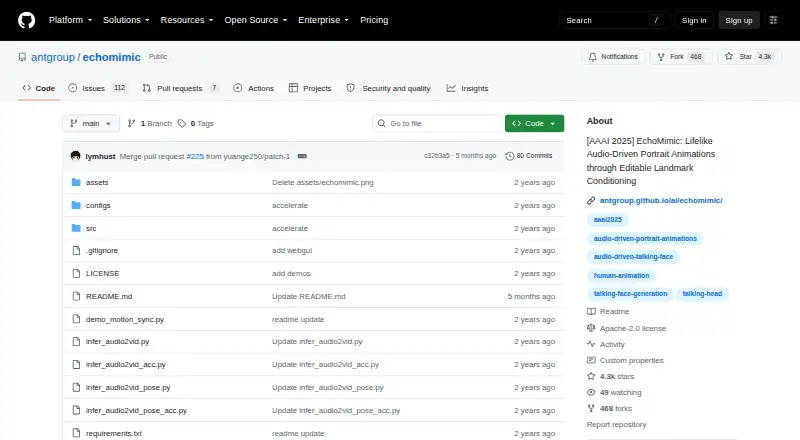
EchoMimic is a no-cost project for producing portrait videos steered by audio, facial landmarks, or the two together. On Linux, it can be used through Python scripts or a Gradio web interface, with demo pages on Hugging Face and ModelScope. Setup requires specific Python, CUDA, and GPU environments, plus downloaded pretrained weights.
Review
In a line
EchoMimic produces portrait videos controlled by audio, facial landmarks, or both at once. The repository uses the Apache 2.0 license.
What it does
You can drive a portrait with spoken audio, Chinese or English audio, singing, facial landmarks, or pose controls. It also demonstrates motion matching between a reference image and a driven video.
How it connects
Python inference scripts and a Gradio interface are included in the project. It points to hosted demos on Hugging Face and ModelScope, as well as a community-built ComfyUI implementation.
To run inference, download pretrained weights from the BadToBest EchoMimic repository on Hugging Face.
Good fit
EchoMimic suits researchers and technical users who need controllable portrait animation from audio, landmarks, or pose data. It supports two spoken languages in its listed audio examples: English and Chinese.
Watch for
The listed test environments are CentOS 7.2 or Ubuntu 22.04, with CUDA 11.7 or newer and Python 3.8, 3.10, or 3.11. Tested GPUs include A100 80G, RTX4090D 24G, and V100 16G.
The project describes its purpose as academic research and places responsibility for generated content and actions on users. The pages provide GitHub Issues, but do not promise a support service or response time.
Pricing
EchoMimic is free and has a free plan. The facts list no paid tier or separate hosted-service charge.
Verdict
Choose EchoMimic if you can manage Linux, CUDA, Python, a supported GPU, and local model weights, and you want several ways to control portrait motion. It is less suitable for buyers seeking a ready-made commercial service, guaranteed support, or a simple installation.
Our take
EchoMimic is a practical choice for people who want a no-cost portrait-video generator they can run themselves. Its range of audio, landmark, and pose inputs gives research projects room to explore different animation methods. The tradeoff is substantial setup: you need a compatible Linux environment, CUDA, Python, a high-memory GPU, and a separate weights download. Because the project frames its use around academic research and offers no stated support commitment, organizations should review their own operational and content responsibilities before adopting it.
- Free plan with no paid tier listed
- Supports audio, landmarks, and pose-driven animation
- Runs locally through Python scripts or a Gradio UI
- Uses the Apache 2.0 license
- Community ComfyUI implementation is linked
- Needs Linux, CUDA 11.7 or newer, Python, and a compatible GPU
- Pretrained weights must be downloaded separately
- The stated purpose is academic research
- No support response commitment is stated
- Pick it ifResearchers exploring controllable portrait animation; Technical users with compatible local GPU hardware; Projects needing audio, landmark, or pose inputs
- Skip it ifYou need a simple hosted app without local GPU setup; You require guaranteed vendor support or commercial-service terms; Your environment cannot meet the listed CUDA and Python requirements
Pricing
The project is free, with a free plan and no paid plans listed. Running it still requires your own compatible hardware and setup.
Questions
What does EchoMimic generate?
It generates portrait videos driven by audio, facial landmarks, pose controls, or combinations of these inputs.
Can EchoMimic use singing or different languages?
The project shows audio-driven demos for English, Chinese, and singing, and lists two supported languages.
Where can EchoMimic run?
It is documented for Linux and self-hosted use, with Python scripts and a Gradio web interface.
What hardware does setup require?
The tested hardware includes A100 80G, RTX4090D 24G, and V100 16G GPUs, using CUDA 11.7 or newer.
Is EchoMimic free?
Yes. It has a free plan, and no paid tier is listed.
What license does it use?
Its LICENSE file specifies the Apache 2.0 license.
Where do I get the model weights?
For inference, obtain pretrained weights from BadToBest's EchoMimic repository on Hugging Face.
Who is responsible for generated content?
The project describes itself as for academic research and says users bear sole responsibility for generated content and their actions.
Near it
All alternatives →- DDiff2Lip#10 on this board
- WVWeryAI Video Lip Sync#12 on this board
- SSadTalker#9 on this board
- LFLip Forcing#13 on this board
- LC
 lipsyn.cc#8 on this board
- IInfiniteTalk#14 on this board
- CL
 CHAMELAION LipSync API#7 on this board
- LV
 Lipsync.video#15 on this board
- MS
 Morph Studio#6 on this board
- LSLip Sync AI#16 on this board