EM-DOSBox: Run DOS Games in a Browser
github.com · checked 5 Oct 2026
A browser-ready DOSBox build for running old DOS games and programs.
How it plugs in
Signal on MS-DOS Emulators5.8#22 of 26
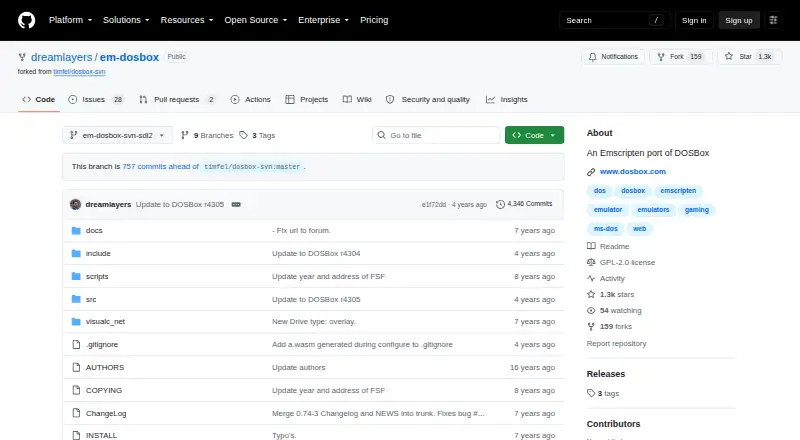
EM-DOSBox brings DOSBox to web browsers through an Emscripten build. It can run many DOS titles and applications online, work with several disk-image types, and accept gamepad or audio-CD input. Its packagers assemble pages that load DOS files and start software. The project is free and source-available under the GPL.
Review
In a line
Emscripten turns this DOSBox variant into a browser-compatible build. It gives users a way to open classic DOS software online.
What it does
According to the project, most games work in browsers, while a few programs may encounter paging exceptions. Asyncify is enabled by default, extending DOSBox functionality with a small performance penalty.
Packager utilities can assemble a page that loads DOS files into the Emscripten file system and sends command-line arguments to DOSBox. A dosbox.conf file bundled with a package can alter speed, audio, and graphics behavior.
How it connects
The web build outputs JavaScript, optionally WebAssembly, and a basic HTML front end. Serve those files from a web server; browsers commonly restrict related-file access from file:// URLs.
Supported media includes ISO, CUE/BIN, CUE/IMG, floppy, and hard-drive images. Users also get gamepad and audio-CD handling. The source is available under the GNU General Public License, and the repository contains a GPL version 2 license file.
A recent stable Emscripten release is required for building, and the packaging utilities require Python 3. The documented build process depends on a Unix-like environment and GNU Autotools, so Windows build support is not provided.
Good fit
EM-DOSBox is aimed at projects that publish DOS games or programs through a browser. It also suits packaged pages needing command-line launch options or tunable DOSBox settings.
With Asyncify active, files can be loaded interactively in the browser; compatible games can use a gamepad.
Watch for
By default, saved games reside in an in-memory Emscripten file system and disappear once the page closes. Use another save approach when progress must persist.
Normal browser use requires serving the page through a web server. Review the Unix-like build prerequisites and expect occasional paging exceptions from less-compatible programs.
Pricing
EM-DOSBox is free to use.
Verdict
Choose EM-DOSBox when browser delivery is the main goal and you can handle its build setup. It is a practical option for publishing DOS software with custom settings and packaged files.
Look elsewhere if you need saves to survive after a browser closes, a build workflow supported on Windows, or dependable support for every DOS program. For more choices, browse MS-DOS emulator options.
Our take
EM-DOSBox is a sensible pick for developers and archivists who want DOS software to open in a browser without charging users. Its packaging tools, supported image formats, gamepad handling, and configurable audio and graphics cover common web-delivery needs. The trade-offs are important: the documented build process requires a Unix-like environment, pages need a web server, and default saves vanish when the page closes. Compatibility is broad but not universal because some programs encounter paging exceptions. Pick it for controlled browser packages, not for guaranteed coverage or permanent local save data.
- Free to use
- Browser-based execution of DOS games and programs
- Utilities for assembling launchable web pages
- Several disk-image formats are supported
- Gamepad and audio-CD handling
- GPL source code is available
- Default game saves disappear when the page closes
- The documented build process requires a Unix-like environment and GNU Autotools
- Pages need to be served through a web server
- Some programs encounter paging exceptions
- Building requires Emscripten and GNU Autotools
- Pick it ifPublishing DOS games or programs in a browser; Projects needing packaged files and custom DOSBox settings; Users who want a free, source-available web emulator
- Skip it ifYou need saves to persist automatically after closing the browser page; You require a Windows-supported build workflow; Every DOS program must run without compatibility issues
Pricing
EM-DOSBox is free to use.
Questions
What is EM-DOSBox?
It is a DOSBox build made with Emscripten for running old DOS games and programs in a web browser.
Does EM-DOSBox cost anything?
No. EM-DOSBox is free to use.
Which files can it use?
It accepts ISO, CUE/BIN, CUE/IMG, floppy, and hard-drive images.
Do game saves persist?
Not by default. Saves remain in an in-memory Emscripten file system and are lost when the page closes.
Can I package a game for the browser?
Yes. The included packagers make pages that load DOS files and pass launch arguments to DOSBox.
What are the Windows build requirements?
The documented process needs a Unix-like environment and GNU Autotools; Windows build support is not provided.
What browser features are included?
Asyncify permits interactive file loading, while gamepad and audio-CD support are also available.
Where can I compare other emulators?
See MS-DOS emulator options for other choices.