
Ente Photos: Encrypted Photo Backup and Sharing
ente.com · checked 15 Oct 2026
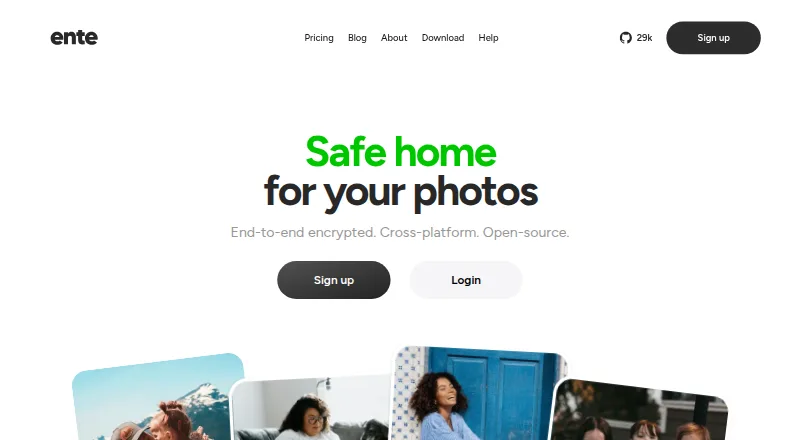
Ente Photos backs up and shares photos with encryption across major platforms, and it can also be self-hosted.
How it plugs in
Signal on Photo Management Software7.7#1 of 37
Before upload, Ente Photos encrypts photos and videos directly on the device. Device-side recognition groups faces and handles natural-language queries, while storage preserves originals; sharing links and family options are included. Clients support Android, iOS, desktop operating systems and the web, and self-hosting is possible. A 10 GB free allowance is available, with larger capacities and support on paid plans.
Review
In a line
Ente Photos keeps photo storage and sharing in the cloud, encrypting photos, videos and metadata on the device before sending them. It offers another option besides Google Photos and Apple Photos.
What it does
As new photos arrive, the apps back them up in the background while keeping original photo and video quality and metadata. Device-based machine learning groups faces and recognizes elements in images for natural-language searching.
Earlier-year memories are turned into stories. Users can share encrypted albums or web links, setting passwords and expiration dates; guest view restricts browsing to chosen items and does not expose the rest of the account. Album owners can also invite others to contribute photos, including via a browser link.
Widgets can show memories, albums and people. The service supports photo and video backup, RAW photos, metadata tools, shared albums and cloud sync.
How it connects
Clients exist for Android, iOS, Linux, macOS, Windows and the web. For self-hosting, Docker can run both the server and applications. The primary repository uses the GNU Affero General Public License version 3.0.
The documentation covers bringing in libraries from Google Photos and Apple Photos on desktop. Export jobs are incremental and can continue after an interruption. An open-source command-line utility automates exports and NAS backups, but it is not a two-way synchronizer.
Ente says it does not currently offer a public API for third-party integrations. Documentation, Discord, email and GitHub issue reporting provide help.
Good fit
Ente may suit people who want encrypted, original-quality photo storage across several devices with private sharing. A paid plan lets families share storage among up to five members, each with an independent private area.
People moving from another photo library can use the documented import tools, while self-hosting users can run the service with Docker.
Watch for
Services that need an API to connect other tools will not find one here. The command-line utility performs exports and backups rather than two-way synchronization.
If someone loses both the password and recovery key while signed out on every device, Ente says the account and its data cannot be restored. The macOS desktop app needs macOS 13.3 or newer.
Ente says encrypted copies are kept in three locations in the European Union. Check whether its storage model, self-hosting setup and recovery rules match your needs before moving a library.
Pricing
The free plan costs nothing and includes 10 GB, end-to-end encryption, automatic backups, on-device AI, album sharing, public links, one replica, 100 Locker items and community support.
Starter offers 50 GB at $2.49 per month or $29.88 per year. The 200 GB Popular plan is $4.99 monthly or $59.88 annually; Pro gives 1,000 GB for $9.99 per month or $119.88 per year; Pro+ supplies 2,000 GB for $19.99 per month or $239.88 per year.
All paid plans retain the free-plan features and add a family plan, human assistance, three replicas and 1,000 Locker items.
Verdict
Ente Photos is a candidate for people who prioritize encryption on their devices, original files and broad platform access over extensive third-party connectivity. Its free level offers a starting point, while paid plans expand capacity and add family sharing and human support.
Workflows that depend on a public API or two-way synchronization with another storage system may not fit. Anyone selecting it should also protect the recovery key and confirm that the available desktop and self-hosting options fit their setup.
Our take
Ente Photos suits people seeking private backups, original-quality files and access through phones, computers and a browser. Basic storage is available on the free tier; paid plans raise capacity and add family sharing, extra replicas and human support. Key limitations include no public API, restricted command-line synchronization and no account or data recovery when both login credentials and the recovery key are lost. Self-hosting through Docker is an option for users prepared to manage it.
- Photos, videos and metadata are encrypted on the device before upload.
- Apps cover Android, iOS, desktop systems and the web.
- Original photo and video quality is retained.
- The free tier provides 10 GB and automatic backups.
- Paid plans support family storage sharing.
- There is no public API for third-party integrations.
- Command-line backups do not provide two-way sync.
- Losing both password and recovery key can make data unrecoverable.
- The macOS app requires macOS 13.3 or newer.
- Pick it ifPrivate photo backup across phones, computers and the web; Families sharing encrypted storage; People wanting self-hosting or library imports
- Skip it ifYou require a public API or synchronization in both directions.; You cannot safely keep a recovery key.
Pricing
The free-forever plan includes 10 GB.
- Freefree forever · 10 GB · end-to-end encryption · automatic backups · on-device AI · album sharing · public links · 1 replica · 100 Locker items · community supportFree
- Starter$2.49/mo or $29.88/yr · 50 GB · everything in free · family plan · human support · 3 replicas · 1000 Locker items$2.49/mo
- Popular$4.99/mo or $59.88/yr · 200 GB · everything in free · family plan · human support · 3 replicas · 1000 Locker items$4.99/mo
- Pro$9.99/mo or $119.88/yr · 1000 GB · everything in free · family plan · human support · 3 replicas · 1000 Locker items$9.99/mo
- Pro+$19.99/mo or $239.88/yr · 2000 GB · everything in free · family plan · human support · 3 replicas · 1000 Locker items$19.99/mo
As ente.com lists them, checked 15 Oct 2026.
Questions
Is there a free Ente Photos plan?
Yes. The free level has no end date and comes with 10 GB, automatic backups, encryption, on-device AI, sharing and community support.
What platforms support Ente Photos?
Android, iOS, Linux, macOS and Windows apps are offered, along with web access. Self-hosting is supported as well.
Can Ente import my existing photo library?
The documented desktop imports are for Google Photos and Apple Photos.
Does Ente Photos offer a public API?
No. Ente says it does not currently provide a public API for third-party integrations.
If I lose my recovery key, what happens?
When both the password and recovery key are lost while every device is logged out, Ente says it cannot recover the account or data.
Is one plan shareable by family members?
Paid subscribers can share storage with as many as five family members. Each person gets a separate private space.
Can I share photos with someone without an Ente account?
Yes. Browser links can let guests view selected photos or albums, and album owners can allow additions through a browser link.
Is Ente Photos open source?
Yes. The main repository is released under the GNU Affero General Public License version 3.0, and the server and apps can be self-hosted.