
Synology Photos: Photo Management on a Synology NAS
synology.com · checked 21 Oct 2026
Private photo and video management hosted on a Synology NAS.
How it plugs in
Signal on Storage Replication Software6.7#1 of 24
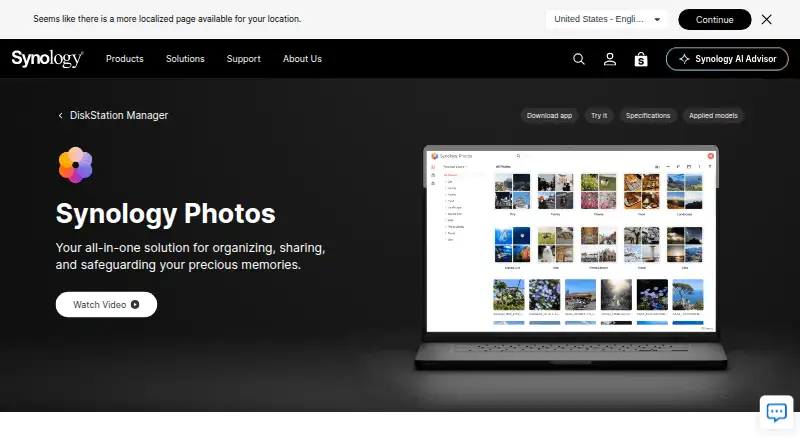
Running inside DSM, Synology Photos gives Synology NAS owners a no-cost way to manage media. Libraries can be arranged by folders, dates, people, places, tags, and subjects, then searched, grouped into albums, shared by link, or backed up from mobile devices. Web, phone, desktop-related, and TV access are available, provided you have compatible NAS hardware.
Review
In a line
This DSM package turns a Synology NAS into a photo and video library. Your own NAS stores the collection rather than a separate cloud service.
What it does
Media can be viewed chronologically or through folders; dates and descriptions are editable, tags and ratings can be added, and one file can appear in several albums without duplication.
Rules you define can populate conditional albums, while automatic collections cover People, Subjects, Places, Tags, Videos, and Recently Added. On supported NAS models, face recognition lets you name, hide, or merge faces. Subject grouping uses recognized objects and requires DSM 7.2 or later, a supported model, and at least 4 GB of memory.
The phone app can send new photos and videos to the NAS automatically. Individual items and albums can be shared through links with passwords, expiry dates, or selected-user restrictions. Shared Space assigns access and editing permissions at the folder level.
How it connects
Use requires a Synology NAS running DSM 7.0 or newer. Chrome and Safari are the recommended browsers. Access is available on Android, iOS, Windows, macOS, the web, Apple TV, and Android TV, with Chromecast and AirPlay casting from mobile devices.
RAW images work directly. Synology Image Assistant supplies previews or compressed-video handling for HEIC, HEIF, HIF, and HEVC media; it comes as a desktop program and browser extension.
Synology's reviewed pages do not include an official Photos API guide. Community projects document reverse-engineered Foto and FotoTeam interfaces for Personal Space and Shared Space, covering browsing, search, albums, and downloads.
Good fit
This fits people who already have a Synology NAS and want private household or personal storage. It combines phone backup, shared libraries, album links, detailed search filters, and original-quality storage.
Families and small groups can work in Shared Space with folder-level permissions. Compatible NAS hardware also enables face and object recognition.
Watch for
The product cannot run without a Synology NAS, so it is not a cloud-only photo service. Recognition of faces and objects is limited to certain NAS models, and drag-and-drop uploads top out at 5,000 files per upload.
Some HEIC, HEIF, HIF, and HEVC previews depend on Image Assistant. Its desktop software supports Windows 11 22H2 or newer on non-ARM machines and macOS 12.3 or newer.
Synology has issued a moderate-severity security advisory for Photos and identifies corrected releases for DSM 7.2 and DSM 7.1.
Pricing
There is no charge for Synology Photos, and Synology lists neither a premium level nor a trial. Installation still depends on a Synology NAS using DSM 7.0 or later.
Verdict
Pick Synology Photos when you want the library retained on your Synology NAS, with phone backup, adaptable albums, private sharing settings, and viewing through browsers, phones, and TVs.
It is unsuitable without a Synology NAS or when you specifically need cloud-only hosting. Check recognition compatibility for your model and whether Image Assistant handles the formats you use.
Our take
For Synology NAS owners, Synology Photos consolidates phone backups, family media, and controlled sharing. Folder-based and rule-driven albums, metadata filters, and optional face or object grouping cover common library needs. The required hardware rules out a standalone cloud plan. Image Assistant may be necessary for some formats, and recognition varies by NAS model and memory. Check DSM version, format support, and applicable security fixes before deployment.
- No-cost package without a premium level
- Automatic backup of phone photos and videos to the NAS
- Share links can require passwords, assigned users, or expiration
- Search includes camera and exposure metadata
- Shared Space provides folder-level permissions
- A Synology NAS with DSM 7.0 or later is required
- Recognition features depend on supported NAS hardware
- Image Assistant handles some HEIC and HEVC previews
- Drag-and-drop imports allow up to 5,000 files
- No official Photos API guide is supplied
- Pick it ifSynology NAS owners organizing personal or family media; Users seeking private storage with controlled sharing; People who need mobile backup and granular photo search
- Skip it ifYou want a cloud-only photo service without NAS equipment; Your NAS model lacks the recognition capabilities you need; Your workflow relies on formats needing Image Assistant previews
Pricing
Synology Photos itself has no premium plan or trial and costs nothing, but operation requires a compatible Synology NAS running DSM 7.0 or later.
- FreeRequires a Synology NASFree
- Synology PhotosNo paid premium tier · Requires a Synology NAS running DSM 7.0 or laterFree
As synology.com lists them, checked 21 Sept 2026.
Questions
Is Synology Photos free?
Yes. The package has no paid tier or trial, although it runs only with a Synology NAS on DSM 7.0 or later.
Can Synology Photos back up a phone?
Yes. The mobile application can automatically transfer new phone photos and videos to your Synology NAS.
Does it recognize faces and objects?
Face grouping works on supported NAS models. Object grouping needs DSM 7.2 or newer, a compatible model, and at least 4 GB of memory.
Can I share albums with a password?
Yes. Links may be public or restricted to chosen users, password-protected, and assigned an expiration date.
What devices can view Synology Photos?
Viewing is supported on the web, Android, iOS, Windows, macOS, Apple TV, and Android TV. Phones and tablets can cast with Chromecast or AirPlay.
Does it support RAW and HEIC files?
RAW images are supported. Image Assistant is required for HEIC, HEIF, HIF, and certain HEVC previews.
Is there a public Synology Photos API?
The reviewed Synology material does not publish an official API guide. Community documentation records reverse-engineered interfaces for browsing, searching, albums, and downloads.