
FineCam AI Virtual Camera and Webcam Tool
fineshare.com · checked 15 Oct 2026
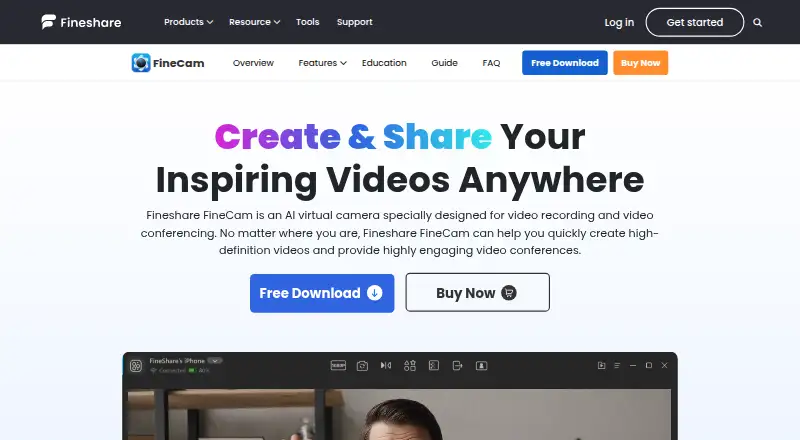
An AI-powered virtual camera that brings phone and other camera feeds into calls, recordings, and streams.
How it plugs in
Signal on Virtual Camera Software6.7#3 of 34
FineCam brings phones and varied cameras into conferencing and recording workflows. It offers AI background removal, replacement, and generation, along with scene changes, screen sharing, and clip remixing. Windows and macOS apps connect with major meeting and streaming tools. The free edition retains the feature set but adds a watermark and allows exports of up to five minutes.
Review
In a line
FineCam provides an AI virtual camera for conferencing, recording, and live production. Phone and other connected cameras can supply the video feed.
What it does
You can connect phones, DSLRs, action cameras, digital cameras, external webcams, or built-in webcams. FineCam can switch between angles, combine camera footage with your desktop, and record several sources at once.
Its AI can remove, blur, or replace a background without a green screen. Other controls adjust brightness and color, add portrait-style background separation, and generate custom backgrounds. You can share screens, slides, webpages, videos, photos, and application windows.
Segment recording lets you capture clips, resume later, remix them, and export the result. Phone mode includes zoom, camera selection, focus, HDR, stabilization, orientation, and flashlight controls.
How it connects
FineCam lists compatibility with Zoom, Microsoft Teams, Twitch, OBS, and over 800 communication tools. Adobe Premiere Pro is also listed.
A smartphone can provide an HD webcam feed through Wi-Fi or USB. FineCam has a separate Android app and supports iOS 13 or newer. Desktop downloads cover Windows and macOS.
FineCam uses a proprietary licence rather than an open-source one. Techjockey lists API integration, but FineShare provides no self-hosting package.
Good fit
FineShare presents FineCam for online teaching, meetings, product demonstrations, telemedicine, content creation, and live streaming.
It is useful when you want phone cameras, several camera angles, virtual backgrounds, or screen-and-camera layouts in one desktop app.
Watch for
The free edition places a watermark on output and caps exported videos at five minutes. Pro removes both limits. Background processing without a green screen is subject to the listed Windows and macOS requirements and does not support ARM64 Surface Pro X.
Minimum Windows support is Windows 7, 8.1, 10, or 11 with an Intel Core i3, 2 GB of memory, and 200 MB of free storage. The Mac minimum is macOS 11 on Intel or Apple Silicon.
FineCam may be heavy on system resources, can freeze after sitting idle, and may take time to reopen. Uninstalling may leave camera components behind.
Pricing
FineCam offers both a free plan and a free trial. The no-cost plan retains the features but puts a watermark on output and limits exports to five minutes.
The 1 Month Plan costs $9.95 a month and supports 10 scenes, 720p or 1080p, one computer, and three mobile devices. The 1 Year Plan costs $29.99 a year, supports 50 scenes, up to 4K, two computers, and 20 mobile devices.
The Lifetime Plan costs $49.99 one-time. It allows unlimited scenes, up to 4K, two computers, and 50 mobile devices. Monthly and annual plans renew automatically; lifetime includes priority support.
Verdict
FineCam is worth considering when you need a virtual camera that accepts phone and varied camera feeds while providing backgrounds, scene changes, and screen sharing. Its free plan works for short exports that carry a watermark.
Check your operating system, graphics hardware, export length, and number of devices before paying. People who need open-source code, a self-hosted setup, or a lightweight app should compare other virtual camera software and webcam software options.
Our take
FineCam is a broad video tool for people who want phone cameras, webcams, or dedicated cameras to feed meetings and recordings. The free tier is useful for trying the workflow, though its watermark and five-minute export cap restrict finished work. Paid plans add longer exports, more scenes, higher resolution, and more devices. Confirm that your computer meets the background-processing requirements, especially on Windows. If open-source licensing, self-hosting, or low resource use matters more than camera flexibility, another product may fit better.
- Connects phones, DSLRs, action cameras, webcams, and built-in cameras
- AI handles background removal, blurring, replacement, and generation
- Supports scene switching and recording from multiple sources
- Compatible with Zoom, Teams, Twitch, OBS, and many communication tools
- The free plan retains the full feature set
- Free exports carry a watermark and stop at five minutes
- The app may be heavy, slow, or freeze after idle periods
- Uninstalling may leave camera components behind
- It is proprietary and has no self-hosting package
- Pick it ifPeople combining phone and camera feeds for calls or streams; Teachers, presenters, and creators needing backgrounds and screen sharing; Users who need multi-camera recording and scene changes
- Skip it ifYou need open-source software or a self-hosted deployment; You require lightweight performance on older hardware; You need free exports longer than five minutes without a watermark
Pricing
A free plan and free trial are available, but free exports carry a watermark and stop at five minutes. Paid options are $9.95 a month, $29.99 a year, or $49.99 one-time, with higher limits and no watermark on Pro.
- Freeall features · watermarkFree
- 1 Month PlanMonthly auto-renewing subscription · 10 video scenes · 720P/1080P · 1 computer/3 mobile devices · 24/7 free support$9.95/mo
- 1 Year PlanAnnual auto-renewing subscription · 50 video scenes · 720P/1080P/4K · 2 computers/20 mobile devices · 24/7 free support$29.99/yr
- Lifetime PlanOne-time purchase · Unlimited video scenes · 720P/1080P/4K · 2 computers/50 mobile devices · 24/7 free priority support$49.99 one-time
As fineshare.com lists them, checked 30 Sept 2026.
Questions
Is there a no-cost FineCam plan?
Yes. The free plan keeps all features, while exported video has a watermark and a five-minute limit.
Can a phone work as a FineCam webcam?
Yes. FineCam sends a smartphone's HD camera feed over Wi-Fi or USB. Phone mode offers camera, focus, HDR, stabilization, and orientation controls.
Which platforms does FineCam support?
FineShare lists Windows 7, 8.1, 10, and 11, macOS 11 or newer, iOS 13 or newer, and a separate Android app.
What cameras can FineCam connect?
Supported sources include phones, digital cameras, DSLRs, action cameras, external webcams, and integrated webcams; no camera-count limit is stated.
Does FineCam work with Zoom and OBS?
Yes. FineShare names Zoom, Microsoft Teams, Twitch, OBS, Adobe Premiere Pro, and more than 800 communication tools.
What resolution can FineCam output?
The FAQ lists output up to 1080p. Annual and lifetime plans list 4K video quality.
Does FineCam provide an API or open-source code?
Techjockey lists API integration. FineCam uses a proprietary licence, and official materials provide no self-hosting package.
Near it
All alternatives →- CSCamo Studio#2 on this board
- PL
 PRISM Live Studio#4 on this board
- WWebcamoid#1 on this board
- MmimoLive#5 on this board
- V
 VCam#6 on this board
- OS
 OBS Studio#7 on this board
- SM
 SplitCam Multistream#8 on this board
- SD
 Streamlabs Desktop#9 on this board
- D
 DeskBroadcast#10 on this board
- NB
 NVIDIA Broadcast#11 on this board