
VCam: Webcam Effects for Meetings and Streams
vcam.ai · checked 21 Oct 2026
VCam gives users tools to change webcam backgrounds, apply branding, and modify their camera image.
How it plugs in
Signal on Webcam Software6.6#6 of 41
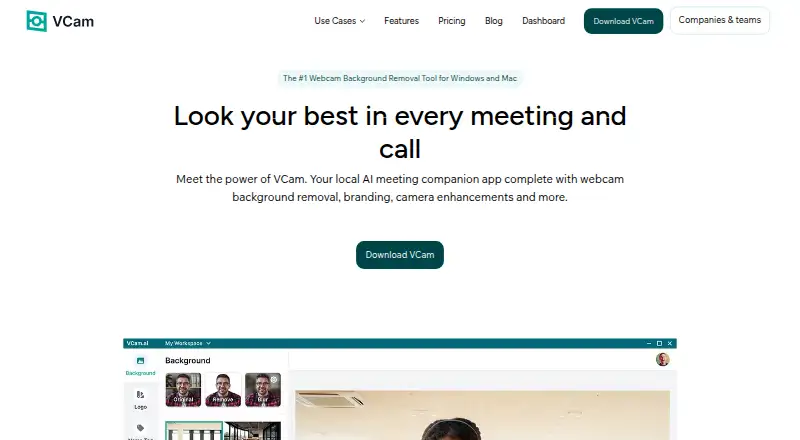
VCam adds background removal, replacement, or blur, plus framing and lighting effects to a webcam feed. It works with meeting and streaming apps including Zoom, Google Meet, OBS Studio, and Discord. VCam says its features run locally on the user's device, and the virtual camera can be used by multiple apps simultaneously. A free plan includes a watermark; paid plans start at $48 a year for one user.
Review
In a line
VCam is webcam software that uses on-device processing to change backgrounds and adjust a camera feed for meetings or streams.
What it does
It can blur or remove a webcam background, or swap it for something else. The library includes over 1,000 backgrounds, and users can also upload their own image, video, GIF, stock media, webpage, or solid color.
Auto-framing tracks movement and adjusts the view to keep a face centered. Studio lighting brightens faces and reduces shadows. During a break, Pause Loop replays the camera feed and allows the user to rejoin without disrupting the meeting.
Nametags can show a person's name and job title in one of four designs. Teams can add logos and share or enforce branding across calls.
How it connects
VCam lists Google Meet, Microsoft Teams, Zoom, Discord, OBS Studio, and specialized software such as NCR's TellerNow among its integrations. The virtual camera can also be selected concurrently in more than one app, including OBS Studio and Discord.
The software runs on Windows and macOS. Teams can use its web Dashboard to distribute backgrounds, logos, and settings, invite Workspace members, and manage access. VCam is proprietary, not open source. The public help center has no developer API or SDK reference pages.
Good fit
VCam may suit people looking for a customized webcam feed for meetings or streams, as well as teams that want shared backgrounds and consistent logos. Its plans include options for solo users and larger organizations.
Watch for
The maker recommends Windows 10 or later and macOS Ventura 13.1 or later. Supported systems need current Intel, AMD, or NVIDIA graphics drivers; Windows on ARM is not supported.
The free plan adds a watermark. Reviewers have described flicker or gaps around people using virtual backgrounds; one also said the software's processing load made a computer hot and added noise during recording or streaming.
Pricing
Starter costs nothing for up to 3 workspace members and comes with 500MB of storage and a watermark. The $48-a-year Personal plan is for one user and removes the watermark.
Personal Lifetime is listed at $59 one-time, though the page also shows $90. Business costs $72 a year per user and includes team management, enforced branding, and centralized billing. Enterprise pricing is on request for teams above 500 seats.
Verdict
Consider VCam if you want background effects and camera adjustments that work across meeting and streaming apps, or need a team to share branded assets. The free plan lets a small workspace try it with a watermark; the paid individual plan removes that mark. Check system compatibility and performance needs before choosing it, especially for recording or streaming. Teams seeking open-source software or a published developer API should look elsewhere.
Our take
VCam is worth considering for people who want more control over a webcam image in meetings or streams, especially when several apps need the same virtual camera. Teams may also value shared assets and enforced logos. The free plan is limited by its watermark, while the $48-a-year Personal plan removes it. Check your operating system and graphics support first, and consider the reported performance and background-edge issues. It is a poor fit if open-source code or a public developer API is required.
- Removes, blurs, or replaces webcam backgrounds.
- The virtual camera can be used simultaneously by multiple apps.
- Auto-framing tracks movement to keep a face centered.
- Teams can share and enforce logos and backgrounds.
- VCam says processing runs on the user's device.
- The free plan includes a watermark.
- Windows on ARM is unsupported.
- Reviewers report flicker or gaps around people with virtual backgrounds.
- One reviewer reports high processing use during recording or streaming.
- The public help center has no developer API or SDK reference pages.
- Pick it ifPeople who want background and lighting effects in meetings or streams; Teams that need shared webcam backgrounds and consistent logos
- Skip it ifYou need open-source software or a documented public developer API.; You use Windows on ARM or cannot meet the listed system requirements.
Pricing
A free Starter plan is available, but it has a watermark. Personal is $48 a year for one user without a watermark; Business is $72 a year per user. Personal Lifetime is listed as $59 one-time, though the page also shows $90. Enterprise pricing is on request.
- Starter3 workspace members · 500MB storage · watermark · Windows & macOS · Basic SupportFree
- PersonalSave 33% vs monthly billing · 1 user · 2GB storage · no watermark · Windows & macOS · Chat & Email Support$48
- Personal LifetimePage also shows $90 · 1 user · 2GB storage · no watermark · Windows & macOS · Chat & Email Support$59 one-time
- BusinessSave 25% vs monthly billing; charged per user · Unlimited workspace members · 5GB storage · no watermark · priority support · team management · enforced logos/backgrounds · machine licensing · centralized billing$72
- EnterpriseTeams above 500 seats · 10GB storage · SSO (SAML) · on-site deployment · dedicated success manager · tailored contracts/invoicingOn request
As vcam.ai lists them, checked 21 Oct 2026.
Questions
Which meeting and streaming apps work with VCam?
VCam lists Google Meet, Microsoft Teams, Zoom, Discord, OBS Studio, and specialized software such as NCR's TellerNow.
Can VCam feed more than one app at a time?
Yes. Apps such as OBS Studio and Discord can use its virtual camera at the same time.
Does VCam have a free plan?
Yes. Starter is free for 3 workspace members and includes 500MB of storage, a watermark, and Basic Support.
How much does VCam cost?
Personal costs $48 a year for one user. Business is $72 a year per user. Enterprise pricing is on request.
What computers does VCam support?
It supports 64-bit Windows 10 or 11 and macOS Ventura or later with current Intel, AMD, or NVIDIA graphics drivers. Windows on ARM is unsupported.
Does VCam send camera footage to its servers?
VCam says its features run on the user's device and camera-feed data is not sent to its servers.