
FrameQuery: Video Search and Review
framequery.com · checked 14 Oct 2026
Video search and review software for finding footage by dialogue, visuals, people, and scene details.
How it plugs in
Signal on Video Annotation Software6.6#5 of 34
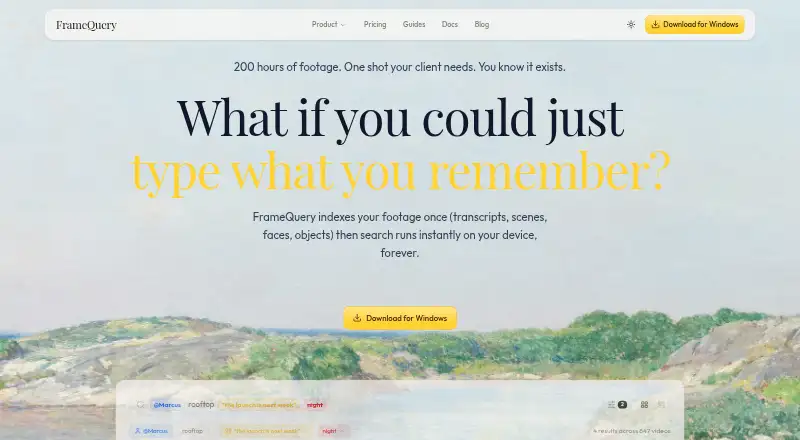
FrameQuery makes dialogue, screen content, people, and scene context searchable in video. After footage is indexed, searches run on the user's device and remain available offline. It works with local and cloud storage sources and exports clip selections for several editing workflows. The free plan offers search but not AI indexing; paid plans begin at $19 a month.
Review
In a line
FrameQuery helps teams find footage through spoken words, visible content, and people appearing in a scene.
What it does
FrameQuery indexes video to make scene descriptions, objects, text overlays, and transcripts searchable; transcripts include word timings and speaker labels. The site estimates that indexing one hour of video takes about five minutes.
Once indexing has finished, the device handles searches, so they can work offline and do not incur a per-search fee. Search supports exact phrases, terms to exclude, person mentions, and metadata filters. Users can mark clips for export to editing tools.
How it connects
Footage can be ingested from local folders, S3, SMB, Dropbox, or Google Drive. Indexes can be shared or backed up through Drive, Dropbox, or NAS. The software handles over 50 formats, among them R3D, BRAW, ARRIRAW, ProRes, and MXF.
Marked clips can go to Final Cut Pro, Premiere Pro, DaVinci Resolve, Avid, and other editing workflows via FCPXML, Premiere XML, EDL, or LosslessCut.
In-browser reviews offer timecoded comments, frame drawings, approvals, and side-by-side version comparisons. Reviewers can open public-token or invite-only links without installing software or creating an account. Hosted proxy sharing is available on Pro and Max only.
FrameQuery is proprietary rather than open source. The API remains unavailable: its documentation outlines planned features, while live requests are disabled.
Good fit
FrameQuery may suit production and post-production teams, documentary filmmakers, and people working in marketing, corporate video, news, or broadcast.
It is particularly relevant for teams that need to find clips across a large collection and bring selections into their existing editing workflow. For related options, see AI video search tools or video annotation software.
Watch for
AI indexing is not part of the free plan. Starter, Pro, and Max have monthly video limits, while hosted proxy sharing is included only with Pro and Max.
Search runs locally once indexing is done, but cloud services receive selected frames and extracted audio for visual analysis and transcription. Face and voice recognition are optional, require consent, and run on-device. FrameQuery says it does not use footage to train its own AI models.
The listed requirements are macOS 11 or newer on Apple Silicon, or Windows 10 or 11 on x64. Documented limits for the planned API do not mean the API is currently available.
Pricing
The free tier provides search without AI indexing. Starter costs $19 monthly and includes 10 hours of video each month, AI analysis, local indexing and search, and Drive or NAS sharing.
Pro costs $45 per month when billed annually ($540 a year). It includes 50 hours monthly, cloud sharing, 100 GB of proxy storage, collaboration, and review. Max costs $190 per month on annual billing ($2,280 a year) for 300 hours monthly, 600 GB of proxy storage, cloud sharing, collaboration, and review.
Studio pricing is available on request for custom billing; it includes unlimited hours, bulk archive processing, onboarding, and priority support. Developer API pricing is also on request. Listed rates are $1.50 per footage-hour for standard processing and $2.50 for Camera RAW, with volume discounts. The API is not yet available.
Verdict
FrameQuery is worth considering for work that involves searching substantial video collections and sending chosen clips into established editing tools. Local offline search and wide format support may be useful; browser reviews let teams discuss footage without requiring each reviewer to install software.
The free plan allows search but excludes AI indexing. Before choosing a paid tier, weigh its monthly footage allowance and proxy storage against your needs, and consider whether cloud analysis of selected frames and audio fits your workflow. It is not a choice for teams that need API access now; that capability is still planned.
Our take
FrameQuery gives teams a way to find footage through dialogue, visuals, or people and carry selected clips into editing workflows. Its main tradeoffs are plan limits, cloud analysis of selected frames and audio, and an API that is not yet available. Since AI indexing is excluded from Free, compare paid-tier hours and storage needs before choosing a plan.
- After indexing, searches run on-device and can be used offline.
- More than 50 video formats are supported.
- Clip selections can be exported for several editing workflows.
- Reviewers can access review links without an account or installation.
- Free does not include AI indexing.
- The API is not currently available.
- Selected frames and extracted audio are sent to cloud services for analysis.
- Monthly video limits and proxy storage depend on the plan.
- Pick it ifProduction teams locating footage before editing; Documentary and broadcast teams managing video collections; Teams that want browser-based clip review
- Skip it ifYou need a working API now.; You require AI indexing on a free plan.; Your workflow cannot send selected frames and extracted audio to cloud services.
Pricing
Free includes search without AI indexing. Studio and Developer API pricing is available on request. The API is not available yet.
- FreeSearch only · no AI indexingFree
- StarterMonthly billing only · 10 hours video/month · full AI analysis · local index/search · Drive or NAS sharing$19/mo
- Pro$540/year billed annually; 2 months free · 50 hours/month · cloud sharing · 100 GB proxy storage · collaboration/review$45/mo
- Max$2,280/year billed annually; 2 months free · 300 hours/month · cloud sharing · 600 GB proxy storage · collaboration/review$190/mo
- Developer APICustom usage-based, pay per request · REST API · programmatic indexing · webhooksOn request
- StudioCustom billing · Unlimited hours · bulk archive processing · dedicated onboarding · priority supportOn request
As framequery.com lists them, checked 14 Oct 2026.
Questions
Does FrameQuery work offline?
Yes. After indexing, searches run on the device and can continue offline.
Does the free plan include AI indexing?
No. Free provides search only; AI indexing is excluded.
Which storage sources can FrameQuery use?
It can ingest local folders, S3, SMB, Dropbox, and Google Drive. Sharing or backup is supported through Drive, Dropbox, and NAS.
Can I use FrameQuery with video editing software?
Clip selections can be exported as FCPXML, Premiere XML, EDL, or LosslessCut files for several editing workflows.
Can reviewers leave comments without installing FrameQuery?
Yes. Browser review links support comments and other review features; reviewers need neither an account nor an installation.
Is the FrameQuery API available?
No. Planned endpoints are described in the API documentation, but live requests are disabled and the API is not available yet.
What does FrameQuery cost?
There is a free search-only tier. Starter is $19 monthly, Pro is $45 monthly, and Max is $190 monthly. Studio and Developer API pricing is available on request.