Development Environment Managers
frum: Free Ruby Version Manager in Rust
github.com · checked 8 Oct 2026
frum is a free Ruby version manager written in Rust for Linux, macOS, and Windows.
How it plugs in
Signal on Development Environment Managers6.6#10 of 50
frum manages Ruby installations and version selection across Linux, macOS, and Windows. It can use .ruby-version files, switch between local and global Ruby versions, and initialize in Bash, Zsh, or Fish. The project is MIT licensed, offers several installation routes, and has no paid plan or free trial because the software is free.
Review
In a line
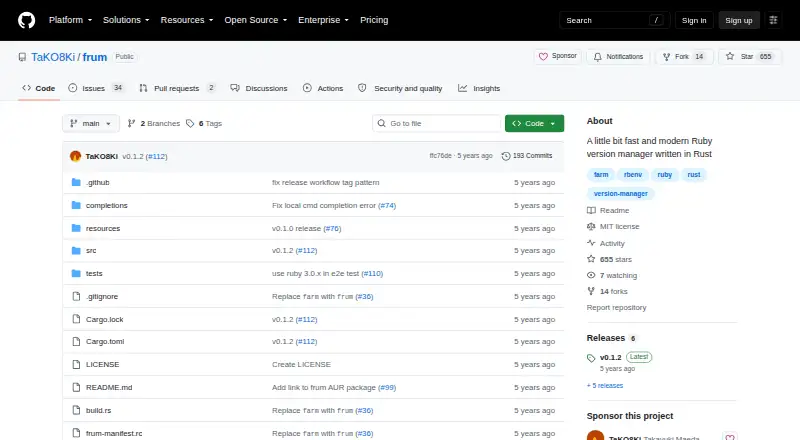
frum is a Ruby version manager built in pure Rust. It installs and switches Ruby versions on Linux, macOS, and Windows.
What it does
You can install or remove Ruby versions, see available or installed versions, and choose a global or project-specific version. frum reads .ruby-version files for project version pinning and supports automatic switching.
How it connects
frum works with Bash, Zsh, and Fish through shell setup commands, and it includes command auto-completion. Installation options include Homebrew or Linuxbrew, Arch Linux packages, Cargo, and release binaries.
The project says its implementation is pure Rust and does not use ruby-build. Ruby builds can receive settings such as an OpenSSL directory or the jemalloc memory allocator. Its source is MIT licensed, and the project accepts issues, pull requests, and other contributions. See the wider development environment manager category for related tools.
Good fit
frum suits Ruby users who need different Ruby versions for separate projects or want one version set across their system. Its .ruby-version support helps keep a project tied to a chosen Ruby release.
The README reports that its initialization command ran about six times faster than rbenv initialization in the project's benchmark.
Watch for
The README lists macOS and Linux as supported platforms and mentions Windows in its goals, so Windows users should confirm the current level of support before adopting it.
The releases page lists v0.1.2 as the latest release. Check that its installation method and Ruby build options match your setup.
Pricing
frum is free under an MIT license. There is one free plan, and there is no separate free trial.
Verdict
Choose frum if you want a no-cost Ruby version manager with project file support, shell integration, and several installation paths. It is especially relevant when local and global Ruby selections matter.
Look elsewhere if you need a tool with clearly established Windows support or a different language ecosystem. Also verify that the current release and build settings cover your requirements before switching.
Our take
frum is a practical choice for Ruby users who need to install several Ruby releases and switch versions by project or system setting. Its free MIT-licensed code, shell support, and .ruby-version handling cover common version-management tasks without a subscription. Linux and macOS users have the clearest documented support. Windows users should verify readiness because the README places Windows in its goals. Consider another manager if you need broader language coverage or a more mature release line.
- Free MIT-licensed Ruby version manager
- Supports global, local, and .ruby-version selections
- Works with Bash, Zsh, and Fish
- Offers Homebrew, Arch, Cargo, and binary installs
- Ruby builds accept OpenSSL and jemalloc options
- Windows is mentioned as a goal rather than listed README support
- Latest listed release is v0.1.2
- Focused on Ruby only
- Pick it ifRuby projects that need pinned or switchable versions; Users who prefer a Rust-based, free tool
- Skip it ifYou need a version manager with clearly documented Windows support; You manage languages other than Ruby
Pricing
The software is free under an MIT license. There is one free plan and no free trial, so buyers pay nothing for the listed offering.
- frumRuby version manager · MIT licensedFree
As github.com lists them, checked 8 Oct 2026.
Questions
What is frum?
frum is a Ruby version manager written in pure Rust.
Which systems can run frum?
The listed platforms are Linux, macOS, and Windows. The README specifically lists macOS and Linux as supported and mentions Windows in its goals.
Can frum switch Ruby versions by project?
Yes. It reads .ruby-version files and can set Ruby versions locally for a project or globally for the system.
Which shells does frum support?
The README provides setup instructions for Bash, Zsh, and Fish. Auto-completion is also listed.
How can I install frum?
Documented methods include Homebrew or Linuxbrew, Arch Linux packages, Cargo, and release binaries.
How much does frum cost?
frum is free under an MIT license. There is no paid plan and no separate free trial.