GSBS Game Save Sync and Backup
github.com · checked 29 Sept 2026
Free, self-hosted game-save syncing and backup for Windows, Linux, and macOS.
How it plugs in
Signal on Game Save Managers6.3#8 of 27
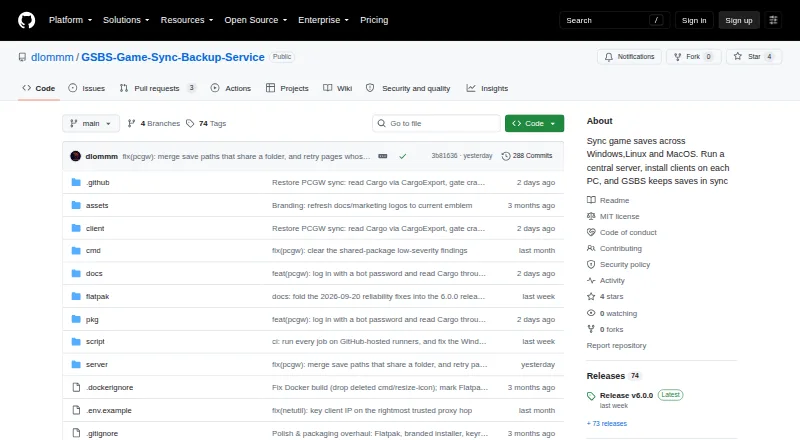
GSBS keeps game saves synchronized across Windows, Linux, and macOS through a server and client apps. It detects active games before syncing, translates paths across Windows and Linux, stores version history, and lets you restore saves in a web dashboard. Optional encryption protects save contents from the server. It is free and supports multi-user setups.
Review
In a line
GSBS is a free game-save sync and backup service for Windows, Linux, and macOS. It uses a central server with client apps for multiple devices, including desktops, laptops, and Steam Decks.
What it does
Clients find installed games from Steam, Epic, GOG, Ubisoft, EA, Xbox, Heroic, Lutris, Bottles, and Prism. They check those games against a PCGamingWiki manifest.
GSBS notices when a game is running and waits until it closes before syncing, avoiding changes to an active save. It converts save locations between Windows and Linux, including Proton paths.
Save files keep versions. You can choose a version to restore from the web dashboard. Scheduled tar.zst snapshots can back up the database, keys, and saves to local disk or S3.
How it connects
The server is designed for Docker Compose, and a Windows server setup executable is also provided. Clients run on Windows, Linux, including Flatpak and arm64 builds, and macOS.
GSBS can send alerts through webhooks, Discord, and ntfy for conflicts, quota, new devices, backups, and stale devices. S3 supports offsite backup storage.
The web interface publishes an OpenAPI description at /api/openapi.json. Optional end-to-end encryption uses AES-256-GCM on the client with Argon2id key protection, so encrypted save data reaches the server as ciphertext. The project uses the MIT License.
Good fit
GSBS suits households or groups with several computers and user accounts that need one save collection across Windows, Linux, and macOS. It also fits Steam Deck owners who want the same saves elsewhere.
It is a good match when automatic game detection, scheduled backups, version history, manual restore, and notifications matter.
Watch for
Save files are plaintext on the server and in backups unless optional end-to-end encryption is turned on. Decide whether you will manage encryption keys before deployment.
Installers and binaries are not code-signed or notarized. The project asks for vulnerability reports to be sent privately to its maintainer and says reports are acknowledged within 72 hours.
Server deployment and backup storage are your responsibility, including local disk or S3 choices. Restore actions are manual.
Pricing
GSBS is free, with a free plan. The facts list no paid plan or separate charge.
Verdict
Choose GSBS if you want to run the server yourself and coordinate saves across different desktop operating systems. Its game-aware timing, cross-platform path handling, versioned files, and optional encrypted storage cover the main risks of moving saves between machines.
Look elsewhere if you need signed installers, a managed hosting service, or automatic protection without configuring encryption. You should also avoid treating the default server and backup storage as private until end-to-end encryption is enabled.
Our take
GSBS is a practical choice for people comfortable operating a central server for several computers. It covers Windows, Linux, macOS, and Steam Deck use, with automatic game detection, delayed syncing, path translation, scheduled snapshots, and web-based restore. The free plan keeps software cost at zero. However, save data remains readable on the server and in backups by default, and its installers are unsigned and not notarized. Pick it when self-hosting and security setup are acceptable; skip it when you want a hosted service or turnkey protection.
- Free plan with no listed paid tier
- Syncs saves across Windows, Linux, and macOS
- Waits for games to close before syncing
- Version history with web-dashboard restore
- Optional client-side end-to-end encryption
- Save data is plaintext unless encryption is enabled
- Installers and binaries are not signed or notarized
- Server and backup storage require your own setup
- Restores are manual
- Pick it ifMulti-device households using Windows, Linux, macOS, or Steam Deck; Self-hosters needing scheduled game-save backups
- Skip it ifYou need a managed hosting service instead of running the server; You require signed and notarized installers; You cannot manage encryption and backup storage yourself
Pricing
GSBS has a free plan, and no paid pricing is listed in the available facts.
Questions
What platforms does GSBS support?
The server supports API, Linux, macOS, self-hosting, web, and Windows. Client apps are available for Windows, Linux, including Flatpak and arm64, and macOS.
Does GSBS sync while a game is running?
No. Clients detect running games and defer syncing until the game quits, helping avoid changes to a live save.
Which game stores can GSBS discover?
It scans Steam, Epic, GOG, Ubisoft, EA, Xbox, Heroic, Lutris, Bottles, and Prism using a PCGamingWiki manifest.
Can I restore an older save?
Yes. GSBS versions save files and lets you manually restore a selected version from the web dashboard.
Is my save data encrypted?
Only when optional end-to-end encryption is enabled. Otherwise, save contents are plaintext on the server and in its backups.
Can GSBS send alerts?
Yes. It supports webhook, Discord, and ntfy notifications for conflicts, quota, new devices, backups, and stale devices.
How are backups stored?
Scheduled tar.zst snapshots can include the database, keys, and saves. They can be kept on local disk or in S3 for offsite storage.