Hakyll: Haskell Static Site Generator Review
jaspervdj.be · checked 5 Oct 2026
A Haskell library for building static websites from Markdown and other text.
How it plugs in
Signal on Static site generators6.7#14 of 35
A free Haskell toolkit, Hakyll produces static sites from Markdown, TeX, and reStructuredText. It provides build rules, routing, templates, feeds, and local previews, and runs on Linux, macOS, and Windows. Its stated focus is small-to-medium sites and personal blogs.
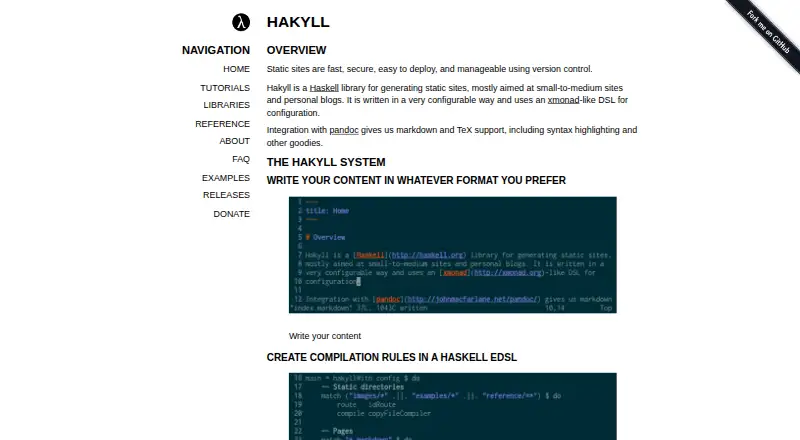
Review
In a line
Hakyll builds static websites with Haskell, with its focus on personal blogs and small-to-medium sites.
What it does
You define a site in Haskell using an embedded configuration language. Hakyll applies build rules to content and creates HTML files ready to upload.
Its compilers can copy files, compress CSS, or invoke Pandoc to render supported inputs as pages. Templates handle metadata, conditional sections, reusable parts, and loops. Feed tutorials explain RSS, Atom, and JSON output.
When the preview server is included, the watch command rebuilds the site and serves it locally at localhost:8000.
How it connects
Hakyll works with Markdown through static site generator workflows and integrates with Pandoc for Markdown and TeX. The compiler tutorial also lists reStructuredText input.
The official project lists utility work for Agda, Sass, Elm, hyphenation, and conversion from other blog engines. You can install it with Cabal or Stack, and Linux distribution packages are linked for Debian, Fedora, and Arch.
Hakyll is released under a BSD license. If you use Pandoc, your own code needs a GPL-compatible license.
Good fit
Hakyll suits Haskell users who want a code-configured static site, especially a personal blog or a small-to-medium website.
Its declarative rules choose resources and their compilers, with dependency tracking deciding build order. Routes may preserve filenames, alter extensions, or apply custom logic. Static output can be managed with version control and uploaded as HTML.
Watch for
Hakyll is centered on Haskell, so it may not fit a workflow that avoids that language. The maker describes its audience as mostly personal blogs and small-to-medium sites.
Incremental builds do not notice edits to site.hs, the site configuration file. You must recompile that configuration before running another rebuild.
Pricing
Hakyll is free and has a free plan.
Verdict
Choose Hakyll if you are comfortable writing Haskell and want precise rules for turning text and assets into a static site. Its Pandoc connection, templates, routing options, feed tutorials, and local preview cover common publishing tasks.
Hakyll is less suited to a large, configuration-heavy project or to anyone who does not want to recompile after changing site.hs.
Our take
Hakyll is a sensible choice for Haskell users building a blog or a modest static website. It costs nothing, supports common text formats through Pandoc, and gives you direct control over build order, routes, templates, and generated feeds. The trade-off is that the setup is expressed in Haskell, and configuration edits require a recompile before incremental rebuilding.
- Free to use with a BSD license
- Runs on Linux, macOS, and Windows
- Pandoc support covers Markdown and TeX
- Local preview server can run at localhost:8000
- Rules support custom routing and dependency tracking
- Requires Haskell for configuration
- Its focus is personal blogs and small-to-medium sites
- Incremental builds miss edits to site.hs
- Pandoc use requires a GPL-compatible license for your code
- Pick it ifHaskell users making personal blogs; Small-to-medium static websites; Sites needing custom build and routing rules
- Skip it ifYou do not want a Haskell-based setup; You need a tool aimed beyond small-to-medium sites; You expect configuration edits to rebuild incrementally
Pricing
Hakyll is free and includes a free plan.
Questions
What is Hakyll?
Hakyll is a Haskell library for creating static sites, with an emphasis on personal blogs and small-to-medium projects.
What content can Hakyll use?
It supports Markdown through Pandoc, plus TeX and reStructuredText input listed in its compiler tutorial.
Where does Hakyll run?
Hakyll runs on Linux, macOS, and Windows.
Does Hakyll provide a preview?
When the preview server is included, its watch command serves a locally rebuilt site at localhost:8000.
How much does Hakyll cost?
Hakyll is free and has a free plan.
What happens when site.hs changes?
Incremental builds do not detect edits to site.hs. Recompile the configuration before running another rebuild.
What license does Hakyll use?
The project offers Hakyll under a BSD license. Using Pandoc means your code needs a GPL-compatible license.
Can Hakyll create feeds?
The tutorials show how to produce RSS, Atom, and JSON feeds.