
Harper Review: Local English Grammar Checker
writewithharper.com · checked 14 Oct 2026
An open-source, no-cost English checker that works locally in browsers, editors, and desktop apps.
How it plugs in
Signal on Grammar checkers8.0#1 of 88
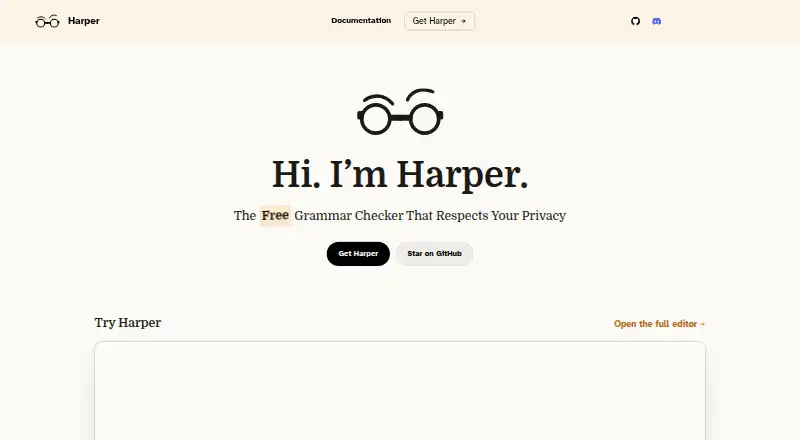
Harper checks English writing on the device, marking spelling, capitalization, grammar, and awkward phrasing. Its browser and editor integrations cover popular tools, while desktop controls handle rules, dictionaries, dialects, and app-specific checking.
Review
In a line
This free, open-source English checker runs on your device and marks issues with suggested fixes.
What it does
Harper catches spelling, capitalization, grammar, and awkward phrasing issues as you write. It usually returns suggestions in under 10 milliseconds, according to its maker.
English support includes British, American, Canadian, Australian, and Indian variants. On desktop, you can switch rules, add dictionary words, choose a dialect, and turn checking on for selected apps.
With harper-ls, Harper can review comments and documentation written in numerous programming and markup languages. Custom rules can be created with the Weir language.
How it connects
Official browser integrations cover Chrome, Brave, Microsoft Edge, and Firefox. Project-provided editor integrations span VS Code, Cursor, Neovim, Zed, Helix, Emacs, and Sublime Text.
Obsidian, WordPress, and a macOS desktop application are also listed. For development work, Harper offers a JavaScript library, a Rust crate, and a Language Server Protocol option.
Harper's Apache-2.0 source and integration code are intended for local execution instead of a hosted checker. harper.js and integrations built on it handle plaintext and/or Markdown. See grammar checkers for other options.
Good fit
The homepage presents Harper as serving students, journalists, and developers seeking English corrections without cloud transmission. It works across browsers, editors, phones, desktops, and the web.
Its local design, custom dictionaries, dialect choices, and editor integrations make it useful for writing, documentation, and code comments.
Watch for
Harper covers English and the listed regional dialects. To use Harper in Gmail, first switch off Gmail's own grammar checker.
The macOS desktop app supports macOS 14 or later on Apple Silicon and Intel and is labeled beta. A Windows desktop beta is available; the maker's August 28, 2026 post said its binary lacked a signature, so Windows users would likely see a warning popup.
The project supplies local integration code instead of a hosted checking service. Check that your preferred app has an integration before relying on it.
Pricing
Harper is free forever. Its Free plan includes every feature, local processing, and no credit-card requirement; the Harper plan likewise costs nothing forever and asks for neither an account nor a card. There is no free trial.
The source code is available under the Apache-2.0 license.
Verdict
Harper suits users who prioritize on-device processing, open-source code, and free access over wider language support or Gmail compatibility. Its browser, editor, and desktop options cover many writing workflows, and developers can connect it through JavaScript, Rust, or the Language Server Protocol.
Skip it if you need languages beyond English, a Gmail workflow that keeps Gmail's checker enabled, or a stable Windows or macOS desktop release rather than beta software.
Our take
Harper is a practical choice for English writers who want corrections to stay on their device. Its free price removes a trial decision, while open-source licensing and several integration paths suit people who work in browsers, editors, or custom tools. The trade-offs are narrow language coverage, a Gmail conflict, and beta desktop releases. Windows users should also expect a possible security warning until the download is signed. Pick Harper for local, no-account checking; look elsewhere when your workflow depends on Gmail or non-English languages.
- Free forever, with every feature included in the Free plan and no card required
- On-device checking avoids cloud round trips, telemetry, and LLM processing
- Open-source Apache-2.0 code with browser and editor integrations
- Supports custom rules, dictionaries, dialects, and per-app checking
- Usually returns suggestions in under 10 milliseconds
- Covers English and five listed regional dialects only
- Harper cannot run in Gmail while Gmail's own grammar checker remains active
- The macOS and Windows desktop releases are beta
- As of the maker's August 28, 2026 post, the Windows binary lacked a signature
- Pick it ifEnglish writing in browsers, editors, and desktop apps; Users who want local processing and open-source code; Developers checking comments and documentation
- Skip it ifYou need languages other than English; Your Gmail workflow must keep Gmail's checker enabled; You need a desktop app that is not beta
Pricing
Harper is free forever. The Free plan includes all features, local processing, and no credit card; the Harper plan needs neither an account nor a card. There is no separate trial.
- Freeall features · local processing · no credit cardFree
- HarperFree forever · No account or credit card required · Apache-2.0 open sourceFree
As writewithharper.com lists them, checked 14 Oct 2026.
Questions
Is Harper free?
Yes. Harper is free forever. Every feature is included in the Free plan, with no credit card required; the Harper plan also requires no account.
Does Harper send my writing to the cloud?
No. Checks run locally, with no cloud round trips, telemetry, or large-language-model processing.
Which English varieties does Harper support?
Its supported variants are British, American, Canadian, Australian, and Indian English.
Which apps can Harper work with?
Integrations are listed for Chrome, Brave, Edge, Firefox, VS Code, Cursor, Neovim, Obsidian, WordPress, and other editors.
Can developers integrate Harper?
Yes. Options include the harper.js JavaScript library, harper-core Rust crate, and harper-ls via the Language Server Protocol.
Why does Harper not work in Gmail?
Harper needs Gmail's native grammar checker switched off before it can operate there.
What systems support the desktop app?
The macOS app supports macOS 14 or later on Apple Silicon and Intel. A Windows desktop beta is also available.
Where can I get help?
The maker directs users to Discord or GitHub discussions for questions and support.