
Indenta: Free Outliner Notes With Offline Storage
indenta.app · checked 15 Oct 2026
A free outliner for Markdown notes, backlinks, tags, tasks, and journals that remains usable offline.
How it plugs in
Signal on Outliner Software6.7#3 of 31
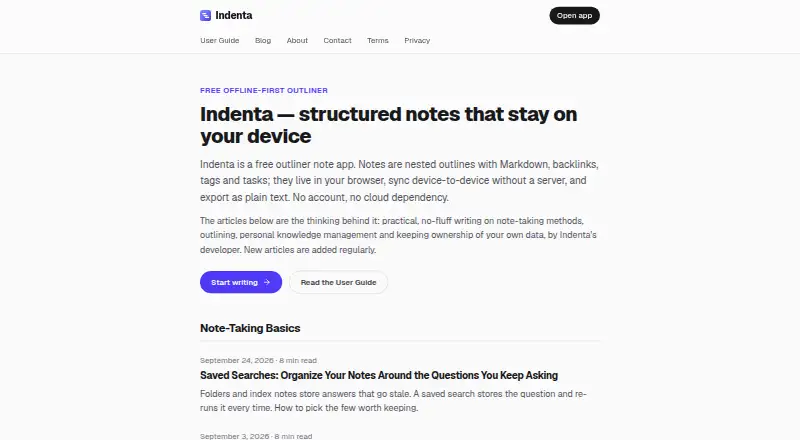
Indenta is a no-cost outliner for taking notes on the web, desktop, or mobile. Notes stay in browser storage, with nested Markdown lines, wiki-links, backlinks, tags, saved searches, tasks, and a day-by-day journal. Offline work, Markdown ZIP transfers, peer connections, and optional Google Drive sync are supported.
Review
In a line
Indenta is a free note-taking tool centered on outlines that can be collapsed and nested. Markdown notes can be connected to one another, tagged, turned into tasks, and arranged in a journal.
What it does
A note is a tree of lines: nest them, collapse or expand branches, zoom into a branch, drag items, and change their order. Lines accept common Markdown syntax, and exports remain ordinary Markdown files.
Use double brackets to link one note to another; the referenced note receives a backlink automatically. Hash tags, bookmarked searches, and searches by date help surface related lines. Lines can be turned into checkbox tasks, with a task view showing open items from every note. The journal places each date in its own branch within one note, and tasks with dates take that day's due date.
Quick Note is a scratch area available from the sidebar or with Ctrl/Cmd+J; captured lines can later be filed into ordinary notes. Installed versions can also receive shared pages, links, or selected text through supported share sheets.
How it connects
The app is browser-based and available on Windows, macOS, Linux, Android, and iOS. Installing its Progressive Web App provides full offline operation. The guide covers Chrome or Edge installation and adding the app to an iOS home screen via Safari.
Your notes reside in the browser's IndexedDB on the device. Markdown files can be bundled into a ZIP for export, while an Indenta ZIP or separate Markdown files can be imported.
Peer sync is optional: devices send notes directly over an end-to-end encrypted WebRTC link. Vector-clock history reconciles simultaneous edits, and note content is not sent to an Indenta server. Google Drive sync is also optional; it keeps one file in the account's hidden appDataFolder and up to five dated restore snapshots.
On supported desktop Chrome releases, Chrome's built-in Prompt API can search, summarize, and generate text locally. Browser WebMCP tools can list, search, read, create, and update notes, with a Claude connection guide. The published pages do not document a conventional HTTP API or SDK.
Good fit
Indenta works well for people who prefer outline-based notebooks, offline use, and keeping primary note data on their own device. It fits structured research notes, linked personal knowledge, recurring tasks, and a dated journal.
Because Markdown files can move in and out, the app suits workflows that favor plain files over a proprietary note format. Optional device synchronization and Google Drive backup provide additional ways to access the same notes across devices.
Watch for
Since notes live locally, the developer cannot view, restore, or reset data that disappears. Removing site data, switching browser profiles, or using private browsing may hide those notes. Export regularly or enable Google Drive backup when recovery is important.
Indenta is served through a browser, and the site publishes neither a self-hosting package nor setup instructions. Its on-device AI needs desktop Chrome with the built-in model available.
Indenta says it runs no usage analytics, although third-party advertising, including Google AdSense, may appear on the website and in some parts of the app. Questions go through Discord, where responses generally arrive within a few days; email can take longer.
Pricing
Indenta costs nothing, and the listing specifies no paid levels, feature gates, device caps, or trial window.
Verdict
Indenta is a fit for users who favor nested outlines, Markdown files, offline access, and storing notes locally. Links, backlinks, tags, tasks, journaling, and optional synchronization cover a broad personal note workflow without a subscription.
Consider another option if provider-backed recovery, a conventional web API or SDK, published self-hosting guidance, or an ad-free service is required. Browser-storage risks also make regular exports important.
Our take
Indenta makes sense for people who organize information as outlines and want free notes that continue working offline. Markdown import and export limit lock-in, while backlinks, tags, tasks, journaling, and saved searches support organized personal work. The trade-off is data responsibility: browser storage may be lost, and the developer cannot restore it. Peer synchronization and Google Drive snapshots are available, but those needing provider-managed recovery, a standard API, or documented self-hosting should look elsewhere.
- Free plan without stated feature or device caps
- Full offline use through the installed Progressive Web App
- Markdown files can be imported or exported as a ZIP
- Backlinks, tags, tasks, saved searches, and a journal
- Optional peer-to-peer synchronization and Google Drive backup
- Local AI features on supported desktop Chrome
- Site-data or profile changes can make browser-stored notes unavailable
- Lost notes cannot be recovered or reset by the developer
- No conventional HTTP API or SDK is documented
- No self-hosting package or setup guide is published
- Third-party ads may appear on the website and sometimes in the app
- On-device AI needs desktop Chrome with its built-in model
- Pick it ifPeople who structure work as nested outlines; Users seeking offline Markdown notes kept locally; Personal tasks, linked notes, and day-to-day journaling
- Skip it ifYou need the provider to recover lost notes; You require a standard HTTP API, SDK, or documented self-hosting; You prefer a site and app without third-party advertising
Pricing
The listing shows only a Free plan: no subscription, paid level, stated feature gate, device cap, or trial clock is specified.
- FreeFree means free; no paid tiers, feature gates, device limits, or trial clocks · No stated feature limits · No stated device limits · No trial clockFree
As indenta.app lists them, checked 15 Oct 2026.
Questions
Is Indenta free?
Yes. Indenta lists a Free plan and specifies no paid tiers, feature gates, device limits, or trial period.
Where are Indenta's notes kept?
The browser stores notes in IndexedDB on your device. Indenta says note content remains on-device unless you sync or export it.
Can Indenta work without an internet connection?
Yes. The installed Progressive Web App works fully offline.
Can I move notes in or out of Indenta?
You can export notes as Markdown files in a ZIP archive and import an Indenta ZIP or individual Markdown files.
How does Indenta sync between devices?
Optional peer-to-peer sync uses an end-to-end encrypted WebRTC connection. Optional Google Drive sync stores a file in the account's hidden appDataFolder and keeps up to five dated snapshots.
Does Indenta have an API?
Its published developer integration is browser WebMCP, with tools for listing, searching, reading, creating, and updating notes. No conventional HTTP API or SDK is documented.
What happens if I lose local browser data?
The developer cannot see, recover, or reset locally stored notes. Clearing site data, changing browser profiles, or using private browsing can make notes unavailable, so exports or Drive backup are advised.
Which devices can run Indenta?
Indenta runs in a browser on web, Windows, macOS, Linux, Android, and iOS. Installation guidance covers Chrome or Edge and adding it to the iOS home screen through Safari.