insMind AI Image Enlarger
insmind.com · checked 21 Oct 2026
AI-powered enlargement that makes small or blurry pictures bigger and sharper.
How it plugs in
Signal on Image Upscaling Software6.6#40 of 99
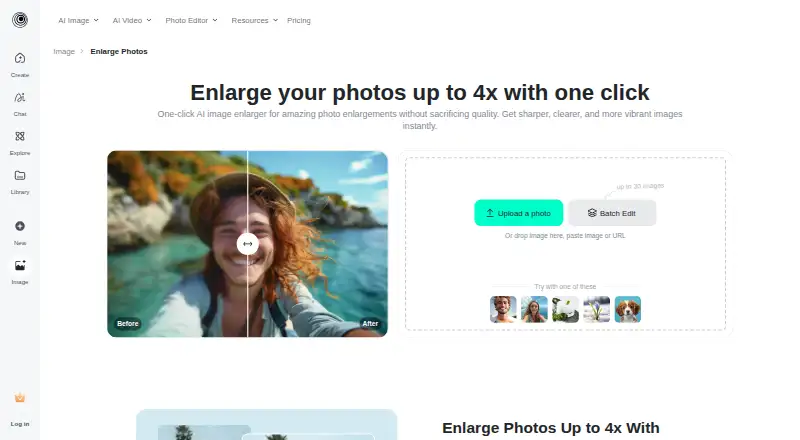
The insMind AI Image Enlarger is available through a browser and mobile apps for iOS and Android. It can scale images to four times their original size, with HD and Ultra HD choices, while offering color adjustments during enlargement. Add an image by uploading or dragging it in, select the output format and quality, and download the result. A free tier is offered, while paid plans add premium, watermark-free downloads.
Review
In a line
Using AI, insMind AI Image Enlarger turns blurry or small pictures into clearer, larger versions for web pages, print jobs, social posts, photography, and online shops.
What it does
Bring in a picture from your device or drop it onto the browser tool. Select HD (1x) or Ultra HD (4x), and tune saturation, contrast, or brightness as enlargement runs.
Before saving, choose the output format and quality. Processing commonly finishes within a few seconds, although image dimensions and complexity affect the time. The source image must measure less than 2000 × 2000 pixels.
How it connects
The enlarger is browser-based, with companion apps for iOS and Android.
insMind also offers an npm-installed command-line utility. Sign-in happens through a browser instead of an API key, and workflows can generate images or video, edit canvases, reuse library assets, and create product-image sets.
Good fit
This suits personal projects, photographers, and e-commerce sellers who need larger images from smaller originals. It also fits creators, marketers, brands, and businesses using insMind’s wider visual-editing platform.
Images can be enlarged as much as four times, and the tool provides basic color tuning.
Watch for
The source must stay below 2000 × 2000 pixels, so this enlarger cannot process larger originals. HD remains 1x; the 4x setting is Ultra HD.
On the free tier, low-quality files download without a watermark, while high-quality versions carry one. Pro removes the watermark and supplies premium-quality downloads.
For visitors who are not signed in, generated web content remains in cloud storage for seven days and is then deleted automatically. Signed-in users may remove their own generated content. The privacy policy describes encryption and access controls, with Alibaba Cloud servers located in Virginia, USA.
Pricing
The Free plan has no charge. It provides low-quality downloads without watermarks and high-quality downloads with watermarks.
Monthly Pro billing is $6.99; the quarterly option is $14.99 per month, billed quarterly; and yearly billing is $54.99 for the year. Each paid option includes premium-quality files without watermarks.
Verdict
Choose insMind AI Image Enlarger if you need a straightforward browser or phone tool for making small pictures larger, with a no-cost starting tier and a 4x ceiling. It is especially convenient when you already use insMind’s other creative features or its command-line workflow.
Consider another tool when originals are beyond the stated pixel limit or when paying for watermark-free, high-quality output is not suitable.
Our take
insMind AI Image Enlarger works well for people seeking quick web or mobile enlargement while staying below the 2000 × 2000 pixel source limit. Its free tier provides a way to test the workflow, and subscriptions remove watermarks while improving download quality. Ultra HD reaches four times the original size, with color controls useful for common web, print, photography, and store-image jobs. Users wanting unrestricted high-quality files without payment may find it less suitable.
- AI enlargement reaches four times the original dimensions
- Access through web, iOS, and Android
- Saturation, contrast, and brightness adjustments
- Free tier available
- Paid tiers offer premium downloads without watermarks
- Source images must be smaller than 2000 × 2000 pixels
- High-quality files on the free tier include a watermark
- Premium-quality downloads require a paid plan
- Pick it ifEnlarging personal, photographic, or e-commerce images; Creators and businesses already working with insMind; People who prefer browser and mobile access
- Skip it ifYour source is 2000 × 2000 pixels or larger; You need watermark-free, high-quality output at no cost
Pricing
The no-cost tier offers watermark-free low-quality files and watermarked high-quality files.
- Promonthly · Premium-quality downloads · Watermark-free downloads$6.99/mo
- Freelow-quality downloads · no watermark · high-quality downloads with watermarkFree
- Free versionLow-quality downloads without watermark; high-quality downloads include watermarksFree
- Pro Monthlymonthly · premium-quality downloads · watermark-free downloads$6.99/mo
- Pro Quarterlyquarterly · premium-quality downloads · watermark-free downloads$14.99/mo
- Pro Yearlyyearly · premium-quality downloads · watermark-free downloads$54.99/yr
As insmind.com lists them, checked 22 Sept 2026.
Questions
What is the maximum source size?
Only images below 2000 × 2000 pixels can be enlarged.
Which scale settings can I choose?
HD keeps the 1x size, while Ultra HD increases the image to as much as 4x.
Can I use it without paying?
Yes. The free tier gives low-quality downloads without a watermark, while high-quality downloads have a watermark.
What are the Pro prices?
Pro costs $6.99 per month with monthly billing, $14.99 per month on quarterly billing, or $54.99 per year on annual billing.
Where can I use the enlarger?
It runs in a web browser and has iOS and Android apps.
How quickly are images enlarged?
Most enlargements take a few seconds, though dimensions and image complexity can change the duration.
How long is generated content retained?
Unsigned web content stays in cloud storage for seven days before automatic deletion; signed-in users can remove their generated items.
Is there a command-line option?
Yes. The npm-based CLI authenticates through browser sign-in and does not ask users to manage an API key.