
JabRef: Free Open-Source Reference Manager
jabref.org · checked 15 Oct 2026
Open-source desktop library for BibTeX and BibLaTeX research references.
How it plugs in
Signal on Reference Management Software7.6#3 of 26
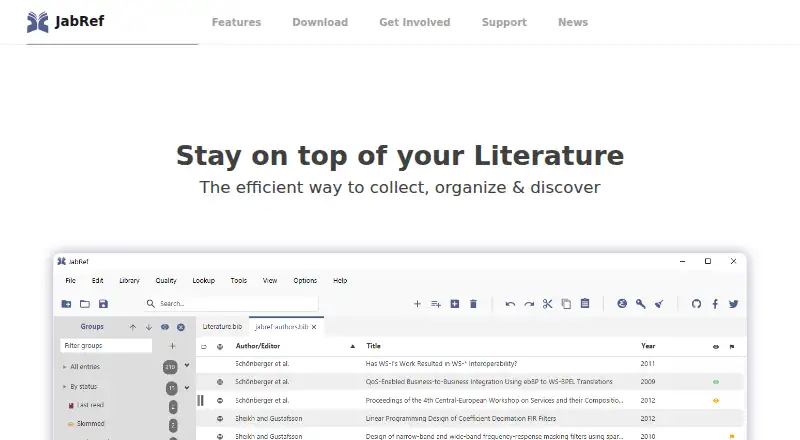
As an open-source desktop application, JabRef helps collect and organize research references at no cost. It works with BibTeX and BibLaTeX files, accepts over 15 import formats, reads metadata from PDFs, and searches scientific catalogs. Connections include Word, LibreOffice/OpenOffice, several writing editors, browser extensions, SQL databases, and a REST API.
Review
In a line
Researchers can use JabRef as a free, open-source tool to manage citations and references. It runs on Windows, macOS, and Linux as a cross-platform desktop application.
What it does
BibTeX and BibLaTeX libraries in JabRef remain text-based files. Records can enter the library through over 15 reference formats, identifier lookups for ISBN, DOI, PubMed-ID, or arXiv-ID, and PDF metadata extraction.
You can organize entries into hierarchical groups based on keywords, tags, searches, or manual assignments. Search filters, duplicate merging, integrity checks, configurable citation keys, and cleanup actions help maintain a library.
The application can manage linked documents, including automatic renaming or moving with configurable rules. It supports 20 document types, includes thousands of citation styles, and lets you create your own styles. PDF annotation is also supported.
How it connects
Searches can reach scientific catalogs such as CrossRef, Google Scholar, PubMed, Springer, arXiv, and zbMATH. Browser extensions capture bibliographic details from Firefox, Chrome, Edge, and Vivaldi, although the documentation warns that the extension is currently non-functional on Chrome.
Microsoft Word and LibreOffice/OpenOffice support cite-as-you-write workflows through JabRef. Citation keys can also be pushed to editors including Emacs, LyX, TeXstudio, Vim, and WinEdt.
Libraries are plain-text files that suit version control and Dropbox-style sharing. Teams can use shared SQL databases with PostgreSQL, MySQL, or Oracle; documented SSL support has been tested with PostgreSQL and MySQL. Reference Management Software
JabRef includes an HTTP server with REST endpoints for listing libraries, querying entries, and returning BibTeX, JSON, or CSL data. JabKit is a command-line tool available through JBang or a published Docker image. The Word add-in needs SSL support from the HTTP server, which remains under development.
Good fit
Students and researchers looking for a desktop home for BibTeX or BibLaTeX references may find JabRef suitable. Its groups, tags, filters, duplicate tools, and citation-key rules help with larger collections.
It can also fit teams that share text-based libraries or synchronize through SQL databases. Researchers who want paper summaries or chat with papers can use its AI features from version 6 onward.
Watch for
The browser extension has a current Chrome warning. Online catalog searches are intended for collecting a few entries; excessive requests may cause a catalog to block access temporarily.
AI processing uses linked PDFs and sends requests to external providers when online services are selected. Those providers require an API key, while declining the privacy notice prevents external transmission.
Check system requirements before installing: JabRef 5.6 lists macOS 10.14 or later, newer development builds list macOS 11 or later, and Linux requires GTK 3.8 or later.
Pricing
JabRef has a free, open-source desktop plan. There is no free trial because the software is already available at no cost.
The MIT License permits commercial use, modification, and redistribution as long as notices are retained.
Verdict
Choose JabRef if you want a no-cost, open-source reference manager centered on BibTeX or BibLaTeX files, with broad import options and connections to common writing tools. It is also a candidate for teams that can work with shared text files or supported SQL databases.
Look elsewhere if Chrome capture is essential, if you need a fully developed SSL path for the Word add-in, or if sending AI requests to outside providers does not fit your privacy requirements. Citation Management Software
Our take
JabRef makes sense for researchers who prefer BibTeX or BibLaTeX and want a free desktop library with detailed organization and writing integrations. Its open file format and MIT License give teams room to share, modify, or redistribute the software. Before choosing it, confirm your operating system, browser-capture needs, and database setup. Chrome users face a documented extension problem, and online AI processing involves outside providers unless you choose a local provider or block transmission.
- Free desktop reference manager with no paid plan
- Open-source MIT License permits commercial use and modification
- Over 15 import formats are available, along with PDF metadata extraction
- Works with Word, LibreOffice/OpenOffice, and writing editors
- Offers REST endpoints and SQL database collaboration
- Browser extension documentation warns it is non-functional on Chrome
- Online catalog overuse can trigger temporary blocking
- Online AI providers process requests and require an API key
- Word add-in SSL support remains under development
- Pick it ifResearchers using BibTeX or BibLaTeX libraries; Students and teams sharing text files or SQL databases; Writers needing Word or LaTeX-editor citation workflows
- Skip it ifChrome capture is a required workflow; You need a finished SSL setup for the Word add-in; External AI processing is not acceptable
Pricing
JabRef is free and open source, with no trial period or paid tier listed. The MIT License also permits commercial use, modification, and redistribution with notices retained.
- JabRefdesktop reference manager · open source · commercial use permittedFree
As jabref.org lists them, checked 15 Oct 2026.
Questions
Is JabRef free?
Yes. JabRef has a free plan and no paid tier is listed. There is no separate free trial.
What files does JabRef use?
BibTeX and BibLaTeX libraries are supported as text files.
Can JabRef import references from PDFs?
Yes. It can extract bibliographic metadata from PDF files and supports more than 15 import formats.
Does JabRef work with Microsoft Word?
Yes. Microsoft Word supports cite-as-you-write citation insertion and formatting through JabRef.
Does JabRef have an API?
Yes. Its HTTP server provides REST endpoints for libraries and entries, returning BibTeX, JSON, or CSL data.
Can teams share a JabRef library?
Teams can share plain-text libraries or synchronize through SQL databases using PostgreSQL, MySQL, or Oracle connections.
Does JabRef include AI features?
From version 6 onward, JabRef can summarize papers and support chat about them through local or online AI providers. Online providers process requests and require an API key.