Jazzer: Free Fuzzing for JVM Applications
github.com · checked 15 Oct 2026
Free, open-source coverage-guided fuzzing for JVM applications.
How it plugs in
Signal on Fuzz Testing Software7.6#1 of 26
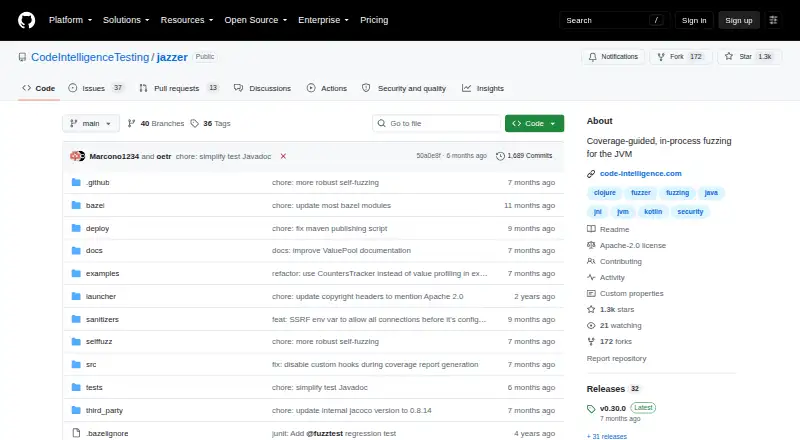
Jazzer provides free, open-source fuzzing for Java and other JVM languages. It instruments bytecode, mutates generated inputs, and uses coverage feedback to explore code. Projects can use JUnit 5.9+, Maven, Gradle, or Bazel workflows. Built-in detectors check issues such as SSRF, path traversal, command injection, and insecure deserialization patterns.
Review
In a line
Jazzer fuzzes JVM applications in process while using coverage feedback. It is open-source software based on libFuzzer techniques and runs locally.
What it does
You mark methods with the @FuzzTest annotation. Jazzer then generates and mutates parameters such as numbers, text, arrays, and standard library objects while tracking which code paths inputs reach.
JUnit fuzz tests can replay saved crashing inputs as regression tests. Fuzzing mode creates new inputs for additional coverage. New-coverage cases and failures are stored in separate directories.
Built-in detectors identify Java security problems such as server-side request forgery, file path traversal, OS command injection, and some insecure deserialization patterns. The standalone tool can also minimize a crashing input and run parallel jobs.
How it connects
JUnit 5.9.0 and later can host Jazzer fuzz tests alongside ordinary unit tests. Maven, Gradle, and Bazel workflows are documented, with rules_fuzzing support for Bazel.
The jazzer-junit package is available from Maven Central. You can run Jazzer through its Java main class or a platform binary downloaded from GitHub releases. It supports Java, Kotlin, Scala, Clojure, and native libraries loaded by the JVM.
The public BugDetectors API lets code configure selected checks, including SSRF and path-traversal detection. Settings can come from environment variables, system properties, JUnit properties, manifest attributes, defaults, or command-line flags.
Good fit
Jazzer suits teams testing JVM applications in local development or CI/CD. It is useful when you want generated and mutated inputs, coverage guidance, crash triage, or regression tests for previously found failures.
It can also fit projects using Java, Kotlin, Scala, Clojure, or JNI/native libraries. OSS-Fuzz includes Jazzer support for JVM languages and provides a FuzzedDataProvider for turning raw bytes into Java values.
Watch for
Jazzer targets the JVM, so it is not a general-purpose fuzzer for unrelated runtimes. Check the supported builds for your system: Linux x86_64 and arm64, macOS 12 or newer on x86_64 and arm64, and Windows x86_64.
The public issue tracker contains reports involving Android builds, JDK 25 segmentation faults, BigInteger generation stalls, and offline instrumentation failures. Review those issues against your environment before adopting it.
Pricing
Jazzer is free. The listed Jazzer plan covers coverage-guided, in-process JVM fuzzing on the supported Linux, macOS, and Windows builds.
The open-source plan is also free and is licensed under Apache-2.0.
Verdict
Choose Jazzer if your application runs on the JVM and you want fuzzing inside JUnit, build-tool workflows, or a standalone command. Its coverage feedback, saved-crash regression tests, security detectors, and public configuration API cover a broad local testing workflow.
Look elsewhere if you need a fuzzer for non-JVM software, an operating system outside its published list, or a setup unaffected by the issue reports noted above.
Our take
Jazzer is a practical choice for Java and related JVM projects that already use JUnit or standard Java build tools. It costs nothing, exposes its source under Apache-2.0, and offers both regression replay and active input mutation. The built-in security checks add focused coverage for several common Java flaws. Before committing, confirm your operating system and JDK combination, especially if you rely on Android, JDK 25, offline instrumentation, or difficult numeric input generation. Projects outside the JVM should choose a different tool.
- Free plan with an Apache-2.0 open-source license
- Fuzz tests can run with JUnit 5.9+ alongside unit tests
- Coverage feedback supports mutation and crash replay
- Security checks cover SSRF, path traversal, and command injection
- Build integrations are documented for Maven, Gradle, and Bazel
- Focused on JVM applications and supported platform builds
- Issue reports include Android and JDK 25 problems
- BigInteger generation stalls are reported
- Offline instrumentation failures are reported
- Pick it ifJava, Kotlin, Scala, or Clojure JVM projects; Teams using JUnit, Maven, Gradle, or Bazel; Local or CI fuzzing with crash regression tests
- Skip it ifYou need fuzzing for a runtime other than the JVM; Your environment depends on Android or an unsupported system build; You require native-only testing without JVM-loaded libraries
Pricing
Jazzer is free, including its open-source Apache-2.0 plan. There is no paid tier listed.
- JazzerCoverage-guided, in-process fuzzing for the JVM · Linux x86_64 and arm64, macOS 12+ x86_64 and arm64, Windows x86_64Free
- Jazzer open-sourceJVM fuzzing · local execution · Apache-2.0 licensedFree
As github.com lists them, checked 29 Sept 2026.
Questions
Is Jazzer free?
Yes. Jazzer and the Jazzer open-source plan are free.
Which languages can Jazzer fuzz?
Java, Kotlin, Scala, and Clojure applications can be fuzzed on the JVM, as can native libraries loaded by the JVM.
Does Jazzer work with JUnit?
Yes. JUnit 5.9.0 and newer can run Jazzer fuzz tests alongside regular unit tests.
Which build tools are supported?
The documented build integrations are Maven, Gradle, and Bazel, with rules_fuzzing support for Bazel.
What security issues can it detect?
Its built-in detectors cover SSRF, file path traversal, OS command injection, and some insecure deserialization patterns.
Where does Jazzer run?
Supported builds are Linux x86_64 and arm64, macOS 12 or newer on x86_64 and arm64, and Windows x86_64.
Can it replay earlier crashes?
Yes. JUnit integration replays saved crashing inputs as regression tests by default; fuzzing mode generates and mutates new inputs.