
JEB: Reverse-Engineering and Code Analysis Platform
pnfsoftware.com · checked 15 Oct 2026
JEB is a proprietary reverse-engineering platform for code and document analysis.
How it plugs in
Signal on Reverse Engineering Tools6.6#6 of 73
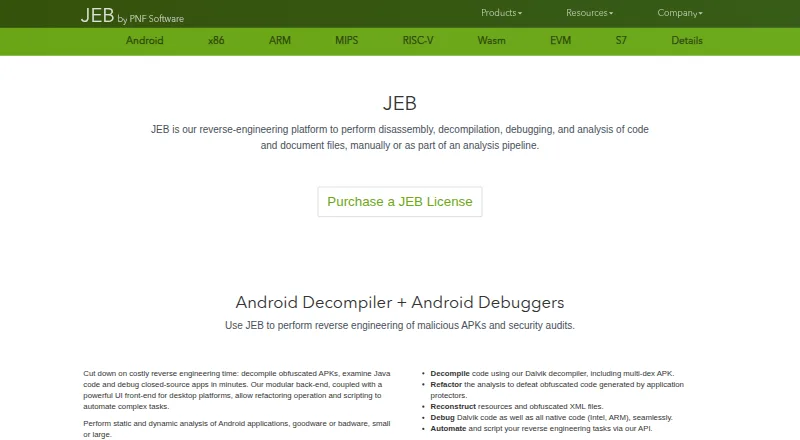
JEB combines disassembly, decompilation, debugging and analysis for software and document files. It covers Android, native processors, WebAssembly, Ethereum, Siemens S7 and PDFs. A desktop client runs on Windows, Linux and macOS, while Python and Java tools support automation. Community and demo editions are free; paid plans add modules, offline work and other features.
Review
In a line
JEB is a modular platform for taking apart and examining compiled code and document files. It supports disassembly, decompilation, debugging and analysis.
What it does
JEB analyzes Android apps with static and dynamic methods. It can decompile multi-dex apps, rebuild resources, debug Dalvik and native Intel or ARM code, and hook sensitive APIs.
Its modules also cover x86 and x86-64, ARM, MIPS, RISC-V, WebAssembly, Ethereum contracts, Nvidia SASS, Siemens S7 programs and PDF files. The PDF module reads document structure, handles difficult streams, extracts embedded JavaScript and flags suspicious areas.
For x86 code, the decompiler produces pseudo-C, offers partial MSVC class recovery and C++ decompilation, and supports interactive refactoring. It is aimed at reverse-engineering work.
How it connects
JEB has Python and Java APIs for scripts, plugins, analysis modules and custom front ends. Users can also build headless clients, meaning analysis can run without the desktop window.
Its VIBRE assistant and MCP server can connect to OpenAI, Anthropic, Google Gemini and AWS Bedrock-compatible endpoints. MCP clients include Codex CLI, Claude CLI, OpenCode and LM Studio. The server provides tools for projects, APK analysis, scripts and decompiler events.
The software is proprietary, although some separate plugins are open sourced. It runs on Windows, Linux and macOS on x64 and arm64 systems, and requires Java SE JDK 21 or newer.
Good fit
JEB suits researchers, students, hobbyists and reverse engineers at nonprofit organizations through its Community Edition. It also fits teams analyzing Android apps, native binaries, bytecode, PDFs or industrial S7 programs.
Automation users can write Python scripts or Java back-end plugins, add intermediate-representation optimizers and create custom front ends. Paid tiers support offline work, and a floating license lets the licensed number of seats connect at once.
Watch for
The demo decompiles only part of a program. It cannot save or load projects or use the clipboard, sessions expire, and an internet connection is required.
The desktop client needs JDK 21 or later; JDK 24 and newer are currently discouraged. RISC-V support excludes RV128, RVE and several unusual extensions, while floating-point decompilation is still planned.
JEB is commercial software rather than open source. Priority support costs 30% of the license price, and registered users receive a custom ZIP package by email.
Pricing
JEB has free editions and a free trial. The pricing note says paid access starts from $1,200/user/yr.
JEB Community Edition is free, focused on x86/x64, and includes most disassemblers and file analyzers. JEB Demo is free but has the session, project and internet limits described above.
Named paid plans are JEB Android at $140 a month (billed Monthly), JEB Pro at $2000 a year (billed Yearly), JEB Pro Floating at $4000 a year (billed Yearly), and JEB Pro OEM at $8000 a year (billed Yearly). These plans add Android or all modules, extensions, offline use and, depending on tier, floating seats, third-party clients or SaaS/back-end integrations.
Verdict
Choose JEB if you need one tool for Android, native, bytecode and document reverse engineering, with scripting or custom clients. Community Edition is the low-cost route for eligible noncommercial users, while paid plans cover broader modules and offline operation.
Skip it if you need open-source software, a fully featured free edition, or support for the RISC-V extensions JEB excludes. Check the JDK requirement, demo restrictions and license type before committing.
Our take
JEB is a fit for people who regularly inspect compiled software, Android applications or technical documents and need several analysis targets in one platform. Its Python and Java interfaces help automate repeat work, while MCP connections can bring external AI services and clients into projects. The free Community Edition covers a narrower audience and x86/x64 focus. Buyers should budget for commercial licensing, confirm that required architectures are supported, and account for the JDK 21 requirement and the demo’s session restrictions.
- Supports Android static and dynamic analysis
- Modules cover native code, bytecode, PDFs and S7 programs
- Python and Java APIs enable scripts and plugins
- Runs on Windows, Linux and macOS
- Free Community Edition and Demo editions
- Proprietary commercial software
- Demo cannot save projects or use the clipboard
- Requires JDK 21 or newer
- Some RISC-V extensions are unsupported
- Priority support costs 30% extra
- Pick it ifAndroid and native-code reverse engineering; Automated analysis with Python or Java; Researchers and nonprofits using Community Edition
- Skip it ifYou need open-source software; You require unsupported RISC-V extensions; You need unrestricted project saving in a free edition
Pricing
Free Community Edition and Demo are available, plus a free trial.
- JEB Demosubset decompilation · no project save/load · no clipboard · time-limited sessions · internet requiredFree
- JEB Community Editionx86/x64 focus · researchers, students, hobbyists and nonprofits · most disassemblers and file analyzersFree
- JEB AndroidMonthly · Android modules · official UI · extensions · offline use$140/mo
- JEB AndroidYearly · Android modules · official UI · extensions · offline use$1,200/yr
- JEB ProYearly · All modules · official UI · extensions · offline use · third-party clients$2,000/yr
- JEB Pro FloatingYearly · All modules · floating seats · extensions · offline use$4,000/yr
- JEB Pro OEMYearly · All modules · SaaS/back-end integrations · third-party clients · offline use$8,000/yr
As pnfsoftware.com lists them, checked 15 Oct 2026.
Questions
Is JEB free?
JEB offers a free Community Edition, a free Demo edition and a free trial. Paid plans are also available.
What operating systems does JEB support?
The desktop client runs on Windows, Linux and macOS on x64 and arm64 systems. It requires JDK 21 or newer.
Can JEB analyze Android apps?
Yes. It supports static and dynamic analysis, multi-dex decompilation, resource reconstruction, and Dalvik and native Intel or ARM debugging.
Does JEB have an API?
Yes. Python and Java APIs support scripts, plugins, analysis modules and custom front ends. Headless clients can automate analysis without the GUI.
What AI services can connect to JEB?
Its VIBRE assistant and MCP server connect to OpenAI, Anthropic, Google Gemini and AWS Bedrock-compatible endpoints.
What does JEB Pro cost?
JEB Pro costs $2000 a year (billed Yearly). JEB Pro Floating costs $4000 a year, and JEB Pro OEM costs $8000 a year.