Jekyll: Free, Open-Source Static Site Generator
jekyllrb.com · checked 15 Oct 2026
Jekyll builds static websites and blogs from text and templates.
How it plugs in
Signal on Static site generators8.3#1 of 35
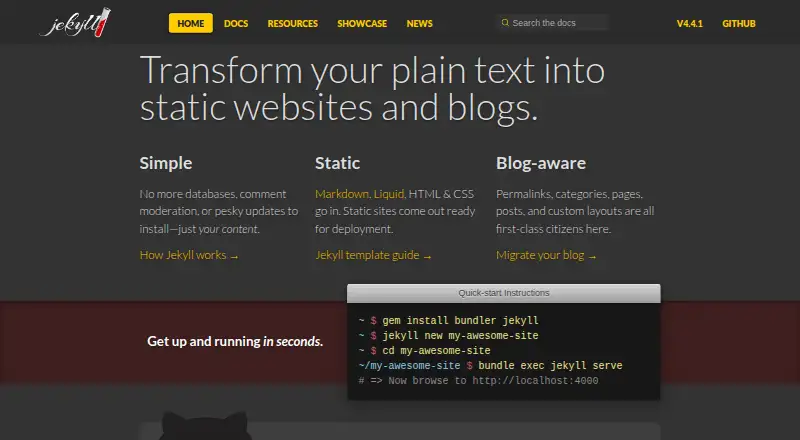
Jekyll is a free static-site generator released under an open-source model. It turns Markdown, Liquid, HTML and CSS, together with layouts, themes, plugins and blog features such as posts, pages and categories, into files ready to deploy. It supports several desktop systems, self-hosting and GitHub Pages.
Review
In a line
Jekyll uses text files and templates to assemble static websites and blogs. The result is a set of ready-to-serve files instead of pages produced from a database.
What it does
Authors can supply Markdown, Liquid, HTML or CSS, which Jekyll combines with layouts to assemble a site for deployment.
YAML front matter identifies files for Jekyll processing and makes custom values available to templates. Posts, pages, categories and permalinks come as core features. Custom collections can render structured documents as individual pages, while YAML, JSON, CSV or TSV files in _data provide data to templates.
Its command-line interface provides commands for creating, building, serving, cleaning, diagnosing and creating themes. Post scheduling is supported.
How it connects
Community-maintained templates and styles are supported through Jekyll's theme system, and site content can override theme files. A plugin framework supplies hooks, generators, converters, commands, template tags and filters without editing Jekyll's source.
Static output can be published manually, by automation or through third-party services. Apache, Nginx and other web servers can serve the generated files, so hosting is not locked to one vendor.
Static site generators such as Jekyll avoid databases, comment moderation and update maintenance. GitHub Pages runs on Jekyll and includes free hosting with support for custom domains.
Good fit
Jekyll suits people who want a text-and-file workflow for blogs or other static sites. It works well when content and site code should stay together in version control.
Installation guides cover Linux, macOS, Windows and self-hosted setups, including Ubuntu and FreeBSD.
Watch for
Installing it calls for Ruby 2.7.0 or newer, RubyGems, GCC and Make, plus the Jekyll and Bundler gems. Windows has no official support, although the documentation outlines RubyInstaller and Windows Subsystem for Linux setups.
There is no friendly WordPress-style editing backend, which can make updates difficult for nontechnical authors. In safe mode, plugins may need to be named in the whitelist before they can run.
Pricing
Jekyll is open-source software available at no charge, and no pricing or usage limits are stated. A free trial is unnecessary because the software itself costs nothing.
GitHub Pages can provide free hosting for the open-source option. Third-party themes, plugins and services may have separate charges.
Verdict
Choose Jekyll if you are comfortable managing files, templates and a Ruby-based installation, and you want static output that can be hosted in many places. It is also a practical match for GitHub Pages users and teams keeping site changes in version control.
Look elsewhere if writers need a browser-based editor or if you want an officially supported Windows installation.
Our take
Jekyll is a sensible choice for text-driven sites where portability and low software cost matter. Its generated files can live on ordinary web servers or GitHub Pages, and its themes and plugins allow site-specific changes. The trade-off is setup and maintenance: you need Ruby tooling, and editing is file-based rather than a friendly publishing dashboard. Windows users should treat support as unofficial. Use Jekyll for a technical, version-controlled workflow; choose another platform when nontechnical contributors need to publish directly in a web interface.
- Free, open-source software
- Generates deployable static files
- Works with themes, layouts and plugins
- Can run on Linux, macOS, Windows and self-hosted setups
- GitHub Pages offers free hosting with custom domains
- Ruby, RubyGems, GCC and Make are required for installation
- Windows is not officially supported
- No friendly WordPress-style editing backend
- Nontechnical authors may find updates difficult
- Third-party themes, plugins and services may carry separate costs
- Pick it ifFile-based blogs and static websites; Git-based teams and GitHub Pages users; People comfortable with Ruby tooling
- Skip it ifYou need a browser-based editor for nontechnical writers; You require officially supported Windows installation; You want hosting and publishing managed in one dashboard
Pricing
Jekyll is open-source and free to use, with no stated usage limits. GitHub Pages hosting is free; optional third-party themes, plugins and services may cost extra.
- JekyllStatic site generator · no pricing or usage limits statedFree
- Open-source JekyllStatic-site generator · GitHub Pages hosting available free · Optional third-party themes, plugins and services may cost extraFree
As jekyllrb.com lists them, checked 11 Oct 2026.
Questions
Is Jekyll free?
Yes. Jekyll is open-source software available at no charge, with no stated pricing or usage limits.
What does Jekyll create?
Jekyll turns Markdown, Liquid, HTML and CSS source into deployable static websites and blogs.
Where can Jekyll run?
It runs on Linux, macOS, Windows and self-hosted setups. Windows lacks official support, but guides describe RubyInstaller and Windows Subsystem for Linux.
Can I host a Jekyll site on GitHub?
Yes. GitHub Pages runs on Jekyll and includes free hosting with support for custom domains.
What do I need to install Jekyll?
The quickstart requires Ruby 2.7 or newer, RubyGems, GCC and Make, followed by the jekyll and bundler gems.
Does Jekyll use a database?
Jekyll generates static files, avoiding databases, comment moderation and update maintenance.