JPEGmini software review
jpegmini.com · checked 14 Oct 2026
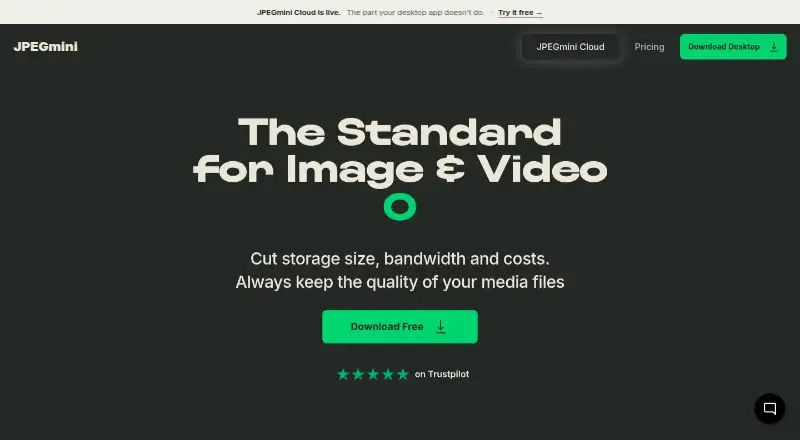
JPEGmini targets smaller photo and video files through compression, format conversion and resizing while seeking to retain visual quality.
How it plugs in
Signal on Image Compression Software7.1#24 of 85
JPEGmini is a toolkit for shrinking image and video files across desktop, server, automation and cloud workflows. JPEG and HEIC images are supported, while H.264 and H.265 video compression is available on Pro and during the Free plan’s seven-day trial. Desktop Free allows 50 images daily after the trial; desktop purchases are one-time licenses, and cloud plans bill annually.
Review
In a line
JPEGmini recompresses, converts and resizes image and video files to make them smaller while targeting preserved visual quality. JPEGmini, founded in 2009, is based in Herzeliya Pituach, Israel.
What it does
Its desktop application works with JPEG and HEIC images, can turn HEIC files into JPEG, resize content and handle batches. The maker claims reductions of up to 80% for standard JPEG photos, 75% for panoramas and 50% for videos, depending on the file. Desktop plans advertise panorama support through 512 megapixels.
Pro video support covers H.264 and H.265. Automations provide watch folders, background processing and reusable batch presets. A setup can output as many as four image sizes and four video sizes, with the guide allowing up to four automations.
JPEGmini Cloud groups uploaded photos and footage by people into galleries aimed at wedding photographers and filmmakers. Gallery recipients can view or download content without an account or app.
How it connects
Adobe Lightroom, Adobe Photoshop and Capture One are listed in the Pro + Plugins plan. JPEGmini also offers a image compression software option for server and desktop workflows.
JPEGmini Server provides a public REST endpoint at /api/v1/optimize for JPEG input, with optional scale, width or height parameters. Documentation shows curl, Python requests and C# calls. Installation is described for Debian or Red Hat Linux, and folders can be processed recursively.
The server operates on a company’s own machines. JPEGmini Photo Server can resize files and strip metadata when configured to do so. Desktop processing happens locally; cloud files are kept in AWS US East and encrypted in transit and at rest.
Good fit
JPEGmini suits photographers, filmmakers and teams seeking smaller media, batch handling or repeatable folder workflows. The plugin plan is intended for Lightroom, Photoshop and Capture One users.
It also serves companies wanting local server processing or an API for JPEG optimization. Cloud plans offer wedding galleries with varying event and storage allowances.
Watch for
After the seven-day full-feature trial, desktop Free permits 50 images per day; video is available during the trial. Purchased desktop licenses cover one device on Free and three on Pro, with one year of updates.
Cloud allowances vary: Cloud Free includes one wedding and 5 GB, Cloud Pro includes 55 weddings and 100 GB, and Cloud Studio includes 275 weddings and 500 GB. Cloud terms do not promise uninterrupted availability or guaranteed security.
The desktop application is proprietary rather than open source. Server setup requires root or sudo privileges and online license activation. Automation originals may be retained forever, one week, one day or not at all; the last option permanently deletes them after processing.
Pricing
Desktop Free follows a seven-day Pro trial, then includes JPEG and HEIC optimization, batch processing, 512-megapixel panoramas and one device, with a 50-image daily ceiling.
A one-time $59 Pro purchase adds unlimited images and videos, resizing and export, H.264/H.265 video compression and three devices. Pro + Plugins is $89 one time, while Pro + Automations is $99 one time. The $129 Complete Bundle combines Pro, plugins, automations and priority email support.
Cloud Free costs nothing indefinitely for one wedding and 5 GB. Cloud Pro is $199 annually for 55 weddings and 100 GB; Cloud Studio is $495 annually for 275 weddings and 500 GB.
Verdict
Choose JPEGmini when reducing media size is central and you need desktop batches, creative-app plugins, local server processing or a public API. Desktop Free suits light image workloads; Pro removes the daily image cap and includes video compression.
Look elsewhere if you need open-source software, formats beyond JPEG and HEIC, or cloud capacity above the listed wedding and storage limits. Consider whether one-time desktop licensing or annual cloud billing fits your budget.
Our take
JPEGmini fits photographers, filmmakers and companies seeking smaller JPEG, HEIC and video files. Its offerings include desktop Free, one-time desktop licenses, local server deployment, API access and annual cloud galleries. Constraints include the 50-image daily Free limit, video availability outside the trial on Pro, proprietary licensing and fixed cloud capacities. Review automation deletion choices and cloud terms before uploading valuable media.
- JPEG and HEIC optimization, including HEIC-to-JPEG conversion
- Batch handling, resizing and panoramas up to 512 megapixels
- Lightroom, Photoshop and Capture One integrations
- REST API plus self-hosted Linux server deployment
- Desktop Free tier with a seven-day full-feature trial
- Desktop Free allows only 50 images daily after the trial
- H.264/H.265 video compression is included with Pro and available during the trial
- Cloud plans set wedding and storage ceilings
- Proprietary software with one year of updates on desktop purchases
- Cloud terms disclaim guaranteed uninterrupted availability
- Pick it ifPhotographers and filmmakers reducing large media files; Teams needing batch folders, plugins or local server processing; Developers connecting JPEG optimization through an API
- Skip it ifYou need open-source software or formats beyond JPEG and HEIC; You require unlimited cloud weddings or storage; You need video compression at no cost after the trial
Pricing
Cloud storage ranges from a free one-wedding, 5 GB tier to annual plans priced at $199 and $495.
- Free7-day full-feature trial, then free tier · 50 images/day · video during trial only · JPEG/HEIC optimization · batch processing · 512MP panoramas · 1 deviceFree
- Cloud Free$0 forever · 1 wedding · 5 GB · photos and video · one free go · link brandingFree
- Free (Desktop)$0; free after a 7-day Pro trial · 50 images per day after trial · video during trial only · 1 deviceFree
- Proone-time purchase; one year of updates · Unlimited images/videos · H.264/H.265 video · resize/export · 3 devices$59 one-time
- Pro + Pluginsone-time purchase; one year of updates · Everything in Pro · Lightroom, Photoshop and Capture One plugins$89 one-time
- Pro + Automationsone-time purchase; one year of updates · Everything in Pro · watch folders · background processing · batch presets$99 one-time
- Complete Bundlesale price shown from $149; one year of updates · Pro · all plugins · all automations · priority email support$129 one-time
- Cloud Proannual billing · 55 weddings · 100 GB · photos and video · unbranded galleries$199/yr
As jpegmini.com lists them, checked 14 Oct 2026.
Questions
Is JPEGmini free?
Yes. Desktop Free follows a seven-day full-feature trial and then permits 50 images per day. Cloud Free remains free for one wedding and 5 GB.
What file types does JPEGmini support?
Desktop tools handle JPEG and HEIC images. H.264 and H.265 video compression is included with Pro and works during the Free trial.
Does JPEGmini have an API?
Yes. JPEGmini Server exposes a REST POST route, /api/v1/optimize, that takes JPEG data and optional scale, width or height values.
Can JPEGmini run on a company’s servers?
Yes. Server documentation covers Debian and Red Hat Linux installation, root or sudo privileges and online license activation.
Which creative apps connect to JPEGmini?
Pro + Plugins lists integrations for Adobe Lightroom, Adobe Photoshop and Capture One.
How much does JPEGmini Pro cost?
The Pro license is a one-time $59 purchase. Pro + Plugins is $89, Pro + Automations is $99, and the Complete Bundle is $129.
How does JPEGmini handle cloud privacy?
JPEGmini says cloud files are encrypted in transit and at rest; its cloud statement says uploaded media is not sold, shared with model providers or used to train AI systems.