KaamCam Field Service Software
kaamcam.com · checked 14 Oct 2026
Field service software for contractor scheduling, job records, billing and fire-protection inspections.
How it plugs in
Signal on Fire Protection Software6.2#4 of 31
KaamCam gives construction and trade contractors tools for scheduling, dispatch, GPS time records, job photos, estimates, invoices, documents, team coordination and customer updates. Its fire-protection tools handle NFPA inspection lists, AHJ scheduling, NICET credentials, repeat billing and signed PDF reports. It runs on web, iOS and Android, including offline mobile use.
Review
In a line
KaamCam helps contractors coordinate jobs, crews, paperwork and customer communication through web, iOS and Android apps.
What it does
Teams can schedule visits, assign crews, dispatch from a drag-and-drop board, optimize routes and see live crew GPS. Workers can use location-verified clock-in and clock-out, attach timestamped GPS job photos, and continue working offline until synchronization resumes.
The system handles estimates, invoices, payment tracking, job costs and reports. Approved estimates can turn into jobs or invoices. A branded customer portal shows status, photos, updates, quotes and invoices, while team chat is arranged by job, task or group.
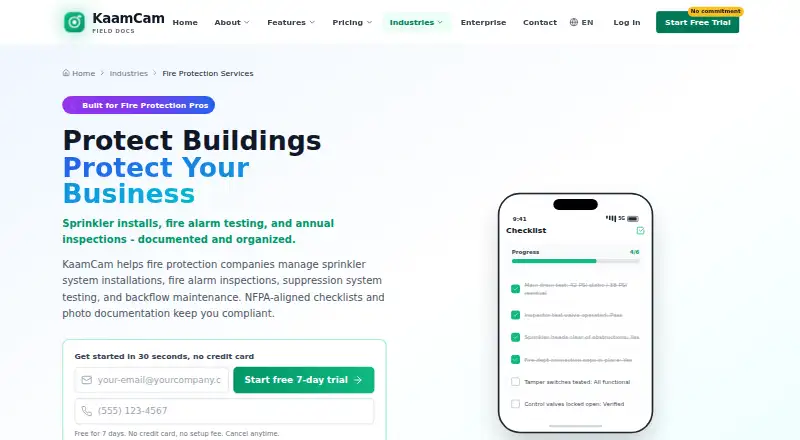
Fire-protection workflows include NFPA inspection lists, an AHJ calendar, NICET certification records, recurring inspection charges and signed PDF reports. Reusable checklists, safety audits, document scanning and digital sign-offs support field records.
How it connects
QuickBooks and Stripe are included, with Stripe links and partial-payment tracking available on invoices. An official guide also names Xero and Google Calendar synchronization, and the features page mentions QuickBooks export.
The service has web, iOS and Android access. Its mobile apps can sync work after offline use, and the iOS listing describes widgets, Live Activities, Siri Shortcuts, Spotlight search, biometric unlock, push notifications, background sync and Apple Watch support.
GetApp lists an API capability with zero user-derived feature ratings. No open-source code or self-hosted option is identified.
Good fit
KaamCam suits contractors that need one system for dispatch, field documentation, billing and customer updates. The maker describes it for more than 65 industries, including fire-protection work.
It fits teams that need location-tagged photos, GPS-verified timesheets, recurring visits, inspection records, route planning or a customer portal. Offline mobile work helps crews in places without a live connection.
Watch for
A free plan is not offered. Because pricing is charged per seat, larger crews should tally users before subscribing. No self-hosted deployment option or open-source license is identified.
Apple's listing calls for iOS 16.4+, iPadOS 16.4+, or macOS 12+ on an Apple M1-or-newer Mac. Google Play says the app may collect location, personal information and six additional data categories.
Support is by email seven days a week, 9 AM–6 PM Eastern. The maker says most inquiries get a reply within a few hours.
Pricing
The KaamCam plan is priced at $19.99 per seat each month. Monthly billing has no contract and covers every feature, unlimited jobs, photos and invoices, scheduling, dispatch, route optimization, iOS and Android apps, widgets and offline mode.
Prospective users can try it free for seven days without entering a card. There is no free plan, and the pricing page says there are no tiers or hidden fees and that users can cancel anytime.
Verdict
KaamCam suits crews that want mobile job records, scheduling, billing and customer visibility together, particularly for fire-protection inspections. Its offline apps, GPS evidence and inspection tools cover field conditions that a basic invoicing app may not.
Look elsewhere if you require a published self-hosting option, open-source code, or API information before buying. The per-seat fee also matters for large teams, even though the single plan includes all listed features.
Our take
KaamCam fits trade contractors seeking dispatch, field evidence, invoicing and customer updates in one system. Fire-protection companies get dedicated inspection and certification workflows alongside general job tools. Offline mobile access and location checks can help crews working away from reliable service. Seat count, Apple device requirements and deployment needs are key buying considerations. A seven-day trial without a card gives teams a short way to check those needs before paying.
- Fire-protection checklists, calendars and certification tracking
- Offline iOS and Android apps with automatic sync
- GPS-tagged photos and location-verified time records
- QuickBooks and Stripe built in
- One plan includes all features and unlimited jobs
- No free plan; billing is per seat
- No open-source license or self-hosted option is stated
- Apple devices need relatively recent operating systems
- Google Play lists location and other data collection
- Pick it ifFire-protection and trade contractors managing mobile crews; Teams needing inspection records, dispatch and customer portals; Businesses wanting offline field work
- Skip it ifYou need self-hosted deployment or open-source code; You require API information before choosing; Per-seat pricing does not fit a large workforce
Pricing
The only listed plan is $19.99 per seat per month, with all features and no contract. A seven-day trial is free and needs no credit card; there is no free plan.
- KaamCamper seat; monthly, no contract · all features · unlimited jobs, photos and invoices · scheduling, dispatch and route optimization · iOS and Android apps · widgets and offline mode$19.99/mo
As kaamcam.com lists them, checked 14 Oct 2026.
Questions
Does KaamCam offer a free plan?
No. KaamCam is paid, but it offers a seven-day trial without requiring a credit card.
What does KaamCam cost?
The KaamCam plan costs $19.99 per seat each month, billed monthly without a contract. Every listed feature is included, with no tiers or hidden fees.
Can KaamCam work without internet?
Yes. The iOS and Android apps keep working offline and sync once connectivity returns.
Which accounting tools connect to KaamCam?
QuickBooks and Stripe are included. An official guide also names Xero and Google Calendar synchronization, while the features page mentions QuickBooks export.
Does KaamCam support fire-protection inspections?
Yes. Its fire-protection tools provide NFPA inspection lists, an AHJ calendar, NICET certification tracking, repeat inspection billing and signed PDF reports.
Is there a KaamCam API or self-hosted version?
GetApp lists an API capability with zero user-derived feature ratings. No self-hosted option or open-source license is identified.
What devices can run KaamCam?
KaamCam runs on the web, iOS and Android. Apple's listing specifies iOS 16.4+, iPadOS 16.4+, or macOS 12+ on an Apple M1-or-newer Mac.