
Integrated Development Environments
KDevelop: Free Open-Source Development Environment
kdevelop.org · checked 4 Oct 2026
Open-source development environment for C, C++, JavaScript/QML, with Python and PHP plugins.
How it plugs in
Signal on Integrated Development Environments6.6#10 of 65
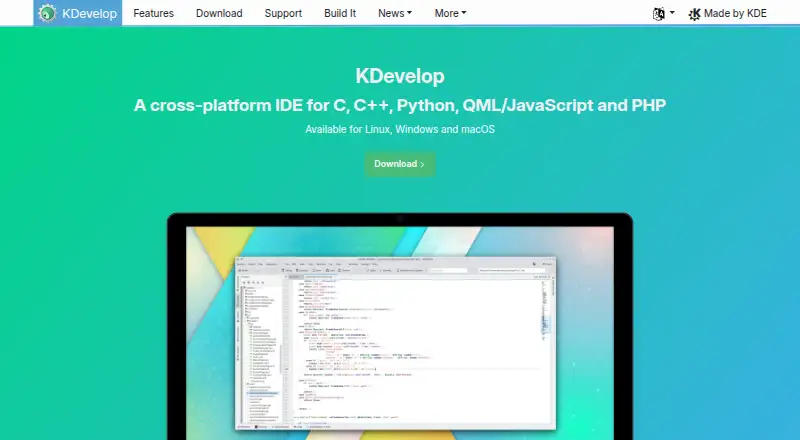
KDevelop provides a free, open-source development environment that works on Linux, macOS and Windows. C, C++ and JavaScript/QML are handled by its parser backends, while Python and PHP arrive through optional plugins. Code navigation, completion, build tools, graphical debugging, testing integration and version-control connections are included. Windows nightly builds can be unstable.
Review
In a line
KDevelop is a no-cost, open-source environment for multiple programming languages. Linux, macOS and Windows users can run it.
What it does
C, C++ and JavaScript/QML have built-in parser backends; Python and PHP are available through optional plugins. Supported languages get semantic highlighting, code navigation and code completion.
Navigation tools locate symbol uses, declarations and definitions, provide Quick Open, and browse projects, classes and functions. Graphical debugger support covers C/C++ and Python, while PHP debugging comes through an extra plugin.
Projects can use CMake or QMake, with partial support for custom Makefiles. Tools including make and ninja can be invoked. Unit-test integration, code formatting and a filterable Problems view are included.
How it connects
Through its graphical interface, KDevelop integrates Git, Bazaar, Subversion, CVS and Perforce. Mercurial is offered through an optional plugin.
QtHelp documentation files, Man pages and CMake help pages can be integrated. Its plugin architecture supports extensions such as Clang-Tidy, Heaptrack and Perforce support.
Downloads include Linux distribution packages, Snap, a Windows nightly build, a Chocolatey package and a macOS release installer. KDevelop is open source.
Good fit
KDevelop works well for free IDE users handling C or C++ projects, including those built with CMake or QMake. Navigation, completion, debugging and testing tools put common coding tasks in one application.
JavaScript/QML projects are also covered, while Python and PHP users can add the corresponding plugins. Several established version-control systems, including Git, are supported.
Watch for
Because the Windows nightly build is compiled from the master branch, it can include bugs, unfinished features or instability. Chocolatey packages are developed independently of KDE and may be out of date.
Python and PHP capabilities, Mercurial version control and PHP debugging depend on optional plugins. Custom Makefile support is partial. KDE forums and Matrix rooms offer volunteer community help without a warranty.
Pricing
KDevelop costs nothing: the listed plan is free, with no paid tiers stated. A separate free trial is not offered because the software itself is free.
Verdict
Consider KDevelop when you want an open-source environment for Linux, macOS or Windows and mainly use C, C++, JavaScript/QML, or plugin-enabled Python and PHP. Its build, navigation, debugging and testing tools support a broad daily workflow.
Review the plugins you need and the condition of your chosen package before committing.
Our take
KDevelop offers a no-cost, open-source coding workspace for Linux, macOS and Windows. Its listed build, navigation, debugging and testing functions make it particularly suitable for C and C++ projects. JavaScript/QML is handled directly, whereas Python and PHP require plugins. Windows users should consider the nightly-build warning, and custom Makefile users should account for partial support. With no paid plans listed, compare your language and plugin requirements with the available installer.
- No-cost, open-source development environment
- Available on Linux, macOS and Windows
- Works with CMake, QMake, make and ninja
- Graphical debuggers plus integrated unit testing
- Graphical integrations for Git and other version-control systems
- The Windows nightly build can be unstable or unfinished
- Chocolatey packages may lag behind current releases
- Custom Makefile handling is partial
- Python, PHP and Mercurial rely on optional plugins
- Pick it ifC and C++ work built with CMake or QMake; Developers seeking an open-source environment across three operating systems; Users who want debugging and testing built in
- Skip it ifYou require a stable Windows release instead of a nightly build; Your projects rely extensively on custom Makefiles; You need PHP, Python or Mercurial without adding plugins
Pricing
KDevelop is free, with no paid tiers stated. There is no separate trial; the available plan is the free IDE.
- KDevelopFree IDE; no paid tiers statedFree
As kdevelop.org lists them, checked 4 Oct 2026.
Questions
Is KDevelop free?
Yes. The available KDevelop plan is free, and no paid tiers are stated.
Which operating systems run KDevelop?
Packages and installers are available for Linux, macOS and Windows.
Which languages does KDevelop support?
Its parser backends handle C, C++ and JavaScript/QML; Python and PHP come via optional plugins.
Does KDevelop include a debugger?
Yes. Graphical debugging is provided for C/C++ and Python, with PHP debugging through an extra plugin.
Which build systems can it use?
CMake and QMake are supported, custom Makefiles receive partial support, and make or ninja can be invoked.
Does it work with Git?
Yes. The graphical integrations list Git, Bazaar, Subversion, CVS and Perforce; Mercurial requires an optional plugin.
Is the Windows package stable?
The Windows nightly build can contain bugs, incomplete features or instability. Chocolatey packages may also be out of date.