Kiosk Free Open-Source PDF Reader
github.com · checked 15 Oct 2026
Open-source PDF viewing across browsers, devices, desktops, and extensions.
How it plugs in
Signal on Webhook Management Software7.7#1 of 29
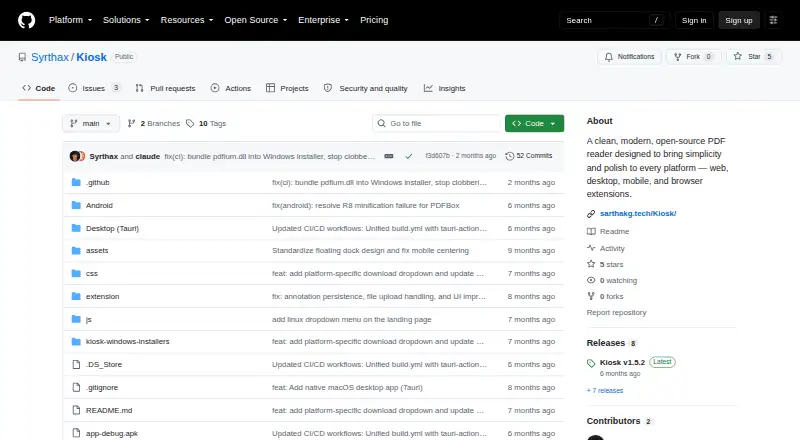
Kiosk is a no-cost, open-source reader for PDFs on the web, desktop systems, Android, iOS, Linux, macOS, Windows, and browser extensions. Its Chrome add-on brings together text lookup, thumbnail navigation, zoom controls, display themes, and annotation tools. Processing happens on the device, and the project states that it uses neither cloud processing nor telemetry and does not require an account.
Review
In a line
This open-source reader covers computers, phones, browser use, and self-hosted web deployment at no cost.
Sarthak Ghosh created the project, which carries the MIT License.
What it does
Kiosk renders PDFs, finds text and highlights matches, and offers a thumbnail strip for page navigation. Zoom controls include ordinary enlargement as well as fit-width and fit-page modes.
The interface offers light, dark, and inverted night display modes, plus keyboard commands for opening files, searching, zooming, controlling the sidebar, and moving through pages.
In Chrome, users can highlight, underline, apply strikethrough, draw freehand, add shapes, and place text notes; Chrome storage preserves these annotations.
How it connects
The desktop editions open PDF files directly and can be associated with them. In Chrome, the extension intercepts PDFs and accepts web URLs, local files, and data URLs.
For self-hosting, the web app may run locally or be published through GitHub Pages. Installation involves cloning the repository and running a local Python or Node HTTP server.
Published project pages describe no public HTTP API, SDK, or developer integration interface. After installation, Android does not need internet access, and extension release notes indicate offline support.
The extension works with Chrome 88+, Edge 88+, and Brave; Firefox and Safari are identified as incompatible in the README.
Good fit
Kiosk fits readers seeking an account-free PDF tool across multiple operating systems and browser contexts. It also suits people who favor open-source software or on-device document handling.
Search, thumbnails, theme choices, zoom options, and keyboard commands cover routine reading, while Chrome users receive additional document-markup controls.
Watch for
The Android build calls itself an early alpha, and its notes say feature work and performance optimization continue.
The macOS application uses ad-hoc signing instead of notarization, so Gatekeeper may warn on first opening. macOS requires version 10.15 or newer and about 50 MB; Windows needs version 10 (1803 or newer) and about 50 MB; Android needs version 8.0 or newer and about 30 MB.
A desktop build from source needs Node.js 18+, Rust 1.70+, and PDFium on macOS. Guidance is centered on the README, installation material, source tree, and release notes, while Linux bug reports are directed to GitHub issues.
Pricing
Kiosk is offered at no cost; the only listed option is the Free plan, and no paid plans or prices appear.
Because the software is free and no paid tier is listed, a separate trial offer is not provided.
Verdict
Choose Kiosk for open-source PDF reading that keeps handling on the device and offers offline options. Its wide platform reach, direct desktop file opening, keyboard controls, and Chrome markup make it practical for personal reading.
Look elsewhere if Firefox or Safari support, a public developer interface, or a more mature Android release is essential. Mac users should account for the possible Gatekeeper warning, and self-hosting involves basic server setup.
Our take
Kiosk suits readers who want free, open-source PDF software with local processing and offline capability across many platforms. Chrome adds a broad annotation set, while desktop versions provide direct file handling and shortcuts. Constraints include unsupported Firefox and Safari extensions, no described public developer interface, and an Android release still labeled early alpha; macOS may show a Gatekeeper warning because the app lacks notarization.
- Released under the MIT License and offered at no cost
- Covers web, desktop, Android, iOS, Linux, macOS, and Windows
- Provides search, thumbnails, multiple zoom views, and light, dark, and night themes
- Chrome extension offers a broad set of annotation controls
- On-device PDF processing is stated, with no account requirement
- Android edition remains an early alpha
- Firefox and Safari are unsupported by the extension
- The macOS application is not notarized and may prompt Gatekeeper
- No public HTTP API, SDK, or developer integration interface is described
- Self-hosting and desktop compilation require technical setup
- Pick it ifReaders seeking free, open-source PDF software; Chrome users who annotate documents; People preferring offline, on-device PDF handling
- Skip it ifFirefox or Safari extension support is required; A public developer interface is needed; You want a mature Android release
Pricing
Kiosk is listed without a charge, and no paid plans or prices are provided. There is no separate trial offering.
- Freeopen-source PDF reader · no paid plans statedFree
- KioskOpen-source PDF reader; no paid plans or prices statedFree
As github.com lists them, checked 15 Oct 2026.
Questions
Does Kiosk cost anything?
No. Kiosk is open-source and free to use, with no paid prices shown in the listed plans.
Can it be used without an internet connection?
Yes. Android is described as needing no connection after installation, and extension release notes mention offline support.
Which browsers can run its extension?
Chrome 88+, Edge 88+, and Brave are supported. Firefox and Safari are identified as incompatible in the README.
What markup tools are available?
In Chrome, the extension supports highlights, underlines, strikethrough, freehand drawing, shapes, and text annotations, with annotations kept in Chrome storage.
Is an account or cloud upload needed?
No account is needed. The project says PDFs are processed on the device and that there is no cloud processing or telemetry.
Is self-hosting possible?
Yes. You can run the web app locally or publish it through GitHub Pages; setup involves a repository clone and a local Python or Node HTTP server.
Is there a public developer API?
The published project pages do not describe a public HTTP API, SDK, or developer integration interface.