
Kraken.io: Image Compression, Resizing, and Pricing
kraken.io · checked 15 Oct 2026
Kraken.io handles image compression, resizing, and format changes from a web interface, plugins, or an API.
How it plugs in
Signal on Image Compression Software8.5#1 of 85
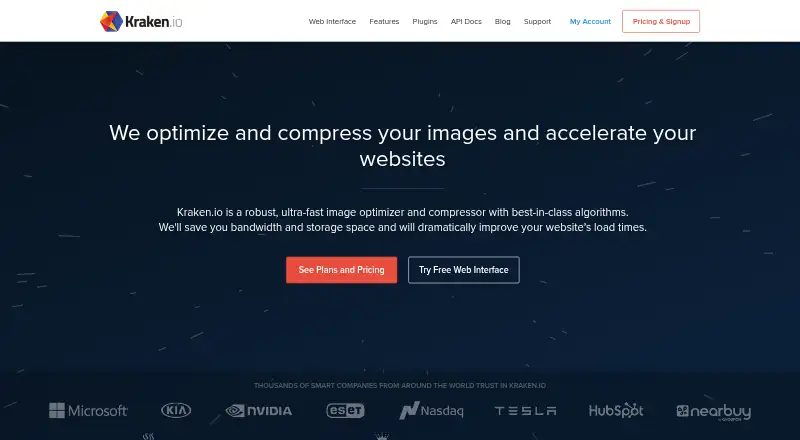
Kraken.io offers freemium image optimization for shrinking, resizing, and converting files. It works in a browser without code, through an API, or with WordPress and Magento plugins. Plans draw from one monthly quota across these tools. Accounts begin with 100 MB for testing, and paid service starts at $5 per month.
Review
In a line
Kraken.io automates image compression, resizing, and format conversion while retaining visual quality. It runs on the web and through software connections such as an API and plugins.
What it does
The browser interface lets you drag in images, ZIP archives, or files for conversion without writing code. Images can be compressed, resized, or converted; ZIP uploads containing multiple images come back as a processed archive with its folder layout intact.
JPG, PNG, WebP, GIF, SVG, AVIF, HEIC, and PDF are supported. Batch processing, both compression modes, and metadata controls are available. The maximum upload size on PRO plans is 32 MB; the free interface allows 1 MB files.
How it connects
Its public API accepts HTTPS POST requests and authenticates with a JSON object containing an API key and secret. Completion jobs can trigger an HTTP POST callback, and results can go directly to Amazon S3, Rackspace CloudFiles, Microsoft Azure, or SoftLayer storage.
Official libraries are listed for PHP, Node.js, Ruby, Go, .NET C#, Java, Python, and PowerShell. Documented connections include WordPress, Magento, Gulp, and Grunt, plus third-party clients or plugins for several other platforms. WordPress and Magento each have official plugins.
The API, browser interface, WordPress plugin, and Magento extension all consume the same monthly image quota. Each plan allows up to ten sets of API credentials for separate applications or sites.
Good fit
Kraken.io suits people who need to reduce image files, resize them, or change formats in batches. The browser workflow works for nontechnical users, while the API and libraries support automated jobs.
WordPress users can have uploads and thumbnails optimized automatically. The plugin also supports bulk processing, WebP and AVIF conversion, PDF compression, resizing, and selected EXIF preservation.
Watch for
Kraken.io offers no trial period and is proprietary rather than open source. Every account begins with 100 MB of testing quota, and signup does not require a credit card.
Monthly quota is based on unprocessed source-image data before overage charges. The API, browser interface, WordPress plugin, and Magento extension use that shared allowance, so work in one reduces what is available to the others.
Subscriptions are charged upfront on a monthly or yearly schedule and cannot be refunded. Accounts can be canceled, downgraded, or upgraded at any time without a contract.
Pricing
A free Kraken.io account provides 100 MB for testing. Paid service begins at $5 per month, with monthly and yearly billing available.
Micro costs $5 monthly for 500 MB, then $5 for each extra GB. Basic is $9 monthly for 2 GB, with $4 per additional GB. Advanced is $19 monthly for 5 GB, with $3 per additional GB.
Premium is $39 monthly for 15 GB, with $2 per additional GB. Enterprise is $79 monthly for 60 GB, with $1 per additional GB.
Verdict
Choose Kraken.io if you need image processing in a browser as well as through an API, WordPress, or Magento. Its ZIP workflow and shared quota can help teams handle batches across several entry points.
Look elsewhere if you need open-source software, a free trial, or free uploads larger than 1 MB. Check your source-image volume carefully because the monthly allowance covers all connected Kraken.io tools and extra usage is billed per gigabyte.
Our take
Kraken.io is a practical option for people who want one image service across browser uploads, automated API jobs, and site plugins. The free account gives 100 MB for testing without a card, and paid plans cover higher monthly volumes with stated overage rates. Its main buying decision is quota: API calls, browser work, WordPress, and Magento all draw from the same allowance. It is a weaker match for buyers seeking open-source software, a free trial, or a larger free upload limit.
- Browser-based compression, resizing, and conversion without code
- ZIP batches return with their folder structure intact
- API callbacks and direct cloud-storage output
- Official plugins for WordPress and Magento
- 100 MB of testing quota on a free account
- No trial period
- Free interface accepts files only up to 1 MB
- One quota serves every Kraken.io entry point
- Additional gigabytes incur overage charges
- Not open source
- Pick it ifTeams processing images through browser, API, or site plugins; WordPress and Magento sites needing automatic optimization; Batch conversion and resizing workflows
- Skip it ifYou need open-source software or a free trial; Your free workflow requires files larger than 1 MB; You want separate quotas for browser, API, and plugins
Pricing
The free tier supplies 100 MB for testing. Paid options cost $5 to $79 monthly, with monthly or yearly billing, included image volume, and per-GB overage rates. All Kraken.io tools draw from the same quota.
- Free100 MB testing quotaFree
- Micro$50 / yr. · 500 MB images per month · $5 per additional GB$50/yr
- Basic$90 / yr. · 2 GB images per month · $4 per additional GB$90/yr
- Advanced$190 / yr. · 5 GB images per month · $3 per additional GB$190/yr
- Premium$390 / yr. · 15 GB images per month · $2 per additional GB$390/yr
- Free Account100 MB testing quota · no credit cardFree
- Micro$5 / mo. · 500 MB images per month · $5 per additional GB$5/mo
- Basic$9 / mo. · 2 GB images per month · $4 per additional GB$9/mo
As kraken.io lists them, checked 28 Sept 2026.
Questions
Is Kraken.io free?
Yes. Accounts start with 100 MB of testing quota, and signup requires no credit card. Kraken.io does not provide a free trial.
What file types does Kraken.io support?
Supported files are JPG, PNG, WebP, GIF, SVG, AVIF, HEIC, and PDF.
Can Kraken.io process batches?
Yes. Uploading a ZIP of images through the web interface produces a processed archive with the original folder structure preserved.
Does Kraken.io have an API?
Yes. Requests use HTTPS POST, completion callbacks are available, and results can be written to the listed cloud-storage services.
What is the largest upload size?
Files through the free interface can be 1 MB; PRO plans accept uploads as large as 32 MB.
How does Kraken.io quota work?
The monthly measure uses unprocessed source-image data. API, web, WordPress, and Magento usage all consume that shared quota.
Can I change or cancel a plan?
You may cancel, downgrade, or upgrade an account at any time without a contract. Billing is in advance and non-refundable.