
Container Orchestration Software
KubeSphere: Kubernetes Platform for Multi-Cluster Management
kubesphere.io · checked 15 Oct 2026
Open-source Kubernetes control plane for cloud-native workloads spanning clusters and tenants.
How it plugs in
Signal on Container Orchestration Software7.4#1 of 32
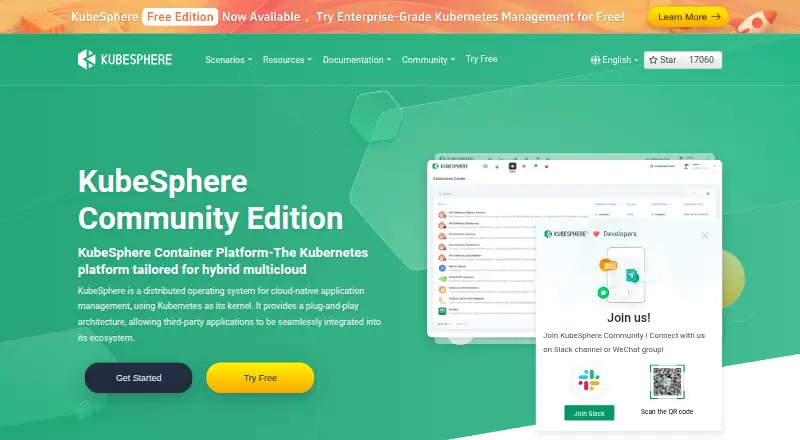
KubeSphere is a self-hosted Kubernetes-based system for operating cloud-native applications on varied infrastructure. It brings together cluster administration, tenant isolation, observability, delivery automation, application lifecycle tooling and optional extensions. Community Edition carries no software charge, while backup tiers and Enterprise capabilities introduce paid limits or quote-based access.
Review
In a line
KubeSphere is an open-source platform built around Kubernetes for running cloud-native applications. It runs as a web, Linux, self-hosted and API-accessible system on public or private infrastructure.
What it does
Infrastructure, development and operations teams can use KubeSphere to administer Kubernetes clusters from one place across clouds and other infrastructure. The platform provides tenant separation, autoscaling, rolling releases and policy management.
Its application management layer gives Helm and Operator workloads a common lifecycle. Core functions include monitoring, alerts, event and audit-log queries, tenant log collection, ingress and traffic handling, plus Jenkins-based delivery flows such as Source-to-Image and Binary-to-Image.
Optional extensions add service-mesh releases such as blue-green and canary deployments, traffic mirroring, monitoring and tracing. GateKeeper adds configurable Kubernetes admission policies, while the App Store lets tenants handle repositories and application submissions through release and removal.
How it connects
KubeSphere uses a plug-in architecture for third-party applications and open-source tools. Named ecosystem tools include Grafana, Loki and Higress. In version 4.x, DevOps, service mesh, observability, App Store, edge, networking and storage are delivered as separately maintained extensions.
A REST API backend includes an API server and controller manager. The project publishes API reference material, an OpenAPI/Swagger specification and version-discovery endpoints. Extension-development documentation, samples and the ksbuilder command-line tool are available through the project.
Deployment is supported on public or private clouds, bare metal and existing Kubernetes clusters, with online, offline and air-gapped installation options. Supported runtimes include Docker 20.10+, containerd, experimental CRI-O and iSula. Calico and Flannel are supported network plugins; Cilium and Kube-OVN are compatible but not fully tested. KubeSphere 4.x uses Apache License 2.0 with extra conditions for some commercial uses.
Good fit
KubeSphere suits infrastructure, developer and operations teams running Kubernetes who need centralized multi-cluster management, tenant isolation and application operations. It also fits organizations that want a web console, API access and independently managed extensions.
Its tools are useful for teams combining observability, Jenkins-based delivery, application catalogs, gateway administration and service-mesh traffic controls in one Kubernetes platform.
Watch for
The v4.1.3 documentation sets a per-node floor of 2 CPU cores, 4 GB memory and 40 GB disk. For production, it recommends 8 cores, 16 GB memory and 200 GB disk. KubeSphere v4.1.3 has been tested with Kubernetes v1.21–v1.30; compatibility outside that range is not assured.
Check the runtime and network-plugin support before deployment, especially when using experimental or not-fully-tested choices. Version lifecycle also matters: v3.4 reached end of life on December 25, 2025, and lifecycle-expired releases no longer receive upgrades, fixes or support. An October 10, 2024 notice covered an IDOR vulnerability affecting versions 3.4.1 and 4.1.1.
Enterprise security adds image hardening, two-factor authentication and vulnerability fixes. Enterprise also adds permission controls at platform, cluster and application levels, plus professional technical support, but these offerings require a subscription or sales contact.
Pricing
Community Edition carries a perpetual zero-price license and bundles multi-cluster administration, role-based access with tenant isolation, observability, application lifecycle management, DevOps and 16 extensions. Backup Free protects 2 applications for 3 days, provides 10 GB of hosted storage and community support, and omits resource templates and database-consistency protection.
Backup Basic is priced at USD 65/month, USD 183/quarter or USD 670/year. The tier allows 100 applications, 14-day retention, 8×5 support, 100 GB of hosted storage and 3 resource templates, without database-consistency protection. Backup Standard is USD 200/month, USD 564/quarter or USD 2,064/year, covering 500 applications, 30-day retention, 8×5 support, 500 GB, 10 templates and database-consistency protection.
Backup Enterprise is listed at USD 340/month, USD 958/quarter or USD 3,508/year. It allows 1,500 applications, 90-day retention, 8×5 support, 1 TB, unlimited templates and database-consistency protection. Backup Exclusive and KubeSphere Enterprise require a sales quote. A free trial is available.
Verdict
Choose KubeSphere if you already operate Kubernetes and want a self-hosted control layer for multiple clusters, tenants, delivery workflows and operational add-ons. The free Community Edition makes it possible to start without a software charge, while paid backup tiers define storage, retention and support limits.
Look elsewhere if you need a managed service rather than installing and maintaining the platform yourself, or if your Kubernetes version, runtime or network plugin falls outside the tested combinations. Enterprise controls and support are separate commercial offerings.
Our take
KubeSphere is a sensible option for teams that want to run their own Kubernetes management layer and bring cluster operations, tenant permissions, observability and delivery workflows together. Its free Community Edition lowers the entry cost, and its extension model lets organizations add selected capabilities. Buyers should budget for infrastructure work, verify version compatibility and decide whether backup capacity or Enterprise support is needed. Teams seeking a vendor-managed service, guaranteed compatibility with untested components or built-in commercial support at no extra contract should consider other products.
- Community Edition at no software cost with multi-cluster, observability and DevOps features
- Manages multiple Kubernetes clusters across clouds and infrastructure
- REST API plus OpenAPI/Swagger specification
- Supports offline, air-gapped and existing-cluster installations
- Pluggable extensions for DevOps, mesh, observability and more
- Requires Kubernetes infrastructure and self-hosting work
- Some runtimes and network plugins are experimental or not fully tested
- Enterprise permissions and support require a commercial offering
- End-of-life versions receive no fixes, upgrades or support
- Backup tiers limit applications, retention and storage by plan
- Pick it ifTeams managing multiple Kubernetes clusters; Organizations needing tenant isolation and self-hosted operations; Kubernetes users wanting extensible DevOps and observability tools
- Skip it ifYou want a fully managed service instead of installing KubeSphere; Your Kubernetes version or networking setup is outside tested combinations; You need Enterprise support without a sales-based subscription
Pricing
Community Edition remains free, and a limited Backup Free option is listed. Paid Backup tiers span USD 65/month to USD 340/month, with quarterly and annual billing also shown. Exclusive and Enterprise plans are quote-based.
- KubeSphere Backup Free2 protected applications · 3-day retention · community support · 10 GB hosted repository · no resource templates · no database consistency protectionFree
- KubeSphere Community Editionfree forever · multi-cluster management · RBAC and tenant isolation · observability · application lifecycle management · DevOps · 16 extensionsFree
- KubeSphere Backup BasicUSD 65/month, 183/quarter, and 670/year · 100 protected applications · 14-day retention · 8 x 5 support · 100 GB hosted repository · 3 resource templates · no database consistency protection$65/mo
- KubeSphere Backup StandardUSD 200/month, 564/quarter, and 2,064/year · 500 protected applications · 30-day retention · 8 x 5 support · 500 GB hosted repository · 10 resource templates · database consistency protection$200/mo
- KubeSphere Backup EnterpriseUSD 340/month, 958/quarter, and 3,508/year · 1,500 protected applications · 90-day retention · 8 x 5 support · 1 TB hosted repository · unlimited resource templates · database consistency protection$340/mo
- KubeSphere Backup ExclusiveContact sales · customizable protected applications · customizable retention · 24 x 7 support · customizable repository quota · unlimited resource templates · database consistency protectionOn request
- KubeSphere EnterpriseOn-demand subscription or private deployment · extensions available by subscription · contact sales for pricingOn request
As clouddev.kubesphere.io lists them, checked 15 Oct 2026.
Questions
Is KubeSphere free?
Yes. Community Edition has no recurring software charge. KubeSphere also lists a free Backup plan and a free trial. Other backup and Enterprise options are paid or quote-based.
Where can KubeSphere run?
It supports public and private clouds, bare metal and existing Kubernetes clusters, including online, offline and air-gapped environments.
Which Kubernetes versions are supported?
KubeSphere v4.1.3 has been tested on Kubernetes v1.21 through v1.30. Compatibility beyond those releases is not guaranteed.
Does KubeSphere have an API?
Yes. Its architecture includes a REST API backend, and the project publishes a REST reference, an OpenAPI/Swagger specification and API-version discovery endpoints.
What does KubeSphere Backup Free include?
The free tier covers 2 protected applications for 3 days, community support and 10 GB of hosted repository space; resource templates and database-consistency protection are not included.
Is KubeSphere open source?
KubeSphere 4.x and later use Apache License 2.0, with extra conditions for certain commercial offerings, SaaS use or removing product identity.
Near it
All alternatives →- HN
 HashiCorp Nomad#2 on this board
- GK
 Google Kubernetes Engine#3 on this board
- K
 Kubernetes#4 on this board
- MMicroK8s#5 on this board
- KK
 Kubermatic Kubernetes Platform#6 on this board
- OC
 Oracle Cloud Infrastructure Container Registry#7 on this board
- K
 k0s#8 on this board
- ES
 Exoscale Scalable Kubernetes Service#9 on this board
- O
 OKD#10 on this board
- RRancher#11 on this board