Laidout desktop publishing software review
laidout.org · checked 7 Oct 2026
Linux desktop publishing for arranging folded layouts, booklets, posters, and polyhedron nets.
How it plugs in
Signal on Desktop Publishing Software6.3#7 of 30
Laidout is no-cost GPL 3.0 desktop-publishing software made for Linux. It arranges pages into folded book signatures, accordion layouts, and polyhedron nets. The program offers vector drawing, imports multiple file types, and exports formats including PDF, SVG, and Scribus. Batch processing works from the command line, although the stable build is old and color handling is limited.
Review
In a line
Laidout arranges pages for cut-and-fold print layouts. It is designed for booklets, posters, and polyhedron nets, and runs on Linux.
What it does
The layout system handles individual pages, bespoke folded signatures, accordion arrangements, and other net-based impositions. These layouts place pages in the order needed for cutting, folding, or assembling printed work.
Its drawing tools include paths, ellipses, rounded rectangles, gradients, point sets, color meshes, distorted images, and captions. The Paper Group tool is intended for posters when a printer can print only on small sheets.
How it connects
You can load SVG, image files, Scribus documents, OFF polyhedra, and PDF pages rendered as images. Reimposition from imported PDF pages remains under development.
Laidout can write PDF, SVG, Scribus, image, HTML gallery, Podofoimpose PLAN, Page Atlas, and PostScript output. Scribus files can also be exchanged with some limitations, and Gimp palettes can be imported.
Batch imports, reimposition, and exports can run through a command-line mode without launching a window. Laidout's source is distributed under GPL 3.0, permitting use and modification.
Good fit
Laidout suits Linux users who need specialized print arrangements, including folded signatures, accordion pieces, and polyhedron nets. It can also help with posters made for small-sheet printers.
It fits workflows that exchange files with Scribus or need batch processing from the command line.
Watch for
Linux is the stated platform. Mac support and Windows use through WSL are uncertain, so check your setup before choosing it.
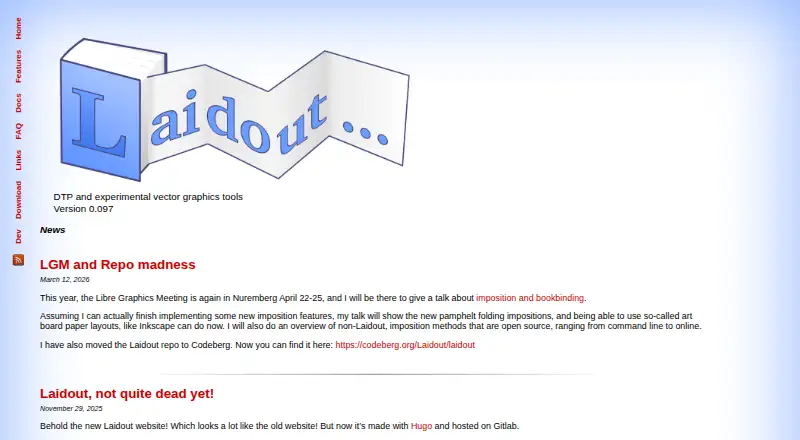
The homepage identifies version 0.097 and notes that the stable build is old, recommending a development snapshot or source compilation when possible. The stable version is dated November 2018, and the last compiled unstable snapshot is from 2021.
Scripting is not well documented or well debugged, and some object types cannot be reached by scripts. Color management has received little development attention; the FAQ points users to Scribus for that work.
There are no master-page or preflight tools listed in the facts.
Pricing
The software costs nothing and is licensed under GPL 3.0.
Verdict
Choose Laidout if your work depends on complex folded layouts and you use Linux. Its broad import and export list, plus command-line batching, can support print production without a subscription.
Look elsewhere if you need current stable software, reliable scripting, built-in color management, master pages, preflight checks, or a confirmed Mac or Windows release. Scribus is the clearest companion to check because Laidout can exchange Scribus files and recommends it for color management.
Our take
Laidout makes sense for a Linux print project that depends on imposition rather than a standard page-design workflow. Its free GPL license removes purchase cost, and its support for folded signatures, nets, and batch exports covers specialized jobs. The trade-off is maintenance risk: the listed stable build is old, other platforms are uncertain, and several production conveniences are absent. Treat it as a specialist tool, and plan to pass files to Scribus when color handling matters.
- Free GPL 3.0 software with no purchase charge
- Handles folded signatures, accordion folds, and polyhedron nets
- Produces PDF, SVG, Scribus, image, and PostScript output
- Supports command-line batch processing
- Imports and exports Scribus files with limitations
- Linux is the only confirmed platform
- Stable release is old and development snapshots are recommended
- Color management has received little priority
- Scripting is poorly documented and incomplete
- No master-page or preflight tools
- Pick it ifLinux users making unusual folded print layouts; Posters designed for small-sheet printers; Batch imposition and export workflows
- Skip it ifYou need confirmed Mac or Windows support; You require current stable releases or built-in color management; Your workflow depends on master pages or preflight checks
Pricing
The program is free software distributed under GPL 3.0.
- Free (GPL 3.0)GPL 3.0 software · Linux support stated · version 0.097Free
As laidout.org lists them, checked 7 Oct 2026.
Questions
What operating systems run Laidout?
Linux is the only confirmed platform. Mac support and Windows use through WSL are described as uncertain.
Is Laidout free?
Yes. It is available at no charge under the GPL 3.0 license.
Can Laidout make booklets?
Yes. The software supports individual pages, custom folded book signatures, and arrangements such as accordion folds.
What files can Laidout import?
It accepts SVG, images, Scribus files, OFF polyhedra, and PDF pages rendered as images. PDF reimposition import remains under development.
What can Laidout export?
Available outputs include PDF, SVG, Scribus, images, HTML galleries, Podofoimpose PLAN, Page Atlas images, and PostScript.
Does Laidout have color management?
Color management has not been a development priority. The FAQ recommends sending work to Scribus for color management.
Can it run batch jobs?
Yes. Command-line operation can import, reimpose, and export files without opening a window.