Lapce: Free, Open-Source Rust Code Editor
lap.dev · checked 15 Oct 2026
Lapce is a free, open-source Rust code editor for local and remote work.
How it plugs in
Signal on Text Editors7.9#2 of 82
Lapce is an open-source code editor written in Rust. It runs on Linux, Windows, and macOS, with desktop downloads and extension support. The editor includes syntax highlighting, language-server features, Vim-style modal editing, multiple cursors, a terminal, and remote development over SSH. Its plugin system uses WASI, and the project is free under the Apache 2.0 license.
Review
In a line
Lapce is a free, open-source code editor written in Rust. It has desktop versions for Linux, Windows, and macOS.
What it does
Lapce provides a native editor interface with GPU-accelerated drawing through Floem. You can edit local projects, open a terminal at the workspace path, and connect to a remote machine for development in an environment that matches a production server.
Tree-sitter supplies syntax coloring, while built-in LSP support adds code completion, error checks, and code actions. Vim-like modal editing and multiple cursors support keyboard-focused editing.
How it connects
The project is open source under the Apache License 2.0. It runs on Linux, Windows, and macOS, with Linux x86 and ARM archives, Windows installer and portable builds, and a universal macOS DMG.
Plugins run through WASI and can be written in languages that compile to WASI. The registry includes support for Rust, TypeScript, JavaScript, Python, C/C++, Go, TOML, Markdown, and themes. Lapce also supports remote work over SSH and includes Cargo support.
Good fit
Lapce suits developers who want a free Rust-based editor for local projects or remote machines. Its built-in language features, terminal, modal editing, and multiple cursors cover common coding tasks without requiring a separate editor and terminal.
It may also fit people who want to inspect or extend an open-source editor, including plugins written in C, Rust, or AssemblyScript when those languages compile to WASI.
Watch for
Remote development normally expects SSH key authentication. Password authentication requires launching Lapce with the --wait option.
Some syntax grammars are loaded externally, and plugin publishing uses the volts Cargo command-line tool, GitHub login, and an API token. Documentation covers many topics, but its introduction page says it was last updated a year ago.
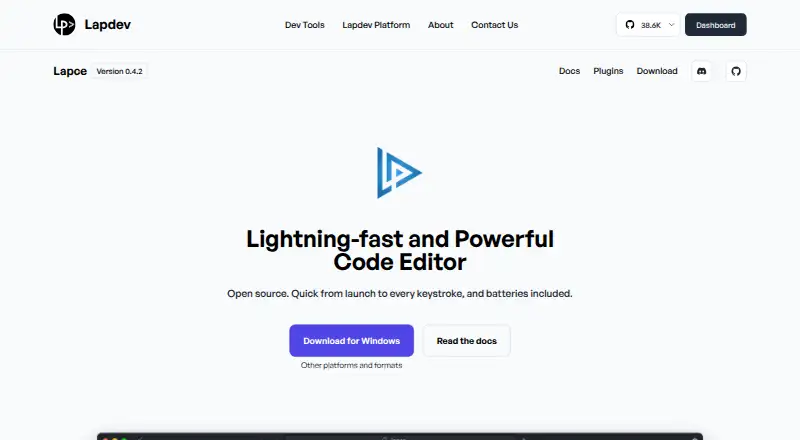
The product page displays version 0.4.2, while GitHub lists v0.4.6 as the latest stable release, dated January 21, 2026. Check the release channel you plan to use.
Pricing
Lapce is free. No paid edition is listed, and the open-source desktop editor is available for Linux, Windows, and macOS.
Verdict
Choose Lapce if you want an open-source desktop editor with Rust foundations, built-in language-server features, a terminal, Vim-style editing, and remote SSH development at no cost.
Look elsewhere if you need password-based remote access without a special launch option, rely on a broad set of built-in syntax grammars, or prefer documentation with more recently updated introductory material.
Our take
Lapce is a sensible choice for developers who want one free editor for local and remote work across the three major desktop systems. Its language-server tools, terminal, multiple cursors, and modal editing cover everyday coding needs, while the open-source license allows inspection and modification. Remote users should be comfortable with SSH keys, and plugin authors need WASI-compatible languages and a publishing workflow involving Cargo, GitHub, and an API token. The mixed version labels and aging introduction page are reasons to verify the release and documentation before adopting it for a larger team.
- Free and open source under Apache 2.0
- Runs on Linux, Windows, and macOS
- Built-in LSP, terminal, Vim mode, and multiple cursors
- Remote development over SSH
- WASI-based plugin system
- Remote password access needs the --wait launch option
- Some syntax grammars load externally
- Plugin publishing needs Cargo, GitHub login, and an API token
- Documentation introduction was last updated a year ago
- Product and latest stable version labels differ
- Pick it ifDevelopers wanting a free Rust-based desktop editor; Local and SSH-based remote coding; Users who value Vim-style editing and open plugins
- Skip it ifYou need simple password-based remote access; You require every language grammar built in; You want recently updated introductory documentation
Pricing
Lapce is free, with no paid edition listed. The open-source editor runs on Linux, Windows, and macOS.
- LapceOpen source code editorFree
- Lapce editorNo paid edition is listed · open-source desktop editor · Linux, Windows, macOS · built-in LSP, terminal, Vim mode, remote development, WASI pluginsFree
As lap.dev lists them, checked 29 Sept 2026.
Questions
Is Lapce free?
Yes. Lapce is a free, open-source editor, and no paid edition is listed.
Which systems does Lapce support?
Official support covers Linux, Windows, and macOS. Downloads include Linux x86 and ARM builds, Windows installer and portable builds, and a universal macOS DMG.
Can Lapce edit files on a remote machine?
Yes. Lapce supports remote development over SSH and uses a proxy that also runs on the remote machine.
Does Lapce support Vim-style editing?
Yes. Vim-like modal editing is built in.
What language features are included?
Tree-sitter provides syntax highlighting, and LSP support provides completion, diagnostics, and code actions.
How do Lapce plugins work?
Plugins run through WASI and can be written in languages such as C, Rust, or AssemblyScript that compile to WASI.
What is the current Lapce version?
The product page displays 0.4.2. GitHub lists v0.4.6 as the latest stable release, dated January 21, 2026, with a nightly channel also available.