
Lector: Open-Source Language Learning Reader
lector.dev · checked 15 Oct 2026
Open-source language-learning reader for books, articles, videos and podcasts.
How it plugs in
Signal on Language Immersion Apps7.4#1 of 25
Lector is an open-source reader for studying languages with imported EPUBs, text, web articles, YouTube captions and podcasts. It offers click-to-translate reading, vocabulary tracking, cloze practice, spaced repetition and Anki export. It runs on the web, iOS, as an API or self-hosted, with offline reading tools and optional AI features.
Review
In a line
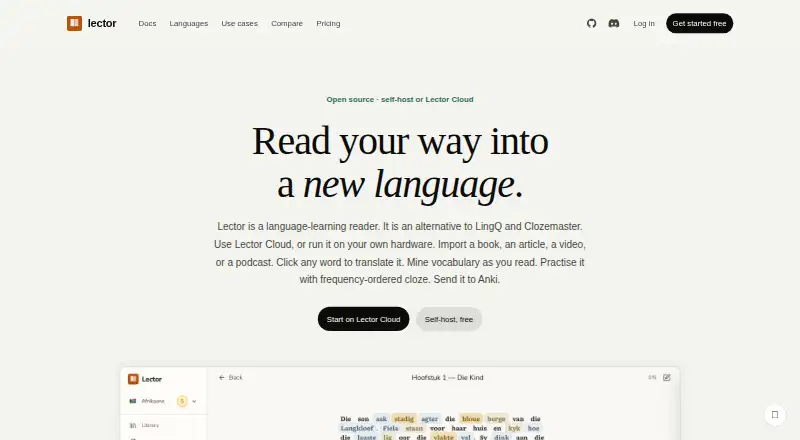
Lector is an open-source language-learning reader. You bring your own books, articles, videos or podcasts, then study them with translations and practice tools.
What it does
Import EPUB files, pasted text, web articles, YouTube caption tracks or podcast audio. Click words for translations and mark vocabulary as new, learning or known. Saved words and phrases remain in a vocabulary database.
YouTube captions keep their timestamps for synchronized reading. Uploaded podcasts can be transcribed with Whisper for listen-along playback.
Cloze practice uses frequency-ordered Tatoeba sentence pairs, with multiple-choice or typed answers and spaced repetition. A dashboard shows vocabulary growth, reading streaks, activity heatmaps, cloze mastery and CEFR fluency estimates.
The tutor answers grammar questions, while journal correction explains writing changes. These AI tools can use Claude or a local model. Optional Google Cloud Text-to-Speech can read words and sentences aloud.
How it connects
Lector sends mined words and phrases to Anki as Basic or Cloze cards. Its beta Lector Sync add-on can send reviews back, and self-hosted installations can use AnkiConnect.
It offers an HTTP REST API with 100 personal-access-token endpoints and an OpenAPI 3.1 document. The API can import EPUBs, audio, YouTube captions and URL articles, and handle collections, lessons, progress and statistics.
Supported optional AI backends include Anthropic Claude and OpenAI-compatible servers such as Ollama, LM Studio and vLLM. Docker is used for self-hosting, with one container, one data volume and Docker Compose.
Reading, cloze practice and vocabulary tracking work offline with on-device dictionaries. AI features need a network connection unless you point Lector to a local model.
Good fit
Lector suits language learners who want to study their own reading and listening material rather than use only preset lessons. It covers 24 languages through its listed language packs, while the reader itself works with any language.
It fits people who want frequency-based sentence practice, vocabulary mining, Anki cards, synchronized captions or podcast transcripts. Self-hosting is also an option for people who want data on their own hardware.
Watch for
Cloud content is stored to provide the service and may be sent to a translation provider. The site says cloud content is not used to train models or sold. Self-hosted deployments keep reading data in a server-side SQLite file and collect no app telemetry or account data, according to the privacy policy.
The Free plan excludes podcast import, limits journal writing to 1,000 words per month and does not include managed AI requests. Planned language packs such as Vietnamese, Tagalog and Romanian are not yet available.
Self-hosting requires Docker Compose and a mounted data volume. Check the language-pack list and AI provider setup before choosing a plan.
Pricing
Lector has a free plan, a free self-hosted option, and paid cloud plans. Free includes 10 collections, 200 texts, daily tap-to-translate limits, 1,000 AI glosses per month, browser voices and optional use of your own AI key.
Self-hosted costs $0 forever and includes every feature with unlimited usage; data stays on your hardware. Cloud costs $5 a month, or $50 a year, and Cloud Plus costs $12 a month, or about $120 a year. Both annual prices give two months free.
Cloud adds managed AI requests, glosses, voice characters, podcast hours, text and journal limits, backups, updates and email support. Cloud Plus raises those allowances and adds unlimited journal writing, library and phrase length, priority support and early language-pack access.
Verdict
Choose Lector if you learn best from personal reading and listening material and want translation, vocabulary review and cloze practice in one place. Its open-source code, offline study tools, API and self-hosted deployment give experienced users room to control setup and data.
The free plan is useful for trying the reader, but podcast learners and people needing managed AI will need a paid cloud plan or their own setup. Verify that your target language has a language pack, and decide whether cloud storage or self-hosting better matches your privacy needs.
Our take
Lector is a strong match for learners who already have books, articles, videos or podcasts and want to turn them into study material. Its combination of click translations, vocabulary states, frequency-based cloze work, spaced repetition and Anki support covers both reading and review. Offline operation and self-hosting help users who want local control. The main trade-offs are plan limits, cloud data handling, setup work for self-hosting and incomplete language-pack coverage. Pick it after checking your language, podcast needs and preferred AI arrangement.
- Imports EPUBs, web articles, pasted text, captions and podcasts
- Offline reading, cloze practice and vocabulary tracking
- Open source with self-hosting and a public REST API
- Anki export plus beta two-way review syncing
- Free plan and a $0 forever self-hosted option
- Free plan has no podcast import or managed AI requests
- Cloud content may be sent to a translation provider
- Some language packs are still planned, not available
- Self-hosting requires Docker Compose and a data volume
- Pick it ifLearners studying their own books, articles, videos or podcasts; People wanting Anki, offline tools or self-hosted privacy; Users who need an API for importing and tracking study data
- Skip it ifYou need a fully preset course instead of imported material; You require a language pack that is still on the roadmap; You want podcast import or managed AI on the free plan
Pricing
Free is limited; self-hosted is $0 forever with unlimited usage. Cloud is $5/month or $50/year, and Cloud Plus is $12/month or about $120/year, with two months free on annual billing.
- Free10 collections · 200 texts · 10 words + 10 phrases/day tap-to-translate · 1,000 AI glosses/month · browser voices · optional own AI keyFree
- Self-hosted$0 forever · Every feature · unlimited usage · data stays on your hardware · own LLM keys or local model · community supportFree
- Cloudor $50/year — two months free · 5,000 managed AI requests/month · 10,000 AI glosses/month · 300,000 voice characters/month · 5 podcast hours/month · 1,000 texts · 5,000 journal words/month · backups, updates, email support$5/mo
- Cloud Plusor ~$120/year — two months free · 20,000 managed AI requests/month · 50,000 AI glosses/month · 1,500,000 voice characters/month · 15 podcast hours/month · unlimited journal writing, library and phrase length · priority support · early language-pack access$12/mo
As lector.dev lists them, checked 15 Oct 2026.
Questions
What can Lector import?
It imports EPUB files, pasted text, web articles, YouTube captions or transcripts, and podcasts.
Does Lector work offline?
Reading, cloze practice and vocabulary tracking work offline with on-device dictionaries. AI features need a network unless connected to a local model.
Can Lector connect to Anki?
Yes. It exports Basic or Cloze cards, and the beta Lector Sync add-on can synchronize reviews back. Self-hosted users can also use AnkiConnect.
How many languages does Lector support?
The site lists language packs for 24 languages. The reader itself can handle any language, but packs add frequency cloze data and an on-device dictionary.
What does self-hosting cost?
Self-hosting is free, billed at $0 forever, with every feature and unlimited usage. Data stays on your hardware.
What are the cloud prices?
Cloud costs $5 a month or $50 a year. Cloud Plus costs $12 a month or about $120 a year; annual billing gives two months free.