LessonApp Review: Lesson Planning, Features and Pricing
lessonapp.fi · checked 14 Oct 2026
A structured workspace for lesson design, method discovery, sharing, and school coordination.
How it plugs in
Signal on Lesson Planning Software6.6#2 of 23
Teachers use LessonApp to prepare lessons through organized stages and a teaching-method library. They can find and reuse plans, while paid options provide private storage, group work, whole-unit planning, and school administration. Access is available on the web, Android, and iOS, with free and paid plans.
Review
In a line
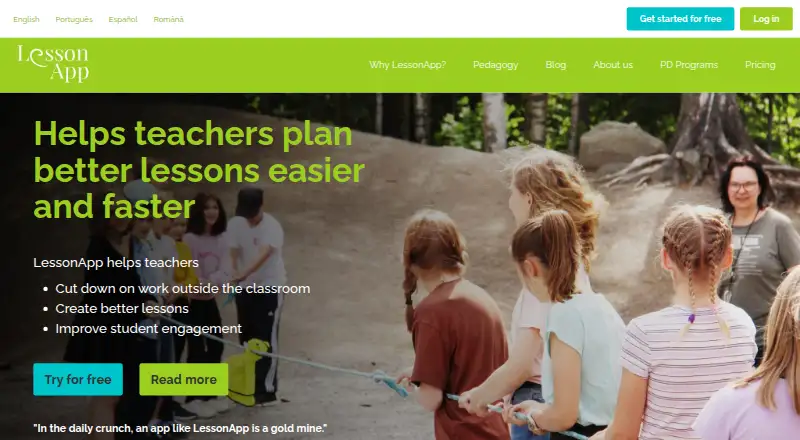
LessonApp helps teachers design lessons, improve student engagement, and cut work beyond class hours.
What it does
In Create, teachers move through four planning stages; one of them, Design, is used to construct lesson structures. The app bases its stages and methods on research-informed, socio-constructivist pedagogy.
The method library contains over 150 options, with Basic accounts receiving over 50. Through Teach, users can search and filter personal, group, and public lessons, then adapt an existing plan as a starting point. Home brings together weekly posts, featured lessons and methods, news, scheduled lessons, and newly added group lessons.
Users may explore plans made by other teachers. Premium permits private lesson storage, group creation or membership, sharing within groups, and planning of complete units. A lesson-planning software directory can help compare this type of tool.
How it connects
LessonApp is available through a browser and requires an internet connection; mobile apps can be downloaded from Google Play or the App Store.
With School Premium, the School Manager Dashboard tracks teacher progress, displays school-user statistics, and administers school groups. Users can email the company or send feedback from the app’s top menu.
LessonApp Oy says it handles names, email addresses, account details, and lesson material uploaded by users. Its providers and the company may access or move personal data beyond the European Economic Area, using measures such as Standard Contractual Clauses.
Good fit
The service is designed for teachers seeking guided planning, a broad method collection, and shared lesson ideas while remaining independent of any single curriculum.
Premium targets teachers who need private lesson storage, custom methods, groups, distance-teaching guidance, or whole-unit planning. School Premium adds administration features, volume pricing, and getting-started training for schools.
The site also presents benefits for principals, schools, students, and families, though its detailed planning functions are directed mainly at teachers.
Watch for
Use requires both a functioning internet connection and a browser. The terms permit suspension for maintenance, security issues, legal requirements, or third-party outages, without compensation for resulting failures.
LessonApp disclaims responsibility for backing up or retaining uploaded material, so keep another copy. Uploaders retain their intellectual-property rights but give LessonApp a perpetual, royalty-free licence to use that material for providing, marketing, and developing the service.
The pricing page places AI lesson co-creation and lesson assessments in the coming-soon category rather than among current tools. Check whether the curriculum-neutral methods fit your teaching needs.
Pricing
LessonApp follows a freemium approach. Its Basic Licence costs nothing and provides core planning, five building blocks, over 50 methods, up to 10 draft lessons, printable plans, and restricted plans, videos, and pedagogy instructions.
An annual Premium Licence is $99 (shown as $8.25 per month), with a 12-month minimum; VAT may be added. The upgrade includes 150-plus methods, unlimited private lessons, complete pedagogy guidance, self-assessment with a certificate, groups, distance-teaching guidance, and whole-unit planning. A 14-day trial is offered.
PD Programs require a one-time €600 payment and provide two live online professional-development sessions, a certificate, licences for as many as 50 participants, and no attendee cap. School Premium is quote-based and combines Premium features with volume discounts, training, and the School Manager Dashboard.
Verdict
LessonApp is worth considering when you need guided lesson construction, reusable shared plans, and organized teaching methods for individual or school use. Basic handles introductory planning; Premium is better suited to private libraries, groups, and complete units.
Consider alternatives if you depend on offline operation, guaranteed retention of uploaded files, open-source code, or immediately available AI lesson generation. Schools can request a School Premium quote and examine the data-transfer and content-use terms before deployment.
Our take
LessonApp offers guided planning stages and a substantial method library through web and mobile access. Basic covers introductory lesson work; Premium extends this with private lessons, groups, and whole-unit planning, while schools can obtain administration tools through a quoted plan. Internet access is necessary, uploaded material is not promised a backup, and AI co-creation and assessments remain planned features. Review the privacy and content-licensing terms before using it for shared school materials.
- Free Basic Licence covers core lesson planning
- Premium includes more than 150 teaching methods
- Browse and reuse public, group, and personal lessons
- Works on web, Android, and iOS
- School dashboard supports teacher and group management
- Internet connection is required
- Uploaded material is not guaranteed to be backed up
- AI lesson co-creation is not available yet
- Personal data may be transferred outside the EEA
- School Premium pricing requires an offer
- Pick it ifTeachers who want guided lesson structures; Schools needing group sharing and progress tracking; Users who prefer browser and mobile access
- Skip it ifYou need offline access or guaranteed lesson backups; You require open-source code or current AI lesson generation; You want a fixed school-wide price
Pricing
Basic has no charge. Premium is $99 annually (equivalent to $8.25 monthly, one-year minimum; VAT may apply) and includes a 14-day trial. PD Programs are €600 as a one-time fee. School Premium requires a quote.
- Basic LicenceBasic lesson-planning features · 5 building blocks · 50+ teaching methods · Up to 10 draft lessons · Print plans · Browse/apply other users' plans · Limited plans, videos and pedagogy instructionsFree
- Premium Licence$8.25/month equivalent; minimum 1 year ($99); VAT may apply · 150+ teaching methods · Unlimited private lessons · Full pedagogy videos/instructions · Self-assessment and certificate · Groups · Distance-teaching guide · Whole-unit planning$99/yr
- PD ProgramsTwo live online professional-development sessions · Certificate · LessonApp licences for up to 50 participants · No attendee limit€600 one-time
- School Premium LicenceAsk us for an offer · Premium features · Volume discount · Getting-started training · School Manager DashboardOn request
As lessonapp.fi lists them, checked 14 Oct 2026.
Questions
Is LessonApp free?
Yes. Basic is available at no cost. Premium is $99 for a year, displayed as an $8.25 monthly equivalent, with a one-year commitment.
Where can I use LessonApp?
You can open LessonApp in a web browser or install its Google Play and App Store apps. A working internet connection is needed.
Does LessonApp support shared lessons?
Public plans can be browsed by teachers. Premium lets users keep plans private, form or join groups, and share lessons with group members.
Does LessonApp use a specific curriculum?
LessonApp states that it is curriculum-independent and available to teachers everywhere.
Are AI lesson tools included now?
No. The pricing page lists AI-assisted co-creation and lesson assessments as forthcoming features.
What data does LessonApp process?
The privacy statement names names, email addresses, account details, and uploaded lesson material among the data handled. Access or transfer outside the EEA may occur with safeguards described by the company.
Can LessonApp back up my lesson files?
No backup or retention is guaranteed under the terms. Keep uploaded lesson files somewhere else as well.